




Labor management in construction is the practice of planning, deploying, tracking, and verifying field labor hours so projects stay on schedule and payroll matches the work actually performed. Most contractors handle the planning half well and the verification half badly. Crew sizing, sequencing, and scheduling get real attention, while the hours that reach payroll stay self-reported and unchecked.
That gap is expensive at a moment when labor is the scarcest input on the job site. The Associated General Contractors of America and NCCER surveyed nearly 1,400 construction firms in late July and early August 2025 and found that 92% of firms hiring reported difficulty finding qualified workers, and 45% reported project delays caused by shortages in their own workforce or a subcontractor's. Worker shortages were the most commonly cited reason for delay across the survey, and 78% of firms had at least one project slip in the preceding 12 months. Every hour of verified, accurately allocated labor matters more when you cannot simply hire your way out of a schedule problem.
Key Takeaways
- Construction labor management has five working parts: workforce planning, crew allocation, hours capture, productivity measurement, and labor cost control. Verification of hours is the part most commonly skipped.
- The Associated General Contractors of America 2025 Workforce Survey found 45% of firms experienced project delays from worker shortages, and 78% had at least one project delayed in the previous 12 months.
- Business.com's February 2025 survey of 1,000 US workers found 24% admit to overreporting hours, extending breaks, or asking a coworker to falsify a time card, adding an average of 4.5 hours per week to their timecards.
- GPS verifies location and face verification confirms identity. A time tracking setup that uses only one of the two leaves a specific, exploitable gap.
- Paper timesheets and spreadsheets stop working at roughly the point where a single supervisor can no longer see every worker on every site in one day.
- Truein is an AI-powered time tracking platform for hourly, subcontracted, and multi-site workforces that combines face verification and GPS geofencing on any Android or iOS phone or tablet, with no dedicated hardware required.
What Is Labor Management In Construction?
Construction labor management is the coordinated process of forecasting labor demand, assigning crews to jobs, capturing and verifying hours worked, measuring productivity against budget, and controlling the resulting labor cost. It spans the office and the field. A general contractor practicing it well can answer, on any given day, who is on which site, what they are working on, and what those hours cost the project.
The discipline has five components, and weakness in any one of them shows up in the others.
- Workforce planning. Forecasting how many workers of each trade a project needs, by phase, before mobilization.
- Allocation and crew leveling. Distributing available crews across concurrent jobs so no site is overstaffed while another waits.
- Hours capture and verification. Recording clock-ins and clock-outs, and confirming that the worker, the location, and the time are all real.
- Productivity measurement. Comparing hours consumed against work installed, by cost code.
- Labor cost control. Managing overtime, rework, idle time, and the labor burden that sits on top of base wages. Travel allowances belong here too, and the rules for paying per diem to traveling crews decide whether they count as wages.
Most construction firms invest in components one, two, and five, and treat component three as an administrative afterthought. Component four is impossible without component three, because productivity math built on unverified hours produces confident, wrong answers.
Labor management versus workforce management
Construction labor management focuses on the field labor pool: hourly craft workers, laborers, and subcontracted crews doing project work. Workforce management is the broader category covering scheduling, HR administration, and personnel records for an entire company, including salaried office staff. A contractor searching for workforce management software usually needs the labor half solved first, since the field is where hours are hardest to verify. Contractors already on an HRIS can run a six-sign test for when the HRIS time module runs out before adding a field layer.
Why Construction Labor Management Breaks Down On Real Job Sites
Construction labor management fails for five specific reasons: capture is manual, visibility stops at the site boundary, subcontractor hours cannot be verified, time theft goes undetected until payroll, and corrections consume the supervisor hours that were supposed to go into supervision. Each one compounds the next.
Manual capture does not survive scale
Paper sign-in sheets and spreadsheets work while one supervisor can physically see every worker in a day. Past that threshold, capture becomes transcription, and transcription introduces errors nobody catches until a worker disputes a check. The failure is not that paper is old-fashioned; the failure is that paper produces no independent record of who was actually present.
Excel has the same problem with better formatting. A foreman filling in a timesheet at the end of the week is reconstructing five days from memory. Those reconstructed hours then flow into job costing as though they were measured. An ERP that posts labor straight to job cost makes that faster, not more accurate.
Visibility stops at the site boundary
Running four sites means running four independent information systems, each one reporting on a delay. A project manager asking who is on the Broadway job right now is usually asking someone to make a phone call. Decisions about crew reallocation get made on yesterday's headcount, which is why a site sits short-handed while another runs three workers over plan.
Subcontractor hours arrive as invoices, not data
A general contractor receives subcontractor labor as a billed number, not as verified attendance. In the AGC 2025 Workforce Survey, 20% of firms said immigration enforcement had not hit them directly but had cost their subcontractors workers. Subcontracted headcount is volatile in exactly the way that makes billed hours hard to check. Without independent capture, the only options are to accept the invoice or start an argument with no evidence behind it.
Corrections eat supervisor time
Every timesheet exception becomes a conversation, and every conversation costs a superintendent 10 to 20 minutes that was budgeted for field supervision. The pattern is predictable: the closer to payroll, the more corrections, and the higher the chance a wrong number gets approved to meet the cutoff. Chronic construction payroll issues almost always trace back to capture, not to the payroll team. Firms running an HRMS usually see it first in correction volume, which is where the HRMS attendance module breaks for field crews.
How To Manage Construction Site Workers Across Multiple Locations

Managing construction site workers across multiple locations requires one system of record for attendance, clearly assigned site ownership, standardized shift and overtime policies, and a daily exception review instead of a weekly reconciliation. The operating principle is that data comes to the office automatically, and only the exceptions travel up to a human. Crews that move between sites during the day also need their travel recorded correctly, and the rules are set out in our guide to travel time pay for crews.
These nine steps work whether a firm runs three sites or 30.
- Standardize the clock-in method across all sites. Mixed methods produce non-comparable data. Choose one primary method, allow one documented fallback, and stop there.
- Define the geofence per site before mobilization. Each site, floor, or zone gets its own boundary set during setup, not after the first payroll dispute.
- Assign a named attendance owner per site. A supervisor who is accountable for reviewing that site's exceptions daily. Shared ownership means no ownership.
- Write shift, break, and overtime rules once and apply them by site and worker category. Rules that live in a supervisor's head cannot be audited.
- Review exceptions daily, not at payroll cutoff. A flagged punch investigated the same day is a two-minute conversation. The same punch investigated 11 days later is a dispute.
- Collaborate with the crews before you deploy anything. Explain what is being captured and why, in the languages your crews actually speak. Adoption problems on job sites are almost always communication problems.
- Protect health and safety as a labor management function, not a separate one. Fatigue from uncontrolled overtime is a measurable safety risk, and accurate hours data is what makes fatigue visible before an incident. Reasonable working hours and rested crews produce better output and fewer accidents.
- Balance skills deliberately across crews. Pair developing workers with experienced ones and track utilization so the same three people are not carrying every difficult scope. Skill gaps close faster when allocation is intentional.
- Give supervisors tools that remove paperwork. A superintendent doing data entry is an expensive clerk. Freeing that time back into the field is one of the clearest returns from automated time tracking.
What to do when workers raise problems
Site disputes, unclear pay, and equipment shortages all show up as productivity loss before anyone reports them formally. A short standing check-in with foremen, plus a low-friction way for workers to flag issues, catches most of this early. Attendance data helps here too, because a sudden rise in absence or late starts on one crew is usually a symptom of something the crew has not said out loud yet.
How To Manage Labor When Multiple Subcontractors Share A Site

Managing labor across multiple subcontractors on one site requires separating each subcontractor's attendance from your own workforce, setting a headcount cap per subcontractor, and giving each subcontractor's supervisor visibility limited to their own crew. Without that separation, a general contractor sees one undifferentiated headcount and has no basis to challenge a billed number.
Three controls matter most on shared sites.
Scoped access per subcontractor. Each subcontractor's supervisor should see their own crew and nothing else. Company-wide employee data stays separate from subcontractor-facing views.
Headcount caps and site mapping. Each subcontractor is mapped to the sites they are approved to work, with a maximum approved headcount attached. Attempts to exceed that number become visible rather than invisible.
Document expiry tracking. Certifications, safety cards, and work authorizations expire mid-project. Tracking them against the worker record surfaces the expiry before the worker shows up at the gate. For the gate itself, the guide to construction site access control covers the methods, the records each one produces, and the OSHA rules that depend on them.
A caution worth stating plainly: no attendance system automatically detects when the same worker is billed by two different subcontractors on the same day. What a well-configured system gives you is the visibility and the controls to spot the overlap and challenge it. That distinction matters, because a vendor promising automatic overlap detection is describing something more than the data supports. For deeper treatment of the coordination side, see the guide on coordinating multiple contractors on large construction projects.
How Do You Track Labor Hours On A Construction Site?
Construction crews track labor hours using one of seven methods: paper timesheets, spreadsheets, punch cards, fingerprint terminals, GPS-only mobile apps, face verification combined with GPS on a phone or tablet, or a shared tablet kiosk at the site entrance. The right choice depends on how many sites you run, how much identity verification you need, and whether your sites have reliable connectivity.
The table below compares the practical properties of each method rather than assigning ratings.
| Method | Setup time for a new site | Identity verified at punch | Works without connectivity | Cross-site view | Payroll-ready output | Best suited to |
|---|---|---|---|---|---|---|
| Paper timesheets | Immediate | No | Yes | None, requires manual consolidation | Manual entry | A single crew under one supervisor |
| Spreadsheets | Same day | No | Yes, offline file | Manual consolidation | Manual formatting | Fewer than 25 workers on one or two sites |
| Punch cards | Days, requires dedicated hardware | No, the card is verified, not the person | Yes | Per-device only | Manual export | Legacy single-site operations |
| Fingerprint terminal | Weeks, procurement plus install | Partial, subject to read failures | Yes, stored on device | Per-device unless networked | File export | Fixed gate access with clean, dry hands |
| GPS-only mobile app | Minutes | No, location only | Varies by product | Yes | Yes | Roving field crews where identity risk is low |
| Face verification plus GPS on a phone or tablet | Minutes | Yes | Yes, captured on device and synced later | Yes | Yes | Multi-site and subcontracted crews |
| Shared tablet kiosk at site entrance | Same day, the tablet has to be installed | Yes | Yes, captured on device and synced later | Yes | Yes | Gate-controlled sites and crews without smartphones |
Comparison reflects the general properties of each capture method as of August 2026, not a specific vendor's implementation. Individual products within a category differ.
Decision kernel. Choose a GPS-only mobile app when your workers are dispersed, trusted, and identity substitution is not a realistic risk, because location alone answers the question you actually have.
Choose face verification combined with GPS when subcontracted crews, high turnover, or shared devices make identity the open question, because a location ping tells you a phone was on site and nothing about who was holding it.
Choose a shared tablet kiosk when a meaningful share of the crew does not carry a smartphone to work. Neither approach solves anything when supervisors can edit approved timesheets without an audit trail, because the fraud simply moves downstream of capture.
Why fingerprint terminals struggle on construction sites
Fingerprint capture has a physical failure mode that face verification does not share. Oily, greasy, wet, or heavily calloused fingers cause read failures, and construction hands are all four by mid-morning. When a terminal cannot read a worker, the site falls back to a manual override, and the manual override is the hole in the system.
Dedicated hardware also carries a procurement and installation cost per site that does not scale with a project pipeline. A firm opening a site every six weeks cannot wait on a hardware install to start capturing hours. This is the core of the biometric device versus app-based attendance comparison for contractors.
What Is Time Theft In Construction And What Does It Cost?

Time theft in construction is any paid time that was not actually worked, whether deliberate or accidental. It includes buddy punching, clocking in before arriving at the site, staying on the clock after leaving, extended breaks, and timesheet edits made after the fact. In construction the location dimension makes it distinct: a worker can be genuinely clocked in and 12 miles from the job.
Business.com surveyed 1,000 US workers in February 2025 and found 24% admitted to overreporting hours, extending break times, or asking a coworker to falsify their time card. Those workers added an average of 4.5 hours per week to their timecards for work they had not done. The survey covered all industries rather than construction specifically, so the figure describes the general US workforce and should be treated as a directional benchmark rather than a construction-specific rate.
Within that same survey, 19% of workers said they regularly take longer breaks than allowed, 7% reported more hours than they worked, and 3% asked another employee to clock in or out on their behalf. The buddy punching number looks small until you apply it to a 200-person crew.
The types, and what each one costs
| Type of time theft | What it looks like on a job site | How the cost accumulates |
|---|---|---|
| Buddy punching | One worker clocks in for another who is late or absent | Full wage paid for zero hours worked, plus the burden on top |
| Early clock-in and late clock-out | Punching from the parking lot 12 minutes early, staying on the clock while loading up | Small daily increments multiplied by crew size and working days |
| Off-site punching | Clocking in from home, from the yard, or from the previous job | Full shifts billed to the wrong cost code or to no real work at all |
| Extended breaks | A 30-minute break that consistently runs 45 | Compounds across every worker every day of the project |
| Rounding abuse | Working the rounding rule at both ends of the shift | Systematic, quiet, and rarely disputed because each instance is defensible |
| Post-hoc timesheet edits | Hours adjusted upward during approval, without a record of who changed what | The highest-value form, because it happens after all the controls have run |
A cost model you can run on your own numbers
Use average hourly earnings for construction production and nonsupervisory employees, which the Bureau of Labor Statistics reported at roughly $38 per hour in February 2026 through its Current Employment Statistics program. Multiply your crew size by the average minutes lost per worker per day, by working days per year, by the loaded hourly rate.
At 15 minutes per worker per day across a 100-person crew, 250 working days, and a $38 base rate, the arithmetic gives about $237,500 per year in wages paid for unworked time. That figure uses base wages only and excludes labor burden, so it understates true cost for most contractors. It is also only one slice of the payroll leakage that starts in the timesheet. It also assumes the 15-minute estimate holds, which is why the number is a modeling tool rather than a finding.
How To Prevent Time Theft On A Construction Site

Preventing time theft on a construction site takes six layered controls: geofenced clock-ins, identity verification at the moment of punch, offline capture, exception alerting, locked timesheet editing with an audit trail, and a written policy the crew has actually read. Any single control has a known bypass. The layering is what closes the gaps.
1. Geofencing to bind the punch to the site
A geofence is a virtual GPS perimeter around an approved location, inside which a clock-in is permitted. Radius size is a real decision, not a default. A tight radius on a sprawling site produces false rejections, and a loose radius on an urban site includes the coffee shop across the street.
Enforcement behavior matters as much as the boundary. Depending on configuration, an out-of-boundary punch can be blocked outright, allowed with an alert to the supervisor, or routed for approval. Deciding which of the three you want, per site, before rollout prevents the most common early complaint.
The limitation: geofencing confirms that a device was inside a boundary. It says nothing about who was holding the device, and it does not stop a worker who clocks in legitimately and then leaves.
2. Identity verification at the moment of the punch
Face verification at clock-in answers the question geofencing cannot. A face match that fails should block the punch immediately and prompt a retry, which is what separates verification from a photo attached to a timesheet for later review. Several construction time tracking products capture a selfie for supervisor review after the fact, which is a deterrent rather than a control.
The limitation: no face recognition system reaches perfect accuracy, and content that claims otherwise should be treated with suspicion. Spoofing attempts are typically handled through a detection layer that can flag a suspicious punch after it is recorded, rather than always blocking it at the moment of capture.
3. Offline capture so remote sites do not create gaps
Basements, elevator shafts, rural highway work, and early-stage sites before temporary service is running all produce connectivity dead zones. Offline clock-in stores the punch on the device and syncs when the network returns, with the record flagged as captured offline. For urban commercial construction this is a reassurance feature, and for remote or rural work it is the deciding factor.
The limitation: offline punches appear in the dashboard only after they sync. Any vendor describing offline capture as real-time visibility is overstating what the mechanism does.
4. Exception alerting instead of full timesheet review
The point of automation is not to review everything faster. It is to review only what looks wrong: punches outside the boundary, impossible travel between two sites, identical clock-in timing across a crew, unusual overtime spikes, and repeated corrections on the same worker. Reviewing 12 flagged punches beats reviewing 2,000 clean ones.
5. Locked editing with a full audit trail
Whoever can silently edit an approved timesheet is the largest single risk in the system. Editing rights should be scoped, every change should record who made it and when, and payroll-impacting edits should require a second approval. This control gets skipped more often than any other because it constrains managers rather than workers.
6. A written policy the crew has read
Under the Fair Labor Standards Act, employers must pay for hours reported as worked. Withholding pay over suspected padding without system-generated evidence creates exposure rather than resolving it. The correct sequence is to document with time-stamped records first, then address the behavior through the disciplinary process. This is general information, not legal advice. See the disclaimer below.
When these controls will not help. Layered time tracking controls address hours that were not worked. They do not address hours that were worked unproductively, materials waiting at the gate, rework from bad sequencing, or crews standing idle because an inspection slipped. A contractor whose real problem is construction labor productivity rather than attendance integrity should fix sequencing before buying a time clock.
Digital Timekeeping Solutions For Construction Sites: What To Evaluate
Digital timekeeping solutions for construction sites should be evaluated on nine criteria: identity verification, geofencing behavior, offline capability, cross-site visibility, cost code and job tracking, overtime and break policy configuration, payroll integration, timesheet audit controls, and worker adoption. Feature checklists from vendors tend to cover the first three and go quiet on the rest.
| Criterion | Why it decides the outcome | How to test it during a pilot |
|---|---|---|
| Identity verification at punch | Distinguishes a control from a deterrent | Ask a crew member to attempt a clock-in for a colleague and observe what the system does |
| Geofencing behavior | Determines whether an out-of-bounds punch is blocked, alerted, or approved | Punch in from the parking lot and from a block away, then check what the supervisor sees |
| Offline capability | Prevents attendance gaps in dead zones | Put a device in airplane mode, clock in, restore the network, confirm the record and its offline flag |
| Cross-site visibility | Removes the daily round of phone calls | Open one dashboard and try to answer who is on every active site right now |
| Cost code and activity tracking | Makes job costing possible from real hours | Tag time to two cost codes on one shift and pull the report |
| Overtime, break, and holiday policies | Determines whether rules are enforced or remembered | Configure a different overtime rule for two worker categories on the same site |
| Payroll and accounting integration | Removes re-keying and the errors that come with it | Run one full cycle end to end into your actual payroll system, not a sandbox |
| Timesheet edit controls and audit trail | Closes the largest remaining fraud surface | Edit an approved entry as a supervisor and check whether the change is attributed and visible |
| Worker adoption | An unusable system produces workarounds, not data | Watch five workers clock in unassisted on day one and count how many need help |
Certified payroll and prevailing wage work
Firms performing federally funded work under Davis-Bacon requirements, or state prevailing wage work, carry reporting obligations that ordinary time tracking output does not satisfy on its own. Certified payroll reports require worker classification, hourly rate by classification, and hours by day in a prescribed format. The full certified payroll reporting process, from worker classification through the weekly WH-347 submission, is covered in a separate guide.
Confirm directly with any vendor whether certified payroll output is native, produced through a payroll integration, or not supported, because the three answers have very different implications for your back office. The wider set of federal and state rules behind that output is mapped in our construction payroll requirements guide. This is general information, not legal advice. See the disclaimer below.
The products contractors usually shortlist
Contractors evaluating this category typically compare ClockShark, Workyard, busybusy, ExakTime, Raken, Procore, Connecteam, QuickBooks Time, Buddy Punch, Timeero, SmartBarrel, and Truein.
Each optimizes for a different core problem: Workyard and Timeero lead on continuous GPS and route history, busybusy and ExakTime on equipment and job costing depth, Raken and Procore on project documentation, SmartBarrel on rugged on-site hardware, and Truein on identity verification at the moment of the punch across dispersed and subcontracted crews. A full feature-level breakdown lives in the comparison of the best construction time tracking software, and the tools that carry those hours into cost codes and job costing are compared in the roundup of construction labor tracking tools.
Biometric Consent Rules US Contractors Should Know
Face recognition for time and attendance is lawful in every US state when deployed with consent-first enrollment. Five states impose biometric consent obligations that apply directly to workplace attendance tracking: Illinois, California, Texas, Washington, and Colorado. Compliance is a process question, not a technology question.
California is the most immediate consideration for the largest number of employers. The employee exemption under the California Consumer Privacy Act and its amendment, the California Privacy Rights Act, lapsed on 1 January 2023, giving California employees full notice, access, and deletion rights over biometric data collected at work, including for attendance. Any contractor with California job sites should treat this as an active obligation.
Illinois is the state where consent documentation matters most. The Biometric Information Privacy Act requires written consent before biometric data is collected and, unlike the other four statutes, permits individuals to bring claims directly. Contractors with Illinois sites should keep signed consent records with the worker file rather than relying on a verbal briefing.
Texas, Washington, and Colorado each require notice and consent without a private right of action, which places them in a lower-litigation-risk category. The Texas Capture or Use of Biometric Identifier Act is enforced solely by the state Attorney General. Washington's biometric privacy statute, RCW 19.375, is enforced by the Washington Attorney General through the state's Consumer Protection Act, and Colorado's HB 24-1130, effective 1 July 2025, adds a written retention and deletion policy requirement alongside consent.
The practical takeaway for a contractor is short. Inform workers before enrollment, obtain and store written consent, publish a retention and deletion policy, and keep the consent records with the worker file.
Truein supports consent-first face enrollment. When enabled, workers must review and accept the consent screen before any face capture starts. Truein records consent status and supports withdrawal handling, while customers remain responsible for their own legal, privacy, and policy requirements.
That covers the enrollment side. The notice, retention, and deletion policy stays the employer's responsibility in every state listed above.
Disclaimer: The legal, regulatory, and compliance information in this article is for general informational purposes only and does not constitute legal advice. Biometric privacy laws vary by state and change over time; the information above reflects publicly available sources as of the article's publish date and may not reflect subsequent legal developments in your jurisdiction. Before deploying biometric attendance technology, consult a licensed attorney familiar with the applicable state and local requirements.
Construction Labor Metrics Worth Tracking
Eight metrics tell you whether construction labor management is working: labor productivity rate, labor cost per unit installed, crew utilization rate, overtime percentage, attendance capture rate, timesheet correction rate, payroll error rate, and time to onboard a new worker. Track them monthly per project and per site, not company-wide, because company averages hide the site that is bleeding.
| Metric | How to calculate it | What a healthy trend looks like |
|---|---|---|
| Labor productivity rate | Budgeted hours divided by actual hours for a completed scope | At or above 1.0, and stable across similar scopes |
| Labor cost per unit installed | Total loaded labor cost divided by units installed | Flat or declining as a crew moves down the learning curve |
| Crew utilization rate | Productive hours divided by total paid hours | Rising, with idle causes identified rather than absorbed |
| Overtime percentage | Overtime hours divided by total hours | Concentrated in planned pushes, not spread evenly across every week |
| Attendance capture rate | Punches captured divided by shifts worked | Approaching 100%, with offline captures syncing within the same day |
| Timesheet correction rate | Corrected entries divided by total entries | Declining after rollout, and never rising close to payroll cutoff |
| Payroll error rate | Payroll corrections divided by total payroll lines | Falling within the first two cycles after automated capture |
| Time to onboard a new worker | Minutes from arrival on site to first valid clock-in | Measured in minutes, not days |
Two of these deserve extra attention. A timesheet correction rate that spikes in the 48 hours before payroll indicates the review process is happening at the wrong time, and an attendance capture rate below 95% means the system has a gap somebody is using.
A 30-60-90 Day Plan To Fix Construction Labor Management
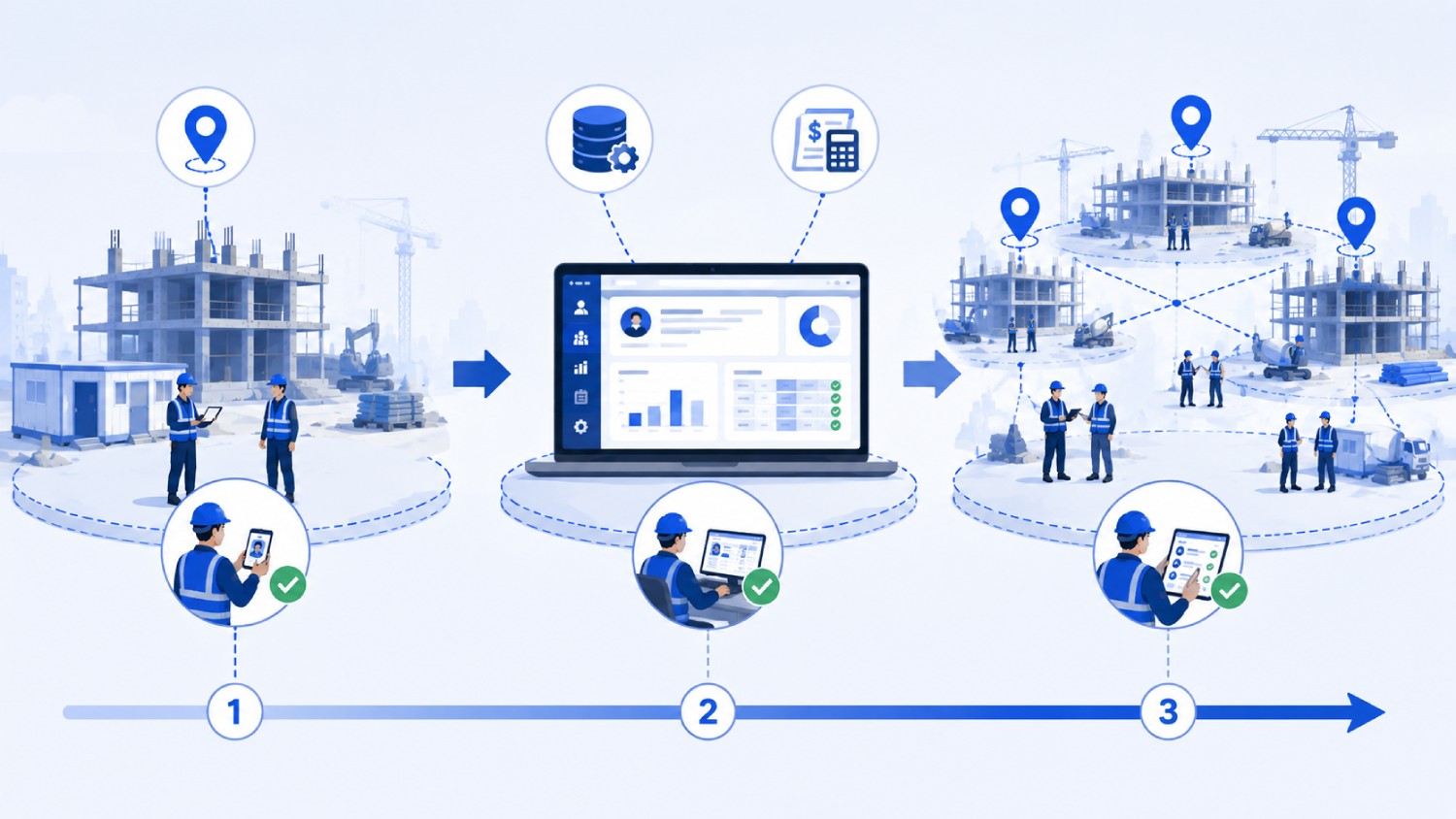
A contractor can move from paper capture to verified, payroll-ready hours in 90 days by piloting on two sites first, standardizing policies second, and scaling with measurement third. Attempting a company-wide rollout in week one is the most common cause of failure, because there is no controlled environment left in which to discover configuration mistakes.
Days 1 to 30: measure and pilot
- Baseline four numbers before changing anything: current timesheet correction rate, payroll error rate, hours from cutoff to processed payroll, and supervisor hours spent on timesheet admin per week.
- Pick two pilot sites with opposite characteristics, one urban and well-connected, one remote or low-signal.
- Configure geofences, shift rules, overtime rules, and break policies for those two sites only.
- Enroll workers with written consent, and document the consent process in your compliance file.
- Run both capture methods in parallel for two weeks and compare the paper record against the system record. The delta is your baseline for time theft.
Days 31 to 60: standardize and integrate
- Resolve every configuration issue the pilot surfaced, especially geofence radius complaints and offline sync behavior.
- Standardize policy templates by worker category so the next site inherits configuration instead of recreating it.
- Connect the system to payroll and run one full cycle end to end.
- Lock down timesheet editing rights and turn on the audit trail.
- Onboard your two largest subcontractors with scoped access and headcount caps.
Days 61 to 90: scale and measure
- Roll out to remaining sites in waves, sized so support can respond within a day.
- Move supervisors from full timesheet review to daily exception review.
- Re-measure the four baseline numbers and compare.
- Set the quarterly review: geofence boundaries drift as sites change shape, and policies drift as crews change composition.
Where Truein Fits In Construction Labor Management
Truein is an AI-powered time tracking platform built for companies managing hourly, subcontracted, and multi-site workforces, including general contractors, trade contractors, and specialty contractors running crews across scattered job sites. It addresses the verification component of construction labor management: confirming that the right worker clocked in, at the right site, at the right time, and turning that record into payroll-ready data.
Workers clock in using face verification and GPS geofencing on any standard Android or iOS smartphone or tablet, with no dedicated hardware such as fingerprint scanners or fixed biometric terminals to procure. Where a site runs a shared tablet kiosk, that tablet has to be installed at the location, so setup speed describes the software rather than the physical install. Truein's face recognition operates at approximately 95% to 100% accuracy, including with facial hair, masks, changed hairstyles, and hard hats. A failed face match blocks the punch immediately and prompts a retry, while suspicious activity such as spoofing attempts can be flagged after the punch depending on configuration, after which the record is flagged and the worker can be blocked.
Geofencing supports a minimum configurable radius of 20 meters, roughly 65 feet, and each floor, wing, or zone can be fenced separately for open sites and campuses. Enforcement is a configuration choice, so out-of-boundary punches can be blocked, alerted, or routed for approval based on how the account is set up. AI TimeGuard also groups location-based risk signals such as geofence edge behaviour, unusual punch locations, and clock-in clustering anomalies, which is where a location-only setup has nothing to look at.
Offline clock-in captures attendance on-device where connectivity fails and syncs automatically when the network returns, with each record flagged as captured offline. Those punches appear in the dashboard after sync rather than in real time, which matters for setting expectations on remote sites. Activity Punch lets workers tag time against a specific job, task, or activity, so hours map to cost codes for job costing and billing.
On the management side, Truein gives one centralized dashboard across sites, shifts, and subcontractors, with more than 70 configurable policies covering overtime, breaks, holidays, and leave that can be applied by location, category, or shift. Multiple subcontractors can operate under one account with scoped supervisor access, per-subcontractor headcount limits, subcontractor-specific pay rates, and document expiry tracking. These policies are configuration tools designed to support compliance with local labor rules rather than legal guarantees.
AI TimeGuard continuously analyzes captured time data and surfaces risk signals including unusual clock-in patterns, suspicious GPS behavior, impossible travel sequences, identical clock-in timing across a crew, overtime spikes, and frequent timesheet corrections. Supervisors review flagged exceptions instead of whole timesheets. AI Analytics answers workforce questions on demand and generates charts across sites without a report request.
Truein produces payroll-ready reports and connects to ADP, QuickBooks, Sage, Paychex, Xero, and Trimble through API-based or FTP-based sync. Truein is not payroll software and does not replace an HRMS; it feeds verified time data into the systems you already run. As of August 2026, Truein serves more than 500 customers across 25 countries and over 10,000 locations, with US customers including Walker Engineering in electrical contracting and Hallmark Housekeeping Services in facility services, and review scores of 4.8 out of 5 on G2 across 95 reviews and 4.8 out of 5 on Capterra across 42 reviews.
Who Truein is not for. Truein is built for field, hourly, subcontracted, and multi-site workforces. Desk-based and office-only teams are a poor fit. Contractors whose primary need is project documentation, daily logs, RFIs, or full construction project management should look at a platform built for that scope and integrate time capture into it, rather than expecting a time and attendance platform to cover project management.
See how Truein works for construction sites or schedule a demo.
Frequently Asked Questions
1. What is labor management in construction?
Labor management in construction is the process of forecasting labor demand, allocating crews across job sites, capturing and verifying hours worked, measuring productivity against budget, and controlling labor cost. It spans office planning and field execution. Verification of hours is the component most contractors under-invest in relative to its financial impact.
2. How do you manage labor across multiple construction sites?
Standardize one clock-in method across every site, define geofence boundaries per site before mobilization, assign a named attendance owner to each location, apply shift and overtime policies by site and worker category, and review flagged exceptions daily instead of reconciling at payroll cutoff. One dashboard replaces the daily round of phone calls to each superintendent.
3. Does GPS tracking alone stop time theft on construction sites?
GPS alone does not stop time theft, because location data confirms that a device was inside a boundary without confirming who was holding it. Pairing GPS geofencing with identity verification at the moment of the punch closes that gap. Locked timesheet editing with an audit trail closes the remaining one downstream of capture.
4. How do general contractors verify subcontractor labor hours?
General contractors verify subcontractor hours by capturing subcontracted crews in the same attendance system as their own workforce, with scoped access so each subcontractor sees only its own workers. Per-agency headcount caps and site mapping make over-billing visible. Attendance data then becomes independent evidence against the invoice rather than a matter of trust.
5. Can construction time tracking work without cell service?
Yes. Offline clock-in stores the punch on the device and syncs it automatically once connectivity returns, with the record marked as captured offline. The tradeoff is that offline punches do not appear on the dashboard until they sync, so real-time site visibility applies only to connected clock-ins.
6. How much time theft costs a construction company depends on what?
Cost depends on crew size, average loaded hourly rate, minutes lost per worker per day, and working days per year. Business.com's February 2025 survey of 1,000 US workers found that those who admit to overreporting add an average of 4.5 hours weekly to their timecards. Applying your own minutes-per-day estimate to your crew produces a more defensible figure than any industry average.
7. Does Truein have a US office?
Yes. Truein is headquartered in India with a dedicated US office in New Jersey, and serves customers across more than 25 countries and 10,000 locations. US-based account executives travel across the US and Europe as needed, primarily to support enterprise customers on strategic engagements, business reviews, and custom implementations.
8. What software do construction companies use to track labor hours?
Construction companies typically use one of three categories: GPS-only mobile time tracking apps, face verification combined with GPS on a phone or tablet, or a shared tablet kiosk at the site gate. Products contractors commonly shortlist include ClockShark, Workyard, busybusy, ExakTime, Raken, Connecteam, QuickBooks Time, Buddy Punch, Timeero, SmartBarrel, and Truein. The right category depends on how many sites you run and whether identity substitution is a realistic risk to your crews.
9. How do you calculate labor productivity in construction?
Labor productivity rate is budgeted hours divided by actual hours for a completed scope. At or above 1.0 means the crew beat the estimate. Below 1.0 means the scope consumed more hours than it was priced at. Track it per scope and per site rather than company-wide, because a company average hides the one site that is bleeding hours.
10. What is a good geofence radius for a construction site?
There is no single correct radius. A tight radius on a sprawling site produces false rejections at the true site edge, and a loose radius on an urban site includes the coffee shop across the street. Truein supports a minimum configurable radius of 20 meters, roughly 65 feet, and each floor, wing, or zone can be fenced separately. Set the radius from walking the boundary at shift start and shift change, not from a default.
