

Book A Free Demo
Thank you! Your submission has been received!
Oops! Something went wrong while submitting the form.
Book A Free Demo
Supply Chain Workforce








Trusted by Workforces Across Industries
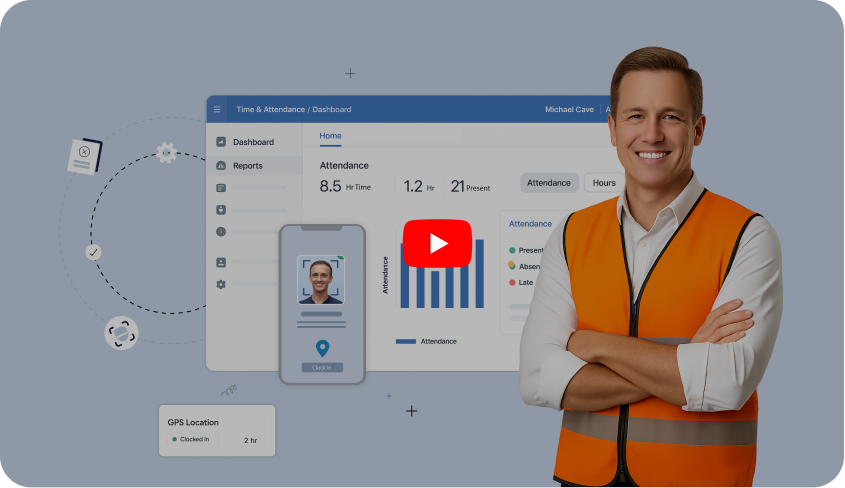


Phoenix Transload operates 27 warehouse and transload locations across the United States, including major logistics hubs like Savannah, Georgia. Specializing in supply chain and logistics operations, Phoenix manages a high-volume workforce operating in multiple shifts.
Read Full Case Study


Carlos Woodson
Phoenix Transload Services


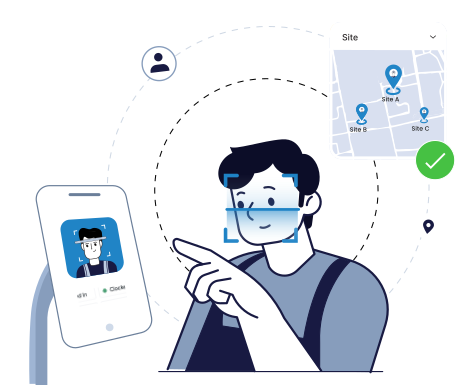
Employees clock in on shared mobiles or tablets with face recognition at entry, so attendance is tied to the right person at the right location instead of sign-in sheets, shared IDs.
Quick FAQ’s

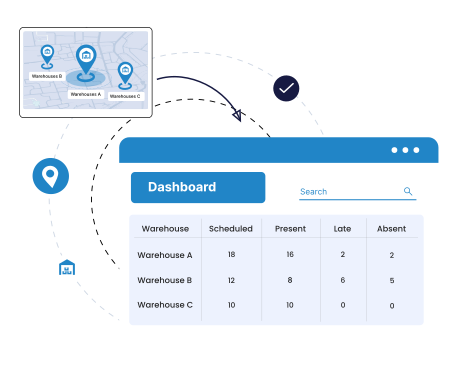
Attendance from every location flows into a single view so HR and operations can quickly see who is present, late, or absent at each location without chasing local reports.
Quick FAQ’s
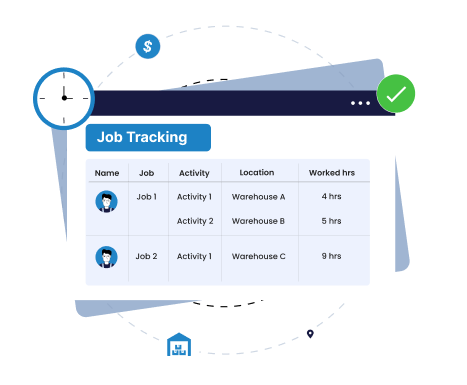
With Truein's logistic workforce management software, employees pick their assigned job or activity when they clock in, so hours are recorded against right area, job, or cost center instead of a single generic shift
Quick FAQ’s
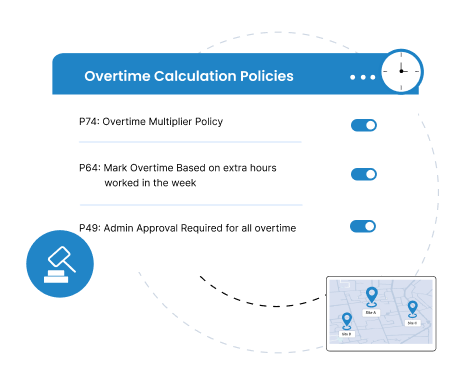
Automate overtime, breaks, and grace periods with daily and weekly limits and approvals, so extra hours are controlled consistently while still allowing site-specific policies.
Quick FAQ’s
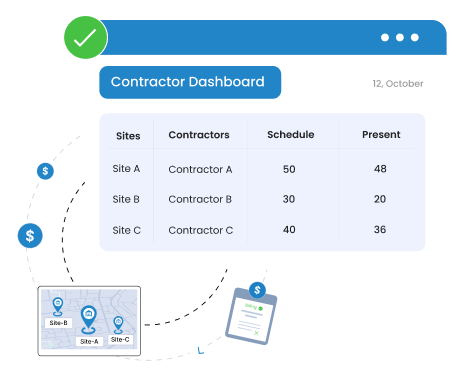
Site-level limit feature controls the number of staff who can report to each site daily. Provides better control to manage the staff whose number keeps fluctuating every day.
Quick FAQ’s
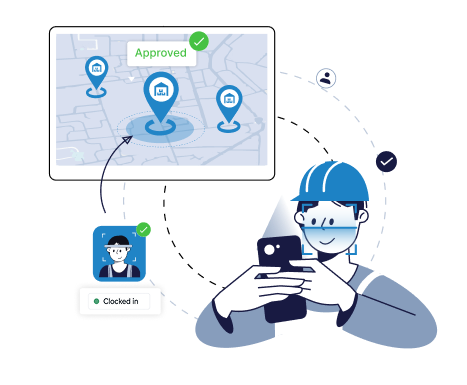
Enforce site geofences and service areas so employees can clock in only from approved locations and whitelisted kiosks or devices, stopping wrong-site or off-site punches.
Quick FAQ’s
Onboard new or temporary workers in minutes and reassign them between sites without re-enrollment, so profiles, access, and policies follow automatically.
Quick FAQ’s
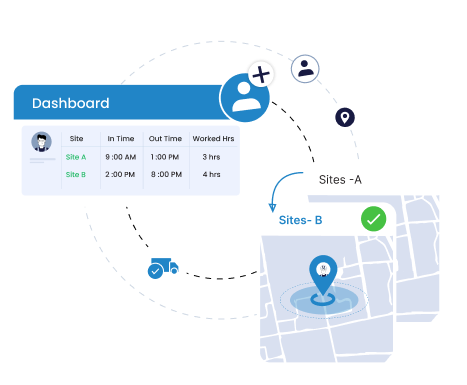
Exceptions, regularizations, and missed punches are handled by supervisors in Truein, so most issues are fixed on-site and HR spends less time on edits and follow-ups.
Quick FAQ’s
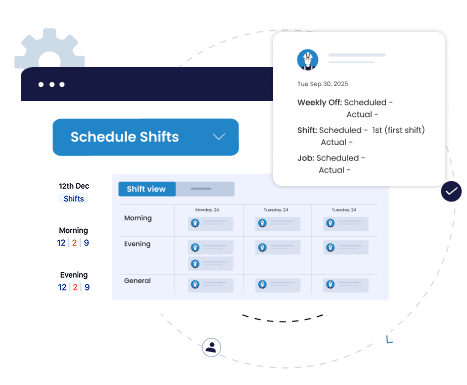
Create daily and weekly rosters, assign people to specific jobs or activities within each shift. Handle last-minute changes in one place instead of juggling spreadsheets and chat messages.
Quick FAQ’s
 Kiosk Mode (Touchless)
 Selfie Attendance with Geofencing
 Face Mask Screening
 Multiple In-Out
 GPS Location Capture
 Offline Attendance
 Govt. ID Capture
 Integration with HRMS/Payroll
 Reports and Analytics
 Admin Dashboard (Web & Mobile)
 Shift Scheduling
 Time Off (Leave) Management
 Staff Directory
 Employee Self-Service (ESS)


Truein is robust, reliable, and works as promised. I have implemented Truein in my previous and current companies. It's the best and most cost-effective solution.

Piyush Dutt
CPO, Compass Group
1200+
Sites
40,000+
Staff
Truein is a highly accurate, multipurpose, and user-friendly solution. It detects fake clock-ins and covers all the modules.

Sujit Pawar
DGM, OCS Group
100+
Sites
4000+
Staff
Moving from thumb-based attendance system to a Face recognition based time and attendance solution was made easy by the Truein team.

Srinivas G
Sr. HR Manager, Tata 1mg
200+
Sites
4000+
Staff
We are using Truein Time and Attendance system at our 80 sites for over 10,000 staff. Truein has built-in customization options and gives multiple real-time reports.

Girish Nimbalkar
AGM HR, SJ Contracts
80+
Sites
10,000+
Staff


Truein has helped Jumia a lot, not only in tracking attendance and work hours but also measuring productivity and calculating the payout for external employees.

Alaa Hassan
Head of Ops Excellence, Jumia
Pleased with Truein for its accuracy and ease of use in tracking the attendance of our staff. Truein team is always ready to assist us. Highly recommend it!

Nagham Nasr,
Payroll Officer, Reyada
This face detection time & attendance software is very effective at our construction company. Full marks to Truein and their support team!

Wajahat Khan
Payroll Admin, Al Magamsi General Contracting
Truein is robust, reliable, and works as promised. I have implemented Truein in my previous and current companies. It's the best and most cost-effective solution.

Piyush Dutt
CPO, Compass Group
Truein outshines all other time and attendance solutions. Its rich features, payroll ready timesheets and centralized controls put it in a class above all.

Carlos Woodson
Phoenix Transload Services
Truein is a perfect solution for tracking time of our temp workers. It has Excellent support and user-friendly system.

Nicolous Noble
Payroll Administrator, Backerhaus Veit
Truein has strengthened our Time & Attendance accuracy and quality, ensuring compliance and trust among end-users. Excellent product!

Henry Carrillo
Farm Administrator, Unispice
Truein is robust, reliable, and works as promised. I have implemented Truein in my previous and current companies. It's the best and most cost-effective solution.

Piyush Dutt
CPO, Compass Group
















Hey there! I'm Aby! Schedule a demo to implement centralized time and attendance solution for multi-site workforce.
Hey there! I'm Aby! Schedule a demo

Schedule a demo with a Truein Solution Expert

58+
Global companies booked a Truein demo last week