

Most contracting businesses do not need one app. They need three or four that cover different parts of the job: who is on site and for how long, what the crew is building, what materials are where, and what the numbers add up to. The problem is that most app lists mix all of these together without saying which job each tool actually does. This guide covers six apps for contractors, what each one is built for, and where each one stops. We selected them on the basis of features, technology, portability, and overall effectiveness for field-based contracting work.
Tracking contractor hours at client sites
When your crews work on someone else's site, hours have to answer to two parties: your payroll and your client's invoice. Most time tracking setups handle the first and leave the second to a spreadsheet at the end of the month.
Three things make the difference:
- Separating your staff from subcontractor crews. If you run subcontracted crews alongside your own, their hours need to be visible to you but scoped for them. Truein supports multiple contractor agencies under one account, with each agency's supervisor seeing only their own staff, per-agency headcount limits, agency-level pay rates and policies, and document expiry tracking. Agencies can be mapped to specific sites. Where several agencies work the same site, that gives you the visibility and the controls to catch overlapping headcount and overbilling, which is a different thing from the system catching it for you.
- Reporting hours by client, not just by worker. Hours tagged to a job, task or activity at the moment of clock-in roll up per client site without anyone re-sorting a timesheet. In Truein this is Activity Punch, and it is what connects verified attendance to job-based time tracking and job costing.
- Reconciling against the invoice. The dispute that costs you is a client questioning hours you have already paid out. Verified clock-ins tied to a geofenced location and a named job give you a record to answer with, rather than a supervisor's recollection.
Seeing labor hours across sites in real time
Real-time visibility means one screen showing who is clocked in, at which site, right now, without calling a supervisor. In Truein, that is a centralized dashboard covering every site, shift, and contractor agency, with live headcount per location.
One qualification worth understanding before you buy on this promise: real-time applies to connected clock-ins. Punches captured offline at a basement or remote site appear on the dashboard once the device syncs, not as they happen. Any vendor claiming live visibility across every site regardless of connectivity is describing something that does not exist. Truein flags offline records as captured offline so you can see which ones arrived late.
Supervisor alerts extend this past the punch. Live location tracking is available as an add-on: once a worker has clocked in inside the geofence, Truein can alert the supervisor if they leave the site, clock them out automatically, and alert again when they return. Tracking runs only during a clocked-in session and stops at clock-out. It is not all-day tracking, and that limit is deliberate.
Alongside this, AI TimeGuard analyzes attendance data across sites for risk signals such as repeated timesheet corrections, overtime spikes and unusual clock-in patterns, and surfaces them for review before payroll runs. It flags what is worth a manager's attention. It does not catch everything, and it is not a substitute for approving timesheets.
The 6 best apps for contractors in 2026
1. Truein: Best time tracking app for contractors

Truein is AI-powered time tracking software for hourly and multi-site workforces, which is why it leads this list for contractors who need to know exactly who was on which site and for how long. It is dedicated-hardware-free: crews clock in from the Android or iOS phones they already carry, or from a shared tablet set up as a kiosk on site, with face verification and GPS geofencing confirming both identity and location at the moment of the punch. The app itself is free to install, but access is issued by your organization's admin, so workers join through an invite rather than by signing up directly.
Project managers assign workers to sites and shifts, and approve shift switches, time off and overtime from the same dashboard. GPS geofencing is set per site, with a minimum radius of about 20 meters, so each floor, wing or zone can be fenced separately on an open site. Live location tracking is available as an add-on: once a worker has clocked in inside the geofence, Truein can confirm they stayed on site, alert the supervisor if they leave, and clock them out automatically. Tracking runs only during a clocked-in session and stops at clock-out.
If you hire subcontractors, the crews they supply can be added to the same workforce management system as your own staff, and you can compare contractor time tracking apps side by side if time tracking is the only thing you are buying.
With its geofenced attendance tracking, you can eliminate time theft from your construction business. You can limit the workers to clock in and out only from the location of the job site. Furthermore, it directly integrates into payroll, which automates salary calculation and decreases errors.
You can manage multiple job sites, and several more features make it one of the best apps for construction.
Key features:
- Real-time work hours tracking
- GPS Geofenced Attendance
- Auto-generate reports
- Company-wide policy creation that can be customized according to location and staff category
- Create and update shift schedules
- Allow workers to switch shifts
- Direct integration into the payroll system
Is Truein the right fit for your business? Truein is built for contracting businesses running roughly 100 or more hourly and field staff across more than one job site. If that describes your operation, it fits whether or not you think of yourself as a small business, because it runs on the Android and iOS phones your crews already carry and needs no attendance hardware installed at each site. If you run a crew of five on a single site, it is more system than you need.
It fits well when:
- Your crews move between job sites, or between your sites and a client's premises
- You run your own hourly staff alongside subcontractor crews on different shift patterns and rates
- You are paying against hours that nobody at the office can independently verify
- Your sites lose connectivity and attendance still has to be captured
It is a weaker fit when your crew reports to the same location every day with a supervisor present, when you need project planning and document control more than hour accuracy, or when your staff are office based. Truein is built for field, hourly and multi-site work and is not positioned for desk-based teams. Smaller teams on a single site should look at time clock options for small contracting teams instead.
On mixed shifts and rates, Truein handles the variation through configurable policies rather than manual correction. You set overtime, break, holiday and rounding rules by location, staff category and shift, and timesheets are generated against the rule set that applies to each worker. There are more than 70 of these policies, which is what keeps timesheets payroll-ready when one site runs day shift staff and night shift subcontractor crews on different terms.
2. LetsBuild: Best construction management app for project managers

LetsBuild is one of the best apps for contractors to help the on-site teams collaborate efficiently. The app provides project managers to have clear access to the business operations and receive information in real-time. LetsBuild removes all the complications from sharing information between the site and the office.
The app is a suite for products – Documents, Progress & Planning, QHSE, and Control and Insights. Construction managers and project supervisors can easily use this application to manage the labor force at multiple construction sites.
Key Features:
- Track and update a project plan in real time
- Access the latest documents, construction drawings, and on-site plans
- Overview processes and insights
- Ensure compliance with standards and regulations at the worksite
- Easily digitize key processes for an efficient business operation
- Enable seamless communication and collaboration
3. ClockShark: Best for crew clock-ins and GPS breadcrumbs
ClockShark is a GPS time clock built for construction and field service crews. Workers clock in from the mobile app, from a shared tablet running Kiosk Clock, or through Crew Clock, where a supervisor clocks in the whole crew at once. Every punch carries a GPS marker, and the app records the worker's position every 10 to 15 minutes while they are on the clock, which builds a breadcrumb trail of the day.
Best for: Contractors who want a movement record of the workday alongside the timesheet.
Key Features:
- Mobile, shared kiosk, and supervisor-led crew clock-in
- GPS marker on every clock-in and clock-out
- Breadcrumb trail updating every 10 to 15 minutes during clocked-in hours
- Geofenced reminders that prompt workers to clock in and out as they enter and leave a site
- A live map of everyone currently on the clock
- Offline clock-in and clock-out, synced once the connection returns
- Job costing, scheduling, and payroll exports
ClockShark records location only while a worker is clocked in, and its geofencing is built around clock-in and clock-out reminders rather than enforcement at the boundary.
4. Field Promax: Best for field service work orders

Field Promax is a powerful field service management tool designed to simplify day-to-day operations for contractors. It helps you streamline tasks like scheduling, work order management, and team coordination, all from one intuitive platform. With Field Promax, you can ensure your team stays connected, and jobs get done smoothly and on time.
Best for: Field service contractors running scheduled jobs and work orders, rather than long-running construction projects.
The app is ideal for managing technicians on-site and keeping everything in sync with your office. It provides features that help contractors gain real-time visibility over their field operations and customer requests, reducing errors and boosting efficiency.
Key Features:
- Schedule and dispatch jobs quickly and easily
- Monitor work orders and technician progress in real time
- Generate invoices and accept payments on the spot
- Keep track of equipment
- Integrate seamlessly with QuickBooks, Xero for simplified accounting
- Access via mobile, making it perfect for teams on the go
Field Promax gives contractors the tools to stay organized, handle multiple jobs efficiently, and provide better service to customers.
5. Workyard: Best for GPS accuracy and job costing
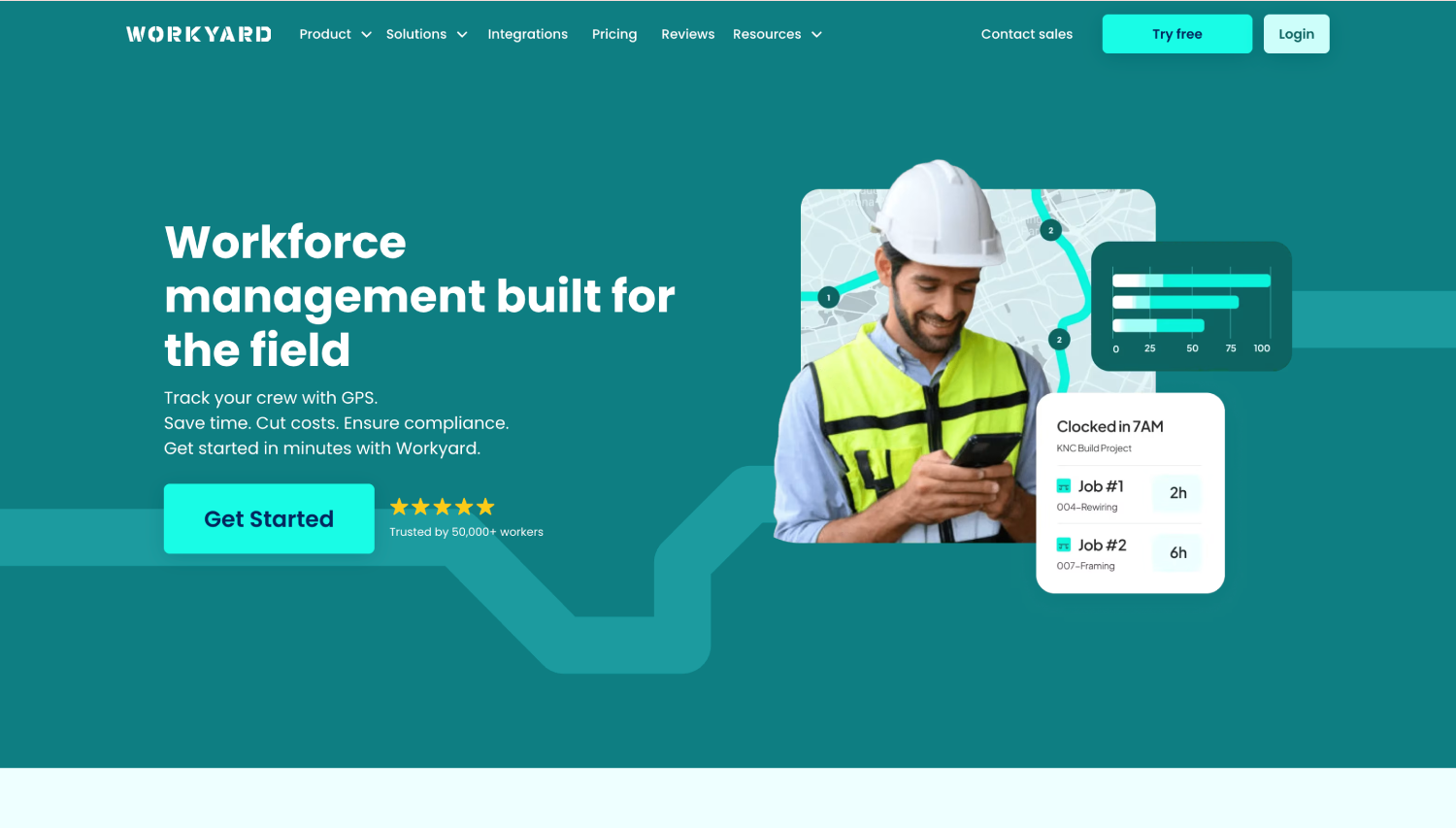
Workyard is a time clock and crew management app built specifically for construction and field service work. It leans on location accuracy: geofences are customizable per site, and the app detects arrival and departure automatically rather than waiting for a worker to remember to punch. Hours flow into rule-based timecards and into job costing, so labor spend against a project is visible while the project is still running.
Best for: Contractors whose main problem is labor cost per job rather than identity at the clock.
Key Features:
- GPS time clock with customizable geofences per site
- Automatic arrival and departure detection
- Live view of worker locations and a site activity feed
- Rule-based timecards built for review before payroll
- Cost codes and job costing that update as hours come in
- Drag-and-drop scheduling
- Integrations with construction and accounting systems
Workyard names battery use as a trade-off of continuous location accuracy on its own comparison pages. Worth testing on the phones your crew actually carries before rollout.
6. Connecteam: Best for crews that need more than a time clock
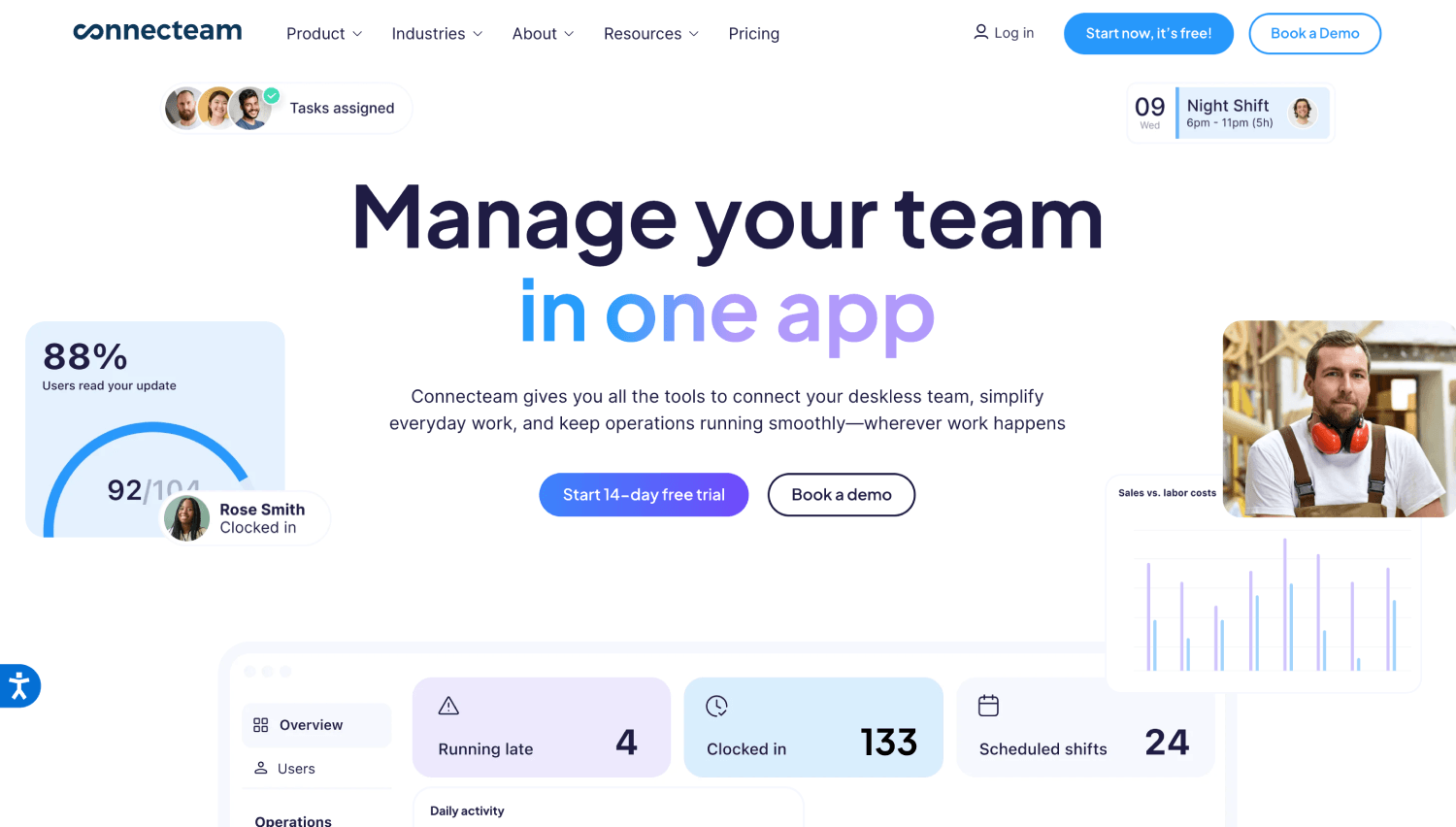
Connecteam is an all-in-one app for deskless teams, with time tracking as one module alongside scheduling, checklists, forms and team chat. Clock-ins run from a worker's phone or from a shared tablet in kiosk mode, where each worker enters a PIN and the app can require a selfie at the punch. Geofencing is available on higher plans and can approve or deny clock-in attempts made from outside the defined area.
Best for: Contractors who want one app covering communication and daily operations as well as hours.
Key Features:
- Mobile and shared-kiosk clock-in, with PIN and selfie at the kiosk
- GPS stamp on each clock-in and clock-out
- Geofencing with approve or deny on out-of-area attempts
- Breadcrumb tracking on higher plans
- Scheduling, checklists, forms and team chat in the same app
- Timesheet export to payroll
Connecteam's own help centre states that the mobile app, kiosk app, desktop clock and in-product NFC clocking all require an active internet connection, with no offline clock-in outside custom physical-device integrations built on its API. If your sites lose signal, confirm this before shortlisting.
How to choose apps for your contracting business
Choose by the gap you are trying to close, not by feature count. Most contractors who abandon software do so because they bought a platform that solved a problem they did not have yet.
Work through these five questions before you commit to anything:
- What is leaking money right now? Unverified hours, missing materials, rework from bad measurements and slow invoicing are four different problems with four different tools. Name yours before you shortlist.
- Will the people in the field actually use it? If clocking in takes more than a few seconds, or needs a login your crew will forget, the data will be wrong within a month. Test it with your least tech-confident worker, not your site manager.
- What happens without signal? Job sites lose connectivity. Confirm whether the app stores entries locally and syncs later, or whether the record is simply lost.
- Does it connect to how you already pay people? Exporting hours into your payroll and accounting systems is where most of the manual work sits. An app that produces a report nobody can import has not saved you anything.
- What does it cost when you double your crew? Per-user pricing that works for eight workers can become the largest line in your software budget at thirty. Ask about the next tier before you sign.
If you can only start with one, start with the one that closes the gap in question one. Add the second once the first has been running for a full pay cycle.
Frequently asked questions about contractor apps
What is a contractor app?
Contractor apps are digitally driven tools helping automate the tasks associated with construction projects. These applications are designed to automate tasks, store documents, enable collaboration, offer tracking and scheduling, and more.
What to look for in a contractor app?
The best apps for contractors have the features to augment every segment of the construction project. Apart from facilitating the automation of most tasks, they should be easy to use and even easier to deploy.
How do contractor apps work?
All the contractor apps listed above are cloud-based and can be downloaded on your phone or tablet. After successful installation, contractors need to input data related to their project. These apps will help them track project progress, schedule workers, enable team communication, generate and store documents, and much more.
Can these apps track what work is happening on site, not just who is there?
Partly, and the distinction is worth getting right before you buy. Time tracking apps such as Truein confirm presence and tag hours to work: who clocked in, at which site, when they left, and through Activity Punch, which job, task or activity those hours belong to. That is what feeds accurate job costing and client billing. What it does not do is track task progress. Knowing that six hours were logged against second-floor electrical rough-in is not the same as knowing the rough-in is finished.
Project and field service apps such as LetsBuild and Field Promax record the work itself: which tasks are open, what was completed, which work orders are outstanding, and what the site looked like on a given day.
Contractors who need both usually run a time tracking app alongside a project app rather than looking for one tool that does both well. The two jobs need very different data.
What are the benefits of using a contractor app?
- These apps improve business efficiency by reducing manual administrative tasks.
- Compliance becomes more accessible as the regulations and policies can be seamlessly shared with workers.
- There are many delays in project progress as managers can keep an eye on all the tasks in real-time.
- There is improved communication between teams.
- Contractor apps are also cost-effective in minimizing paperwork, eliminating time theft, and accurately calculating overtime.
Conclusion
Pick by the problem that is costing you the most right now. If hours and site attendance are the leak, start there. If it is materials walking off site, start with inventory. If it is coordination between the office and the site, start with project collaboration. Adding a second app is straightforward once the first one is running. Starting with four at once is how contractors end up abandoning all of them.
Overall, Truein remains a complete solution for time tracking software for hourly and field crews in the construction industry.
Stop Time thefts and irregularities!
Schedule a Demo