



What is the best app for tracking employee location?
The best app for tracking employee location depends on what you need proven. Truein, Connecteam, Timeero, Workyard, ClockShark, Jibble, and QuickBooks Time all record GPS during shifts. Only the face-verified apps confirm who clocked in before tracking starts, and only some alert a supervisor or clock a worker out when they leave the geofence.
- Seven apps for tracking employee location, with what each one actually proves
- The three layers of location tracking, and why most apps stop at two
- A five-check field-site stress test to run before you buy
- Which app fits which workforce, from mobile technicians to subcontractor-heavy sites
Most guides to the best app for tracking employee location rank tools by GPS accuracy, map polish, and price. Those are fair criteria. They also skip the question an ops head actually has at 7 a.m.: did the person who clocked in at the north site stay there, and was it really them?
This guide ranks seven apps for tracking employee location on what each one proves: who punched, where they were, whether they stayed, and what happens when the signal drops. Truein appears as one option among seven, evaluated on the same terms as the rest. The shortlist comes first, the evaluation method after it.
The 7 best apps for tracking employee location in 2026, compared
Every tool below was checked against the vendor's own pricing and feature pages in October 2026. The table shows the shape of the market. The entries explain the trade-offs that a table cannot.
| App | Verifies who at clock-in | Tracking during the shift | Works offline | Starting price |
|---|---|---|---|---|
| Truein | Yes. Face recognition on a phone or shared tablet kiosk | Live map, movement history, halt duration, geofence-exit alerts and auto clock-out (add-on) | Yes. Attendance and location stored on device, synced later | $2.25 per user per month, billed annually; live tracking add-on $1.25 per user per month |
| Connecteam | No. GPS stamp, with optional NFC tag taps | Breadcrumb trail while clocked in; auto clock-out on geofence exit | No offline mode | Free for up to 10 users; $29 per month for the first 30 users |
| Timeero | Kiosk face recognition on the Premium plan only | Breadcrumbs every 5 to 10 minutes, route replay, auto clock-in and clock-out | Yes | $5 per user per month on annual billing (Basic, 10-user cap); geofencing from Pro at $7.50 |
| Workyard | No | Location about every 5 minutes, drive detection, time at each site | Yes | About $6 per user per month; third-party listings also report a monthly base fee |
| ClockShark | Face capture in kiosk mode only | Pings every 15 to 20 minutes, live map, spoof detection, auto clock-out on exit | Partial; varies by device and settings | $40 per month plus $9 per user per month |
| Jibble | Yes. Face-matched selfie on mobile and kiosk | Live map; routes drawn as straight lines between points | Mobile app only | Free plan; paid from about $4.49 per user per month on annual billing; live location on Ultimate |
| QuickBooks Time | No | Breadcrumbs and route replay; geofence exceptions can be overridden with a note | Yes | $20 per month plus $10 per user per month (Premium); geofencing on Elite at $40 plus $12 |
1. Truein
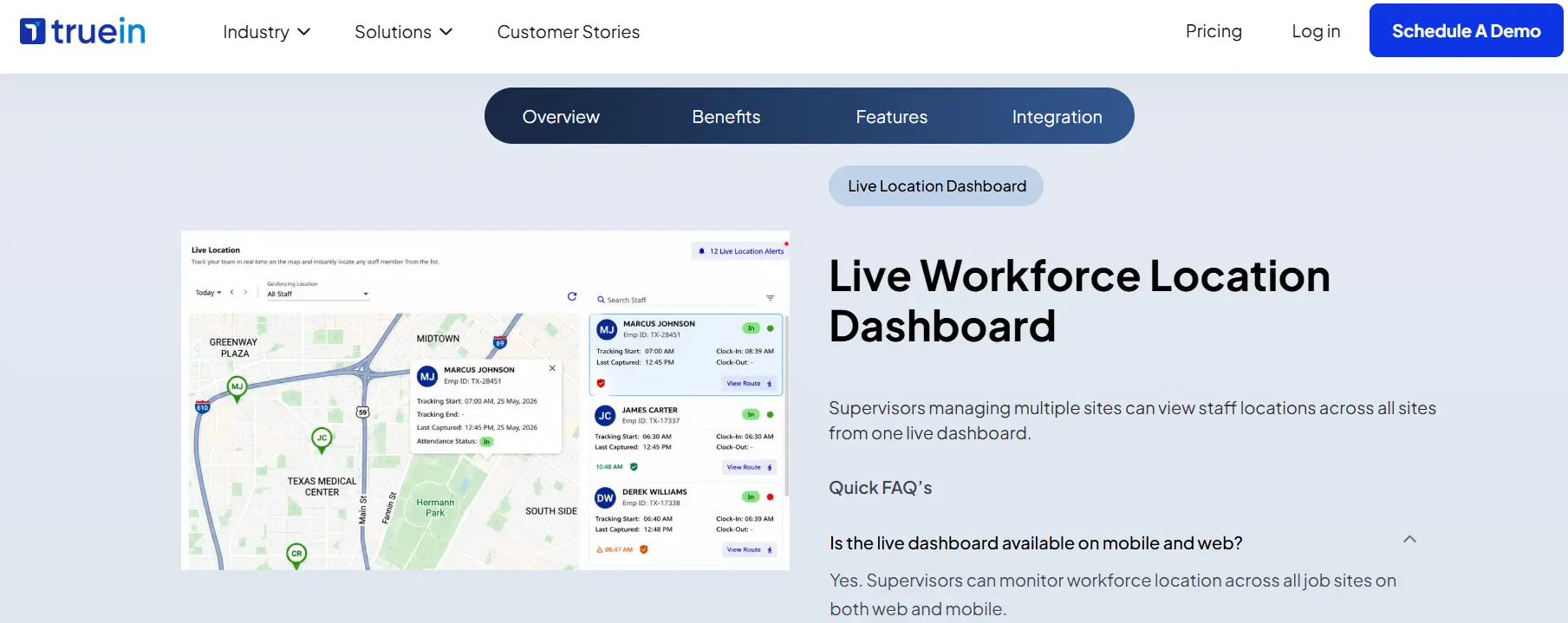
Truein is a face recognition and GPS-based time and attendance platform built for contract and multi-site workforces, used by 500+ customers across 10,000+ locations to track 500,000+ workers. Its employee location tracking software starts tracking only after a face-verified clock-in from inside a geofenced site, so the person on the map is the person on the roster, and it stops at clock-out. Live tracking is a paid add-on on top of the attendance plans.
- Face-verified clock-in on a worker's phone or a shared tablet kiosk, with no dedicated hardware
- Live workforce location dashboard on web and mobile, refreshing about every 50 meters of movement
- Movement history after clock-in, including how long a worker stayed at each location
- Supervisor alerts and automatic clock-out when a worker leaves an assigned geofence, and an alert when they return
- Offline capture: attendance and location stored on the device and synced once connectivity returns
- Battery-aware tracking that pauses location pings while a worker is stationary
Best for: companies managing crews across multiple job sites that need to know who clocked in and whether they stayed, not just where a phone was.
Trade-off: live tracking is priced separately ($1.25 per user per month in the US on annual billing), and Truein is an attendance layer that feeds payroll rather than a payroll processor or a route optimizer.
Pricing: Time Capture $2.25 and Advanced $3.50 per user per month, billed annually, with no base fee.
2. Connecteam
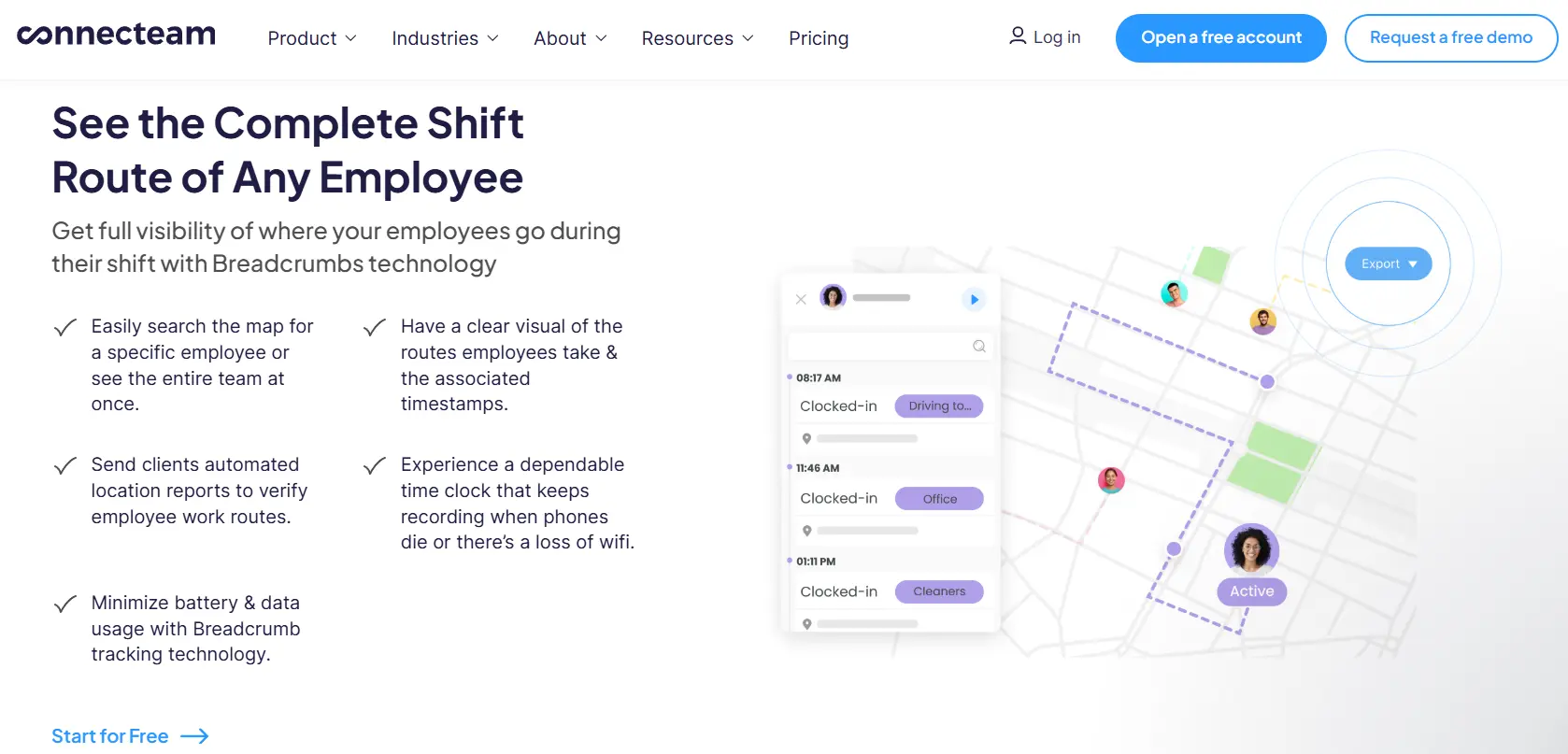
Connecteam is an all-in-one app for deskless teams that pairs its time clock with scheduling, chat, forms, and training. GPS is stamped on each clock-in, breadcrumbs map movement while a worker is on the clock, and geofences can clock workers out automatically when they leave a site.
- Breadcrumb trail with updates every few minutes while a worker is moving
- Automatic clock-out and clock-in reminders tied to geofences
- NFC tags for physical check-ins at specific points on a site
- Timesheet exports to ADP, QuickBooks, and Xero
Best for: small field teams that want scheduling, communication, and location in a single app.
Trade-off: there is no offline mode, so a crew in a basement or on a rural site risks gaps in the record. Identity rests on NFC taps or manager review rather than automated face matching, and there is no route optimization or dispatch.
Pricing: free for up to 10 users; paid plans start at $29 per month for the first 30 users.
3. Timeero
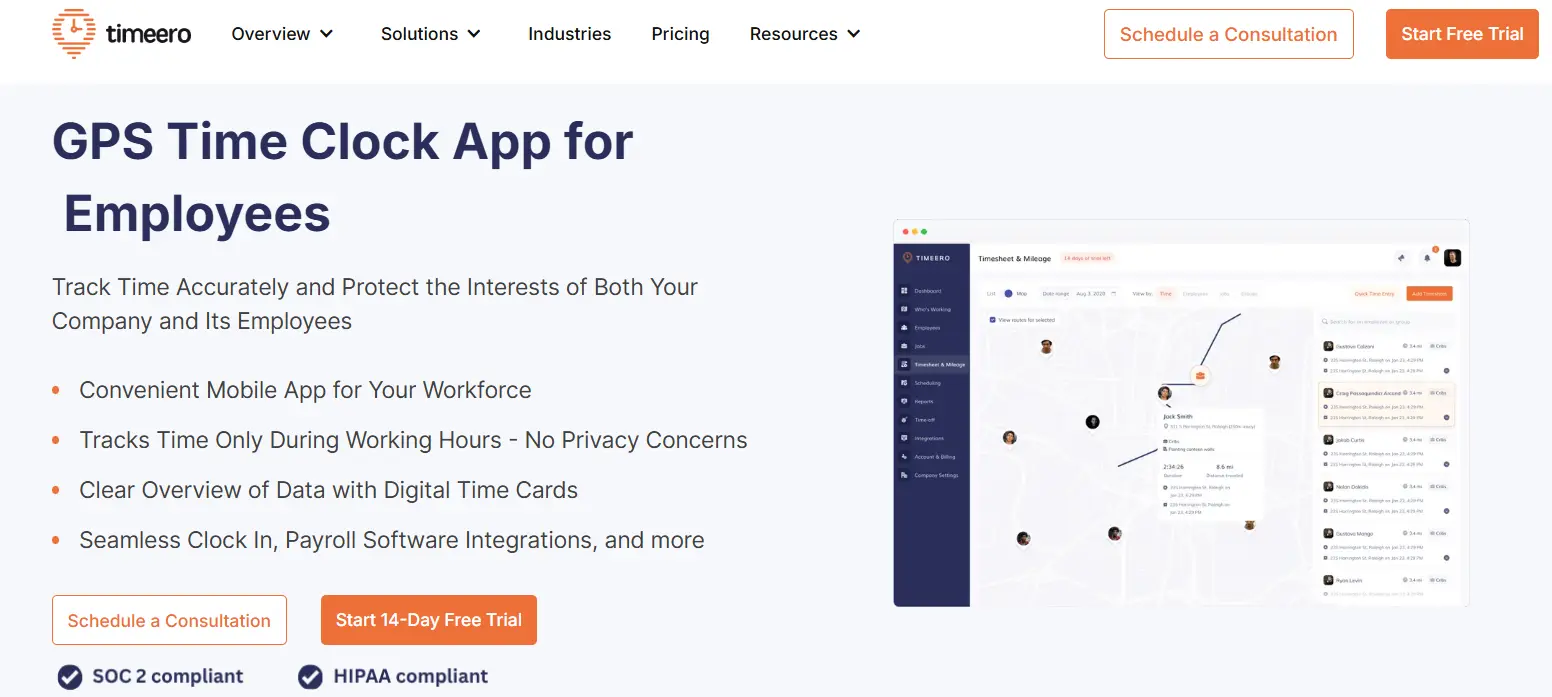
Timeero is a GPS time and mileage tracker built around route replay. The app logs location every 5 to 10 minutes or after roughly 150 feet of movement, builds a breadcrumb trail, and keeps capturing offline until it can sync.
- Route replay with breadcrumbs showing time, accuracy, and speed
- Automatic clock-in and clock-out on geofence entry and exit, from the Pro plan up
- Automatic clock-out plus alerts if a worker turns off location services or force-closes the app
- Segmented tracking add-on that breaks the day into individual stops
- Facial recognition on the kiosk app, Premium plan only
Best for: mobile teams that drive between stops and need mileage and route evidence.
Trade-off: timers run on mobile only, geofencing starts at the Pro tier, and face recognition is kiosk-based, so a clock-in from a personal phone stays GPS-only.
Pricing: Basic $5 per user per month on annual billing with a 10-user cap, Pro $7.50, Premium $10. No base fee.
4. Workyard
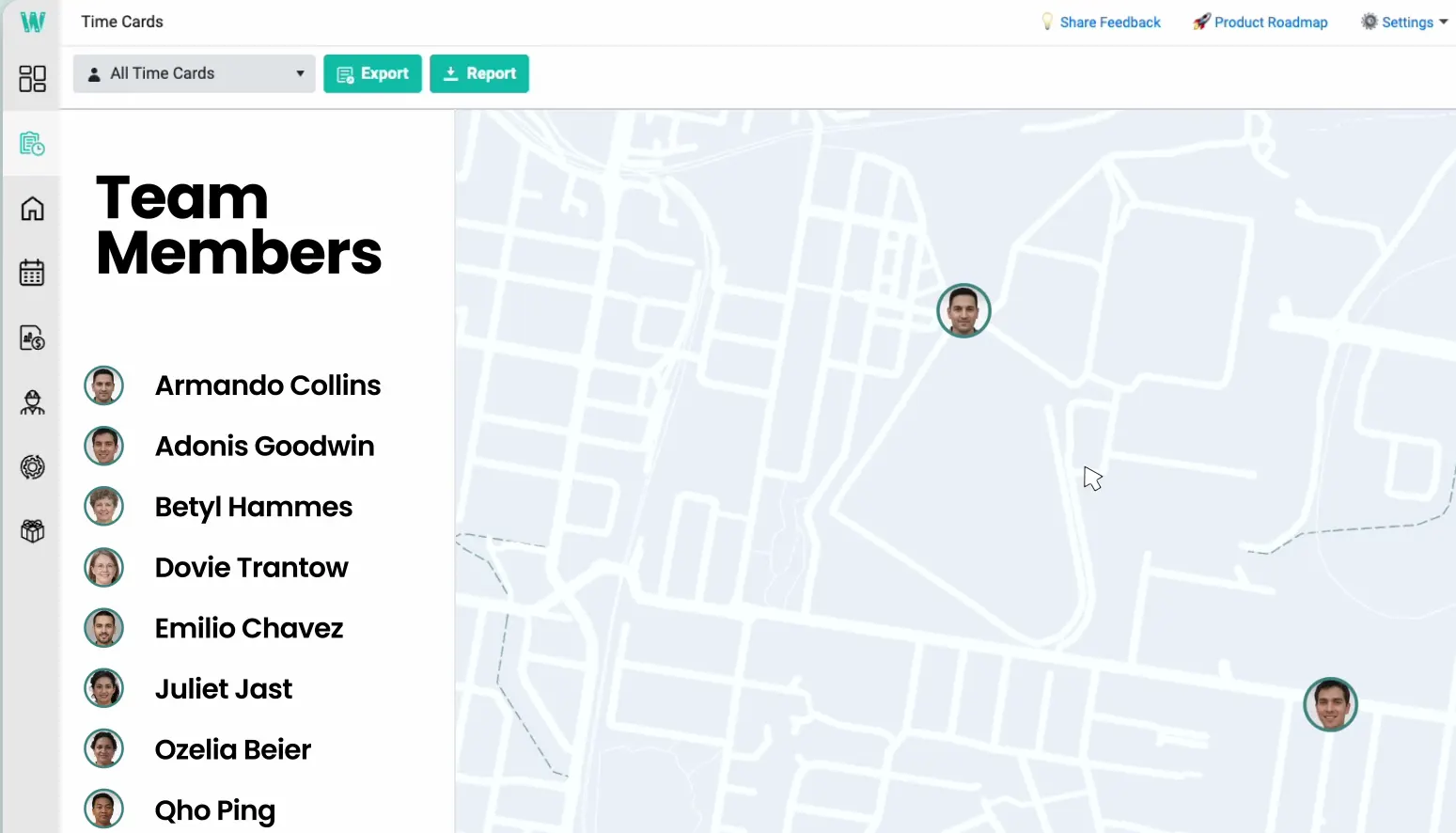
Workyard tracks location continuously while a worker is clocked in, roughly every five minutes, and ties the result to jobs and cost codes. Drive time is separated from on-site time automatically, which is why contractors use it for job costing as much as for location.
- Location updates about every five minutes, with time spent at each site
- Smart drive detection and automatic mileage
- Geofenced clock-ins that block off-site punches and prompt a clock-in on arrival
- Offline tracking for time, location, and miles
Best for: contractors who want labor hours allocated to jobs by location.
Trade-off: no identity layer, so a handed-off phone still produces a valid punch. The geofence radius is not adjustable, and there are no alerts when a worker leaves a site.
Pricing: Starter listed from about $6 per user per month; third-party listings also report a monthly base fee. Confirm with the vendor.
5. ClockShark
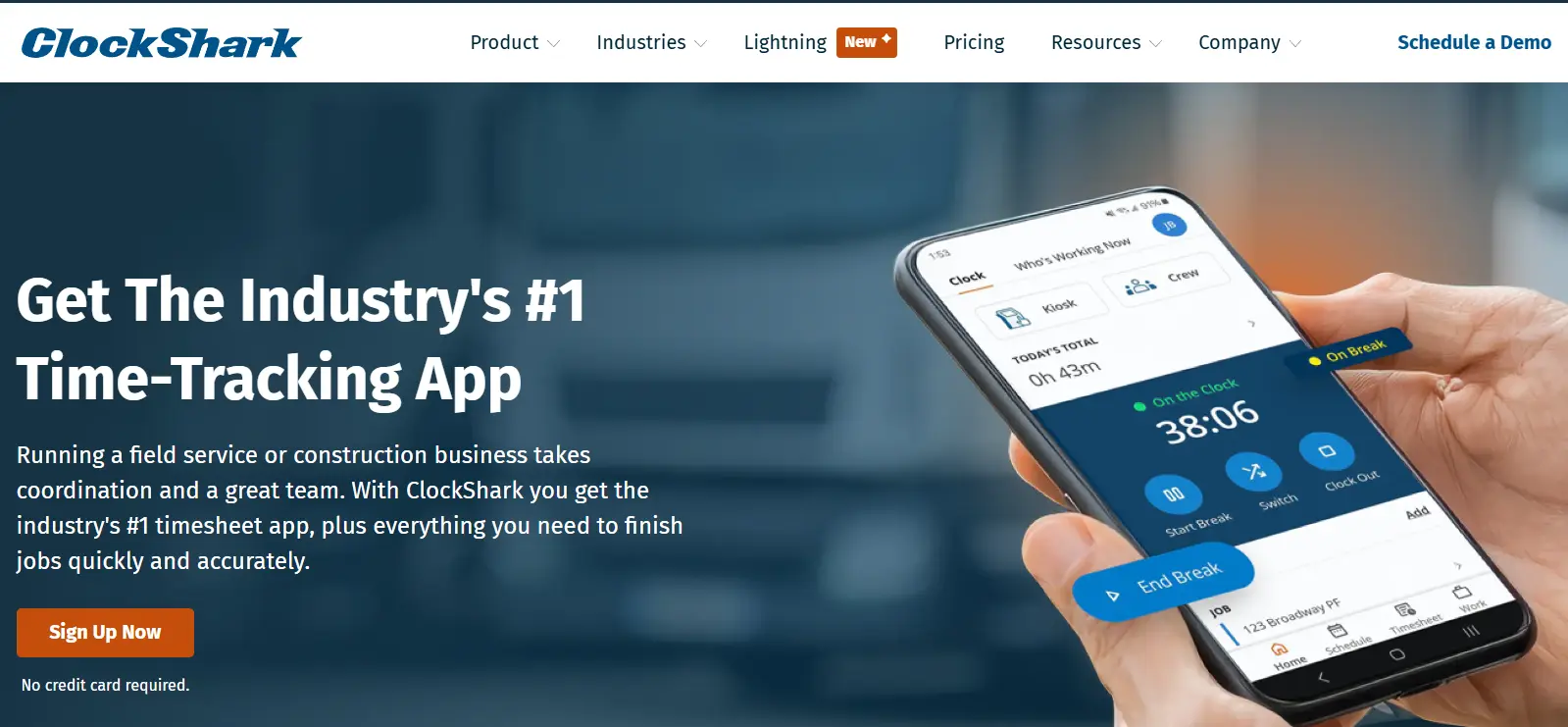
ClockShark is a construction and field-service time clock with a Who's Working Now map, location pings every 15 to 20 minutes, and job costing built in. It detects spoofed GPS positions on the mobile app, which closes one of the older tricks.
- Live map of clocked-in workers with street and satellite views
- Geofenced job sites with automatic clock-out on exit
- Location spoofing detection
- Face capture at a shared kiosk
Best for: construction crews that clock in by job site and want scheduling in the same tool.
Trade-off: face verification runs only in kiosk mode, route history is limited to start and end points, and the model carries a base fee. Some 2026 reviews report multi-year contract terms, so read the agreement before signing.
Pricing: $40 per month plus $9 per user per month.
6. Jibble
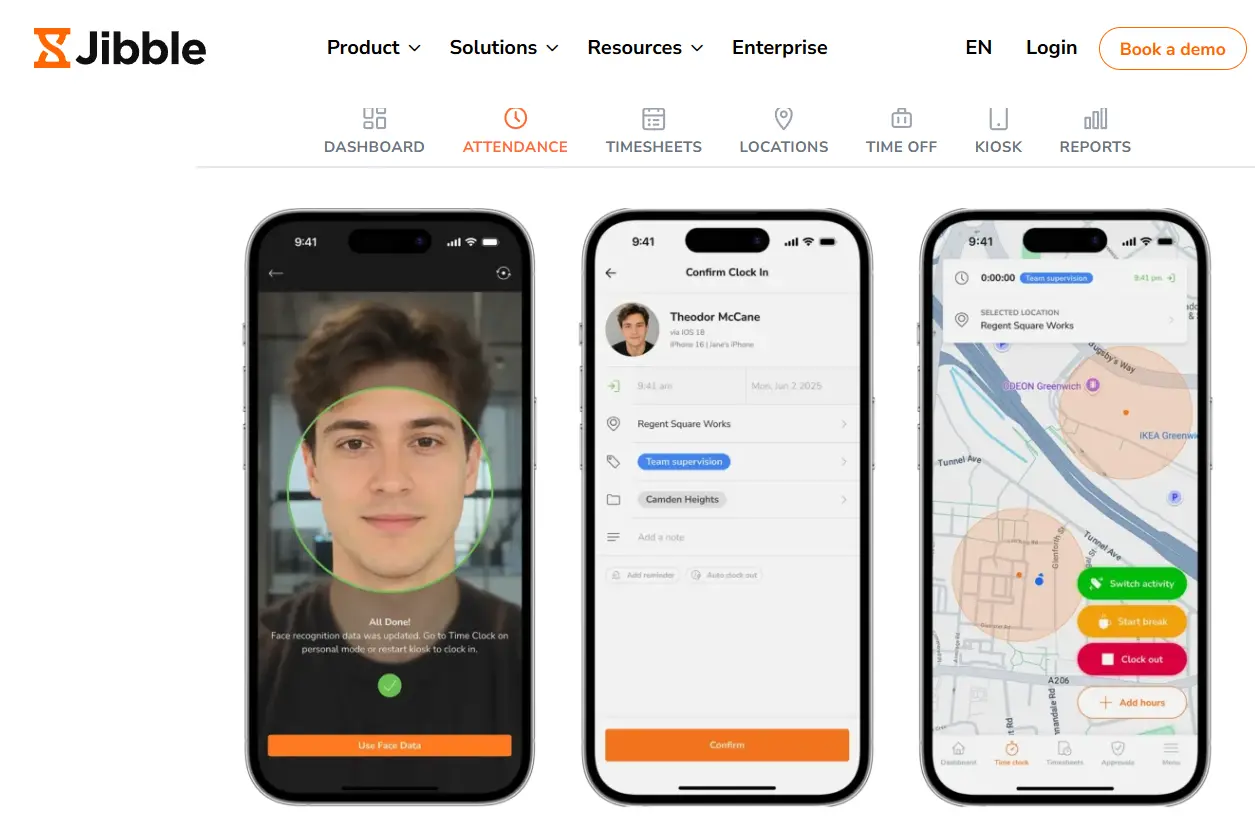
Jibble pairs a GPS time clock with facial recognition on both its mobile and kiosk apps. A clock-in selfie is matched against the stored profile and blocked if it does not match. The free plan is unusually generous: unlimited users, GPS capture, and face recognition at no cost.
- Face-matched clock-in on mobile and kiosk, with NFC on the kiosk
- Geofences that restrict clock-in and clock-out to approved sites
- Live location map and daily routes
- Break and overtime rules configurable by jurisdiction
Best for: teams that want identity verification plus GPS on a tight budget.
Trade-off: live location sits on the Ultimate tier, routes are drawn as straight lines between points rather than the path taken, offline mode covers the mobile app only, and the free plan caps geofences, so a multi-site operation moves to a paid plan quickly.
Pricing: free plan; paid plans from about $4.49 per user per month on annual billing, with live location on Ultimate. Jibble's public pricing page currently lists only the free plan, so confirm paid tiers with the vendor.
7. QuickBooks Time
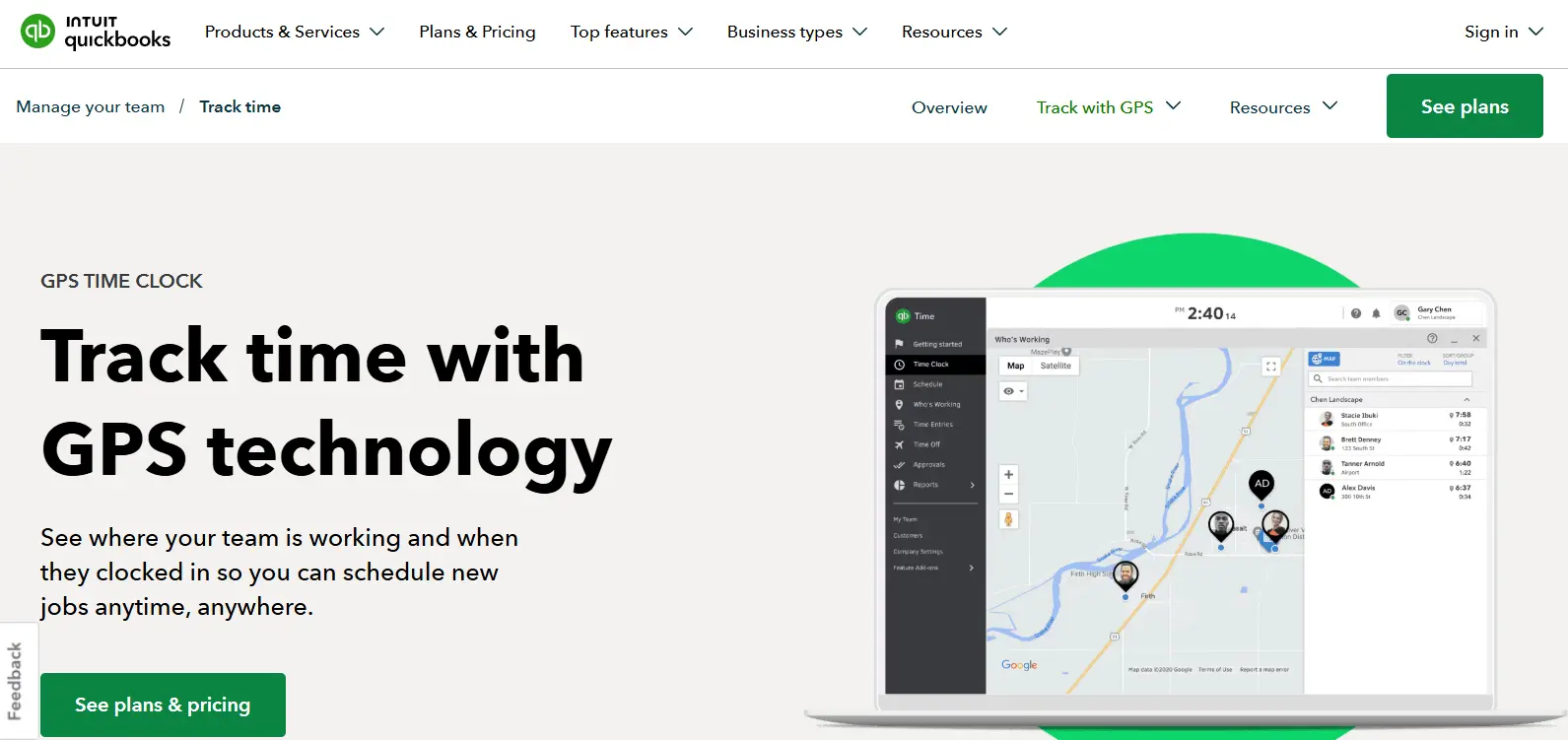
QuickBooks Time, also sold as QuickBooks Workforce, shows the live location of clocked-in workers on a Who's Working map, records breadcrumbs for route replay, and keeps tracking offline. Timesheets flow straight into QuickBooks Online Payroll.
- Live location map and breadcrumb route replay
- Geofences with a 100 to 1,000 meter radius
- Offline tracking with automatic sync
- Native QuickBooks Online and Payroll integration
Best for: businesses already running payroll in QuickBooks.
Trade-off: a worker can clock in outside a geofence by attaching a note, so enforcement depends on manager review. There is no identity verification, a QuickBooks Online subscription is required, and geofencing and mileage sit on the Elite plan.
Pricing: Premium $20 per month plus $10 per user; Elite $40 per month plus $12 per user. Per-user rates rose by $2 in July 2026.
Pricing and feature claims verified against vendor websites and current third-party listings as of October 2026. Plans change; confirm current pricing with each vendor before purchasing.
What does an app for tracking employee location actually track?
"Tracking employee location" covers three different things. Most apps do the first two well. The buying decision usually comes down to the third.
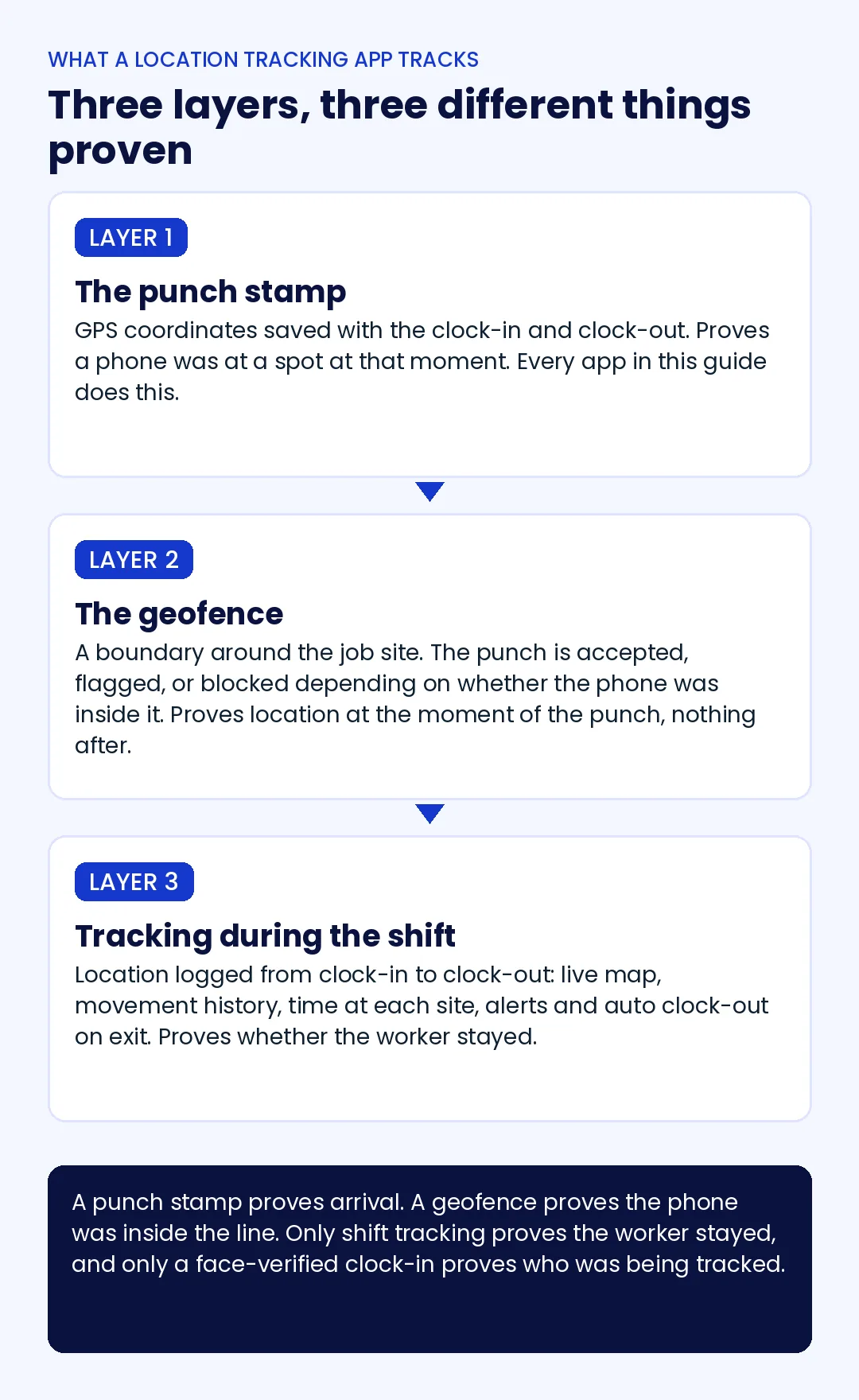
Layer 1: the punch stamp
GPS coordinates are saved with the clock-in and the clock-out. This proves a phone was at a spot at a moment. Every app in this guide does it, and on its own it settles very little, because the next eight hours are blank.
Layer 2: the geofence
A boundary is drawn around the job site, and the punch is accepted, flagged, or blocked depending on whether the phone was inside it. Geofences stop the clock-in from the parking lot three blocks away. They do nothing about the worker who clocks in correctly and leaves at 9:40.
Layer 3: tracking during the shift
Location is logged from clock-in to clock-out: a live map, movement history, time spent at each location, and alerts or an automatic clock-out when a worker crosses the boundary. This is the layer that answers whether the worker stayed, and it is also the layer with the most variation between apps. Some ping every five minutes. Some pause when the phone is stationary. Some lose the record in a dead zone.
A facility management company running cleaning crews across 40 client buildings cannot station a supervisor at every site for every shift. A punch stamp tells that company a crew arrived. Only shift tracking tells it the crew was still there at hour three, which is the hour the client is paying for.
Why a GPS pin does not tell you who clocked in
Every app in the list above records where a device was. Fewer of them check who was holding it, and that distinction decides how much the location data is worth.
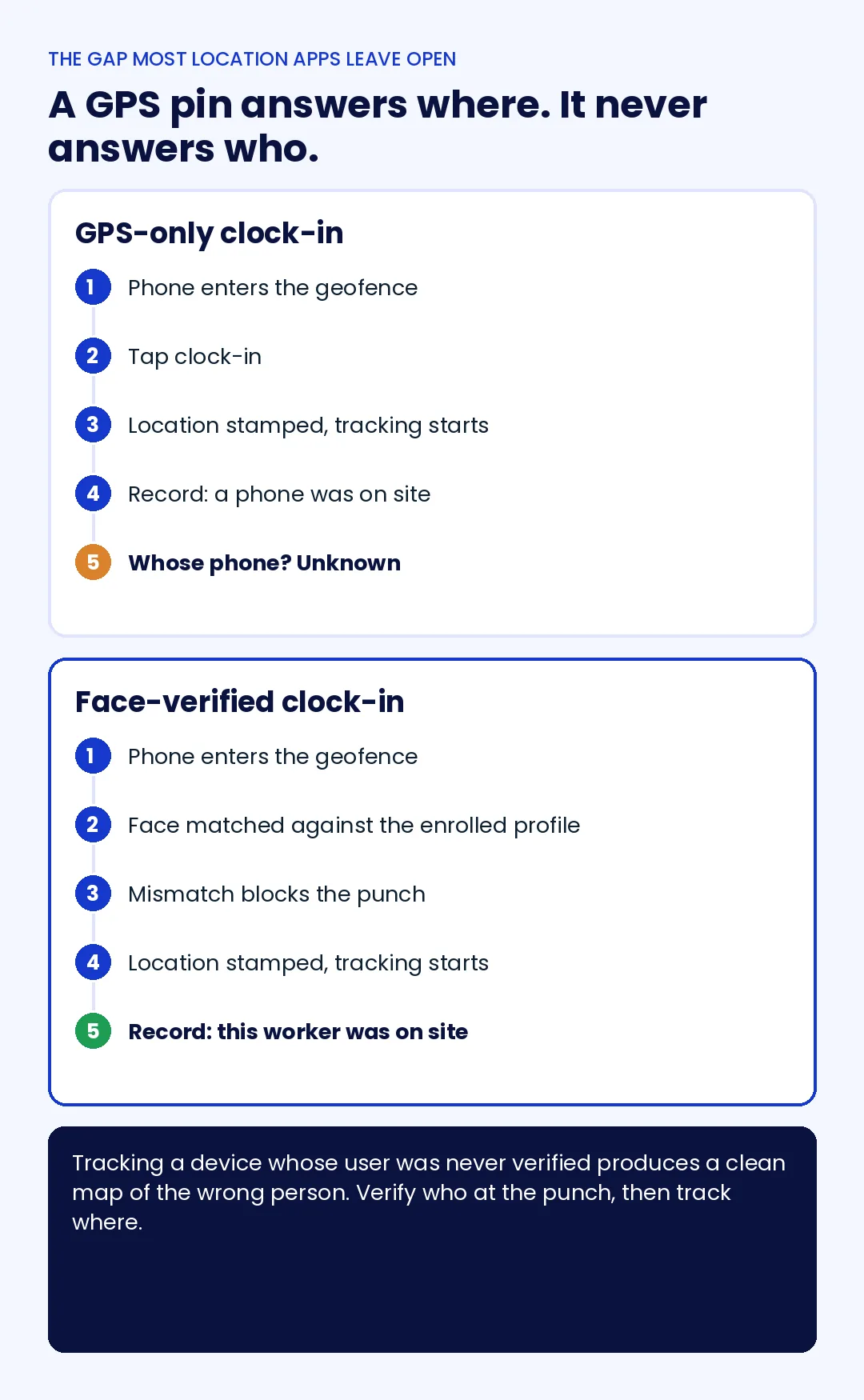
The failure is simple. A worker running late hands their phone to a colleague already inside the geofence. The colleague taps clock-in. The app records a valid, geofence-compliant punch and starts a tidy breadcrumb trail. Every data point is accurate. The record is still wrong, because the trail belongs to a phone, not a person.
GPS tells you where a phone was. It does not tell you who was holding it.
Two of the seven apps verify identity at the punch itself on a personal phone: Truein and Jibble match the face against an enrolled profile and block the clock-in on a mismatch. Timeero and ClockShark do it only at a shared kiosk, so personal-phone clock-ins stay GPS-only. Connecteam offers NFC taps, which prove a tag was scanned, not who scanned it. Workyard and QuickBooks Time have no identity layer.
A general contractor with three subcontractor crews on one 60-acre site has the sharpest version of this problem: the same geofence covers 90 people, the foreman cannot see all of them, and the subcontractor's invoice is built on the clock-in count. Verifying who at the punch is what makes the location trail usable as evidence. The construction worker location tracking guide covers how to verify crews stayed on site once that first check is in place.
How to choose: the field-site stress test
Feature tables look alike. The differences show up on a real site, so run these five checks during the trial, with the crew that will actually use the app.
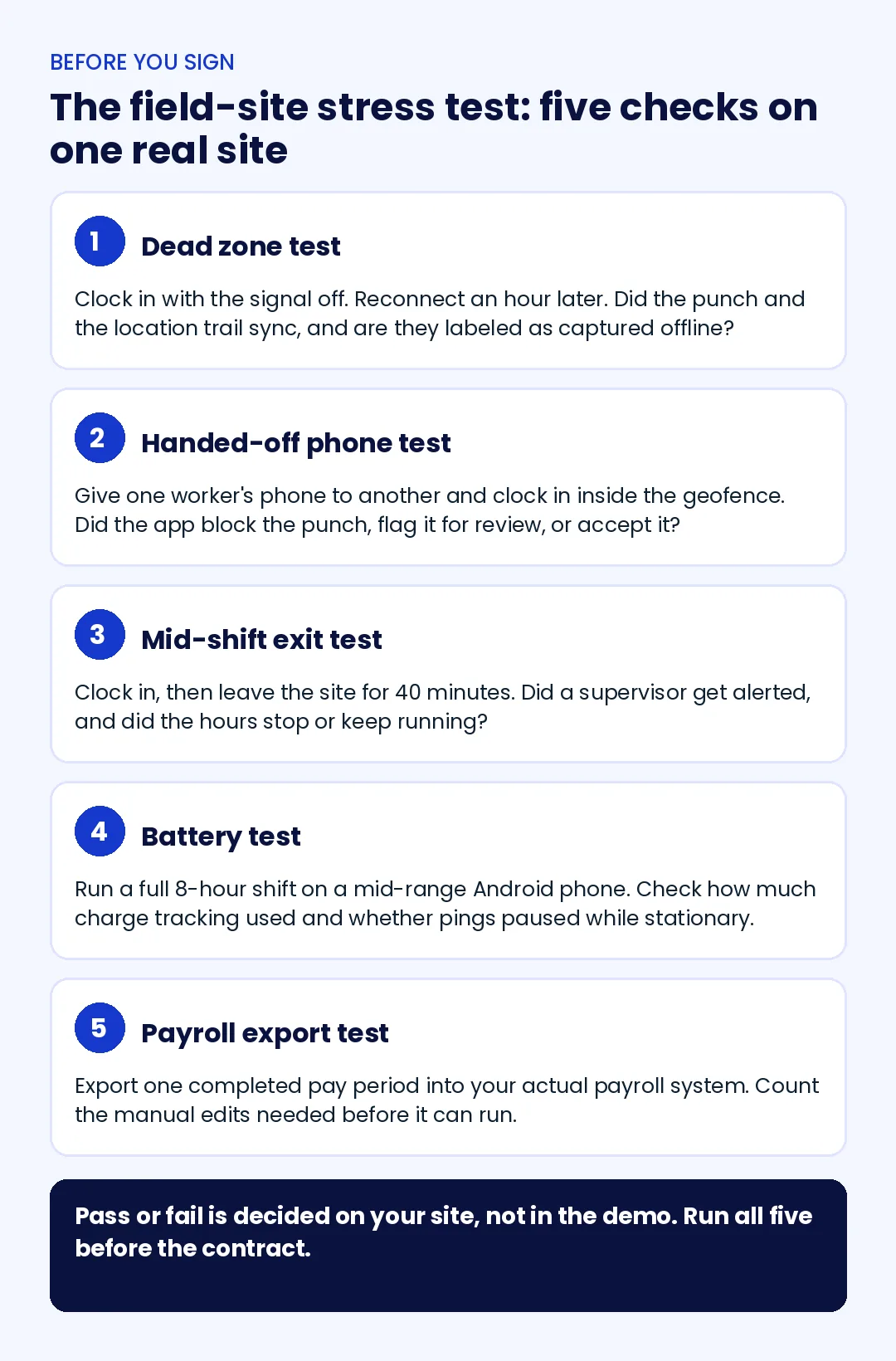
- The dead zone test. Clock in with the signal off, work for an hour, then reconnect. Did the punch and the location trail sync, and are they labeled as captured offline so a manager can tell them apart from live records? Connecteam does not have an offline mode. Jibble's covers the mobile app only.
- The handed-off phone test. Give one worker's phone to another and clock in inside the geofence. The app should block the punch, flag it, or accept it. Only one of those outcomes is acceptable for a multi-site payroll.
- The mid-shift exit test. Clock in, then leave the site for 40 minutes. Did a supervisor get an alert, and did the hours stop or keep running? Truein, Connecteam, ClockShark, and Timeero can clock a worker out on exit. Workyard records the movement but sends no alert.
- The battery test. Run a full eight-hour shift on a mid-range Android phone and check the charge used. Apps that pause pings while a worker is stationary drain less than apps that log on a fixed interval. ClockShark's own testing by a third party put its usage at 15 to 25 percent over a shift, which is a reasonable benchmark to beat.
- The payroll export test. Export one completed pay period into your actual payroll system before relying on it for a live run. Count the manual edits. A location record that needs twenty corrections before payroll has not saved anyone time.
Pass or fail is decided on your site, not in the demo. The GPS time clocks for job site attendance guide walks through the six failure points that let a bad punch reach payroll, if you want the longer checklist.
Is it legal to track employee location in the US?
Generally yes. An app for tracking employee location is lawful in most states when tracking happens during working hours, for a work-related purpose, on a device the worker has agreed to use, and the worker has been told. Requirements vary by state. Several states require written notice of electronic monitoring, and biometric clock-ins carry their own consent rules in states such as Illinois, Texas, and Washington.
Three practices keep most programs on the right side of that line. Limit tracking to the clocked-in period, which every app in this list supports. Publish a written policy that says what is collected, why, and for how long. And keep the records accurate, because the FLSA requires employers to keep accurate records of hours worked each day for every non-exempt worker, which is a recordkeeping obligation that location data either supports or undermines.
This section is general information, not legal advice. Confirm state and local requirements with counsel before rolling out location or biometric tracking.
Which app fits which workforce?
The same seven tools, sorted by the operation you are actually running. The right app for tracking employee location is rarely the one with the most features; it is the one whose gaps you can live with.
| Your workforce | Strongest fit | Why |
|---|---|---|
| Crews across multiple job sites, with subcontractors on site | Truein | Face-verified start, exit alerts and auto clock-out, movement history, contractor and agency controls, no dedicated hardware |
| Small field team that wants scheduling, chat, and location in one app | Connecteam | All-in-one toolkit with a free plan; accept the missing offline mode |
| Mobile technicians or reps driving between stops | Timeero | Route replay, segmented trips, mileage, auto clock-in and clock-out at each stop |
| Contractors allocating labor hours to cost codes | Workyard | Continuous GPS tied to jobs and cost codes, drive time separated automatically |
| Construction crews clocking in by job site, with scheduling | ClockShark | Job-site geofences, who's-working map, spoof detection, scheduling in the same tool |
| Tight budget, identity verification still required | Jibble | Free face-matched clock-in and GPS; budget for a paid plan once sites multiply |
| Payroll already runs in QuickBooks | QuickBooks Time | Native sync to QuickBooks Online Payroll, offline tracking, route replay |
A logistics company bringing in 30 temporary workers for a four-week peak needs those workers face-enrolled, geofenced, and visible on the map from the first shift, with the record syncing from a loading dock that has no signal. That one sentence rules out half the list, which is the point of the table.
Conclusion
The apps in this guide all put workers on a map. The ones worth paying for prove who was on the map, whether they stayed inside the line, and what happened when the signal dropped. Pick by the layer you are missing: a punch stamp if you only need arrival, a geofence if off-site clock-ins are the problem, and shift tracking with a face-verified start if payroll depends on knowing the crew stayed.
Run the five-check stress test on one real site before you sign anything. The right app for tracking employee location is the one that passes on your site, with your crews, not the one with the best map in the demo.
Frequently asked questions
What is the best free app to track employee location?
Jibble's free plan is the most complete at no cost: unlimited users, GPS capture, and face-matched clock-ins, though it caps geofences and keeps live location on a paid tier. Connecteam is free for up to 10 users with GPS stamps and breadcrumbs but has no offline mode. Both free plans suit a single site; multi-site operations usually outgrow them within a quarter.
Can an employer legally track employees' location?
In most US states, yes, during working hours and for a work-related purpose, provided workers are informed and tracking is limited to the clocked-in period. Some states require written notice of electronic monitoring, and biometric clock-ins carry separate consent rules. A written policy and work-hours-only tracking are the baseline; confirm specifics with counsel.
What apps do employers use to track employees in the field?
Field employers most often choose an app for tracking employee location that is also a time clock, rather than a standalone tracker: Truein, Connecteam, Timeero, Workyard, ClockShark, Jibble, and QuickBooks Time are the common picks. They stamp location at clock-in, enforce geofences, and, depending on the plan, log movement during the shift. Dedicated fleet trackers are a separate category for vehicles.
What is the best app to track employee hours and location together?
Any of the seven tools in this guide records hours and location in one app. The difference is identity. Truein and Jibble verify the worker's face on a personal phone before the punch counts, Timeero and ClockShark verify at a shared kiosk, and the rest log hours against whichever phone was present. For crews across multiple job sites, that distinction matters more than map detail.
Does an employee location tracking app drain phone batteries?
It depends on how often the app asks for a location. Fixed-interval pings every few minutes cost more than apps that pause while the phone is stationary and resume on movement. One third-party test measured ClockShark at 15 to 25 percent of battery over an eight-hour shift. Test on a mid-range Android phone during the trial rather than trusting the spec sheet.
Do these apps work without internet on the job site?
Truein, Timeero, Workyard, and QuickBooks Time store attendance and location on the device and sync once connectivity returns. ClockShark's offline behavior varies by device and settings, Jibble's offline mode covers the mobile app only, and Connecteam has no offline mode. Offline records appear on the manager's dashboard only after the sync completes, not in real time.
