


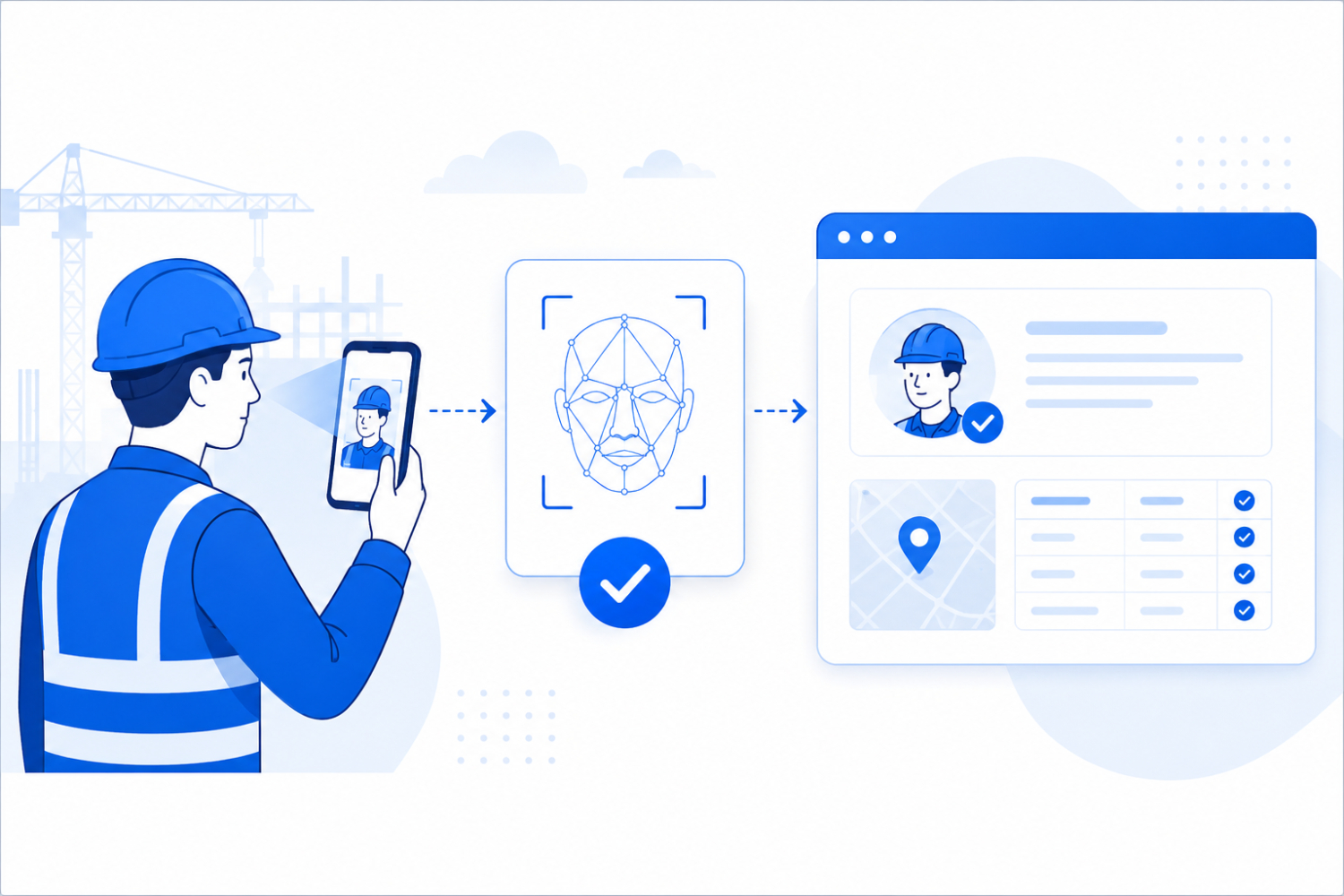

Picture a 300-person commercial job site in Texas. Three workers have been clocking in for a fourth who stopped showing up two weeks ago, and nobody catches it until payroll flags an employee working full shifts he was never present for.
It happens more often than most supervisors want to admit. The site has a face recognition attendance system but it isn't the kind that verifies identity at the moment someone punches in.
That gap is the whole story of this article. Whether a vendor calls it an AI face recognition time clock, face recognition attendance software, or a facial recognition time tracking app, the same question applies.
The single biggest difference between face recognition attendance systems isn't the accuracy number on the vendor's homepage. It's whether the system verifies identity at the moment of the punch or just captures a photo for someone to check after the fact.
Everything else, hardware, offline support, payroll integration, cost, matters, but it matters less than that one distinction.
Most articles on this category read like they were written for a single office with one camera at the front door. That's not the buyer searching for this. If you're managing hourly crews, subcontractors, or workers spread across a dozen job sites, your evaluation criteria are different, and most of what's published online skips right past the parts that actually break at scale.
This article covers the framework that holds up under that kind of operation, the mechanism question every vendor should be able to answer clearly, and where a face recognition attendance system like Truein fits into that framework.
Key Takeaways
- Accuracy percentages don't tell you whether fraud is blocked at the punch or caught after the fact. Ask the mechanism question instead.
- Multi-site operations with subcontractors need offline capture and agency-level management, not just a working camera.
- Dedicated-hardware-free deployment on phones your crew already carries beats a dedicated hardware procurement cycle measured in weeks.
- Payroll integration quality (API-based, real sync) matters more than a long feature list.
- A short pilot at one or two sites, run for two weeks, tells you more than any spec sheet ever will.
In short: The mechanism question, not the accuracy percentage, is what separates face recognition attendance systems. A system that blocks a mismatched punch on the spot prevents fraud; a system that only logs a photo for later review just documents it. For multi-site operations with subcontractors, offline capture, dedicated-hardware-free deployment, and real payroll integration matter as much as the identity check itself.
The Accuracy Percentage on the Sales Page is Not the Question That Matters
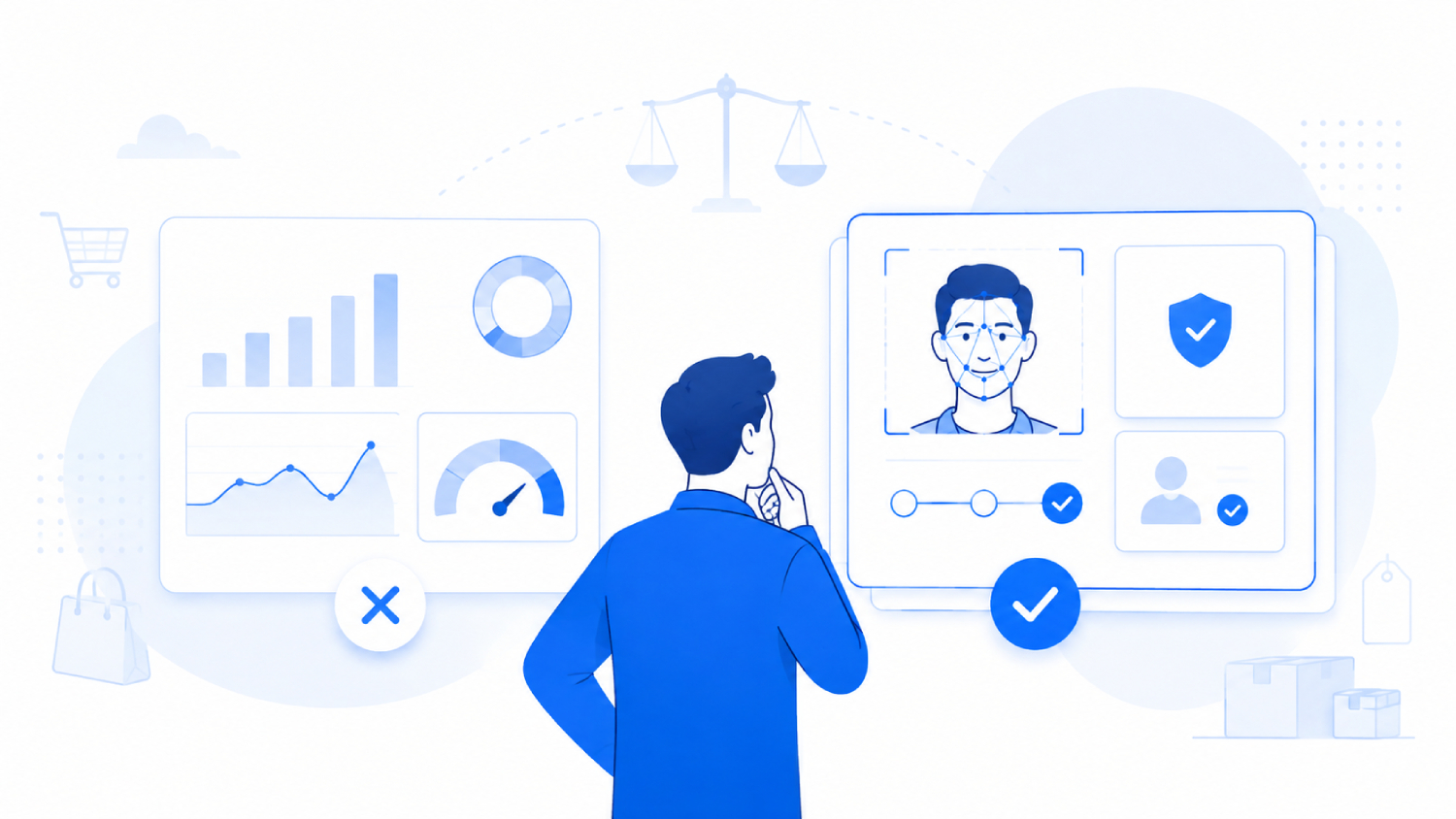
Every vendor in this category leads with an accuracy number. Some claim 99 percent. A few imply their system catches everything.
Accuracy percentages measure how often the system correctly matches a live face to the person enrolled in its database, usually under lighting and test conditions the vendor controls.
A number by itself says nothing about whether the system blocks a bad punch before it counts, or whether it quietly logs a mismatch for someone in HR to notice three weeks later during a payroll audit.
What "Highly Accurate" Actually Measures
Face recognition attendance software typically runs on 1:1 matching: it compares the face at the camera to the one photo or template already on file for that specific worker, not against every worker in the company.
This differs from the 1:N facial recognition used in surveillance, where a system searches an entire database to identify an unknown person.
For anyone who wants the deeper technical walkthrough, how face recognition actually works covers the matching process step by step.
For the purposes of an attendance system, the goal is narrower: is this the person who is supposed to be clocking in right now.
Modern face recognition attendance software typically performs in the 95 to 100 percent accuracy range under normal conditions, with accuracy dropping slightly when workers wear masks or when lighting is poor.
No system claims 100 percent accuracy under all conditions, and any vendor that does should be asked exactly how that number was tested, on what sample size, and under what lighting conditions.
A vendor that won't say how their accuracy figure was measured is a vendor whose accuracy figure means nothing.
The Real Question: Does the System Block the Punch, or Flag it Later?
This is the mechanism most buyer's guides skip, and it's the one that actually separates products in this category.
Some systems capture a face image at clock-in and store it for a supervisor to review later, which is really just a photo log. Others perform live face matching at the moment of the punch and block the clock-in on the spot if the face doesn't match.
Those are two fundamentally different products marketed with the same language, and the difference shows up most clearly in how each one handles buddy punching, where one worker clocks in on behalf of another.
Truein verifies identity at the moment of the punch using face recognition paired with GPS geofencing, so a mismatch stops the clock-in before it's recorded, not after payroll has already run.
Truein’s AI TimeGuard is a built-in anomaly detection layer that continuously analyzes attendance data for risk signals like unusual correction activity and suspicious clock-in patterns, then surfaces those findings for manager review based on the account’s enabled configuration.
Those are two distinct safeguards at different points in the process, not one continuous shield, and any vendor worth buying from should explain that difference without hedging.
Ask any vendor one question during the demo: Does the system block the punch the moment it detects a mismatch, or does it let the punch through and flag it for someone to review afterward? Those are two different products wearing the same marketing language, and the answer tells you more than any spec sheet.
The 5 Criteria That Actually Separate Face Recognition Attendance Systems
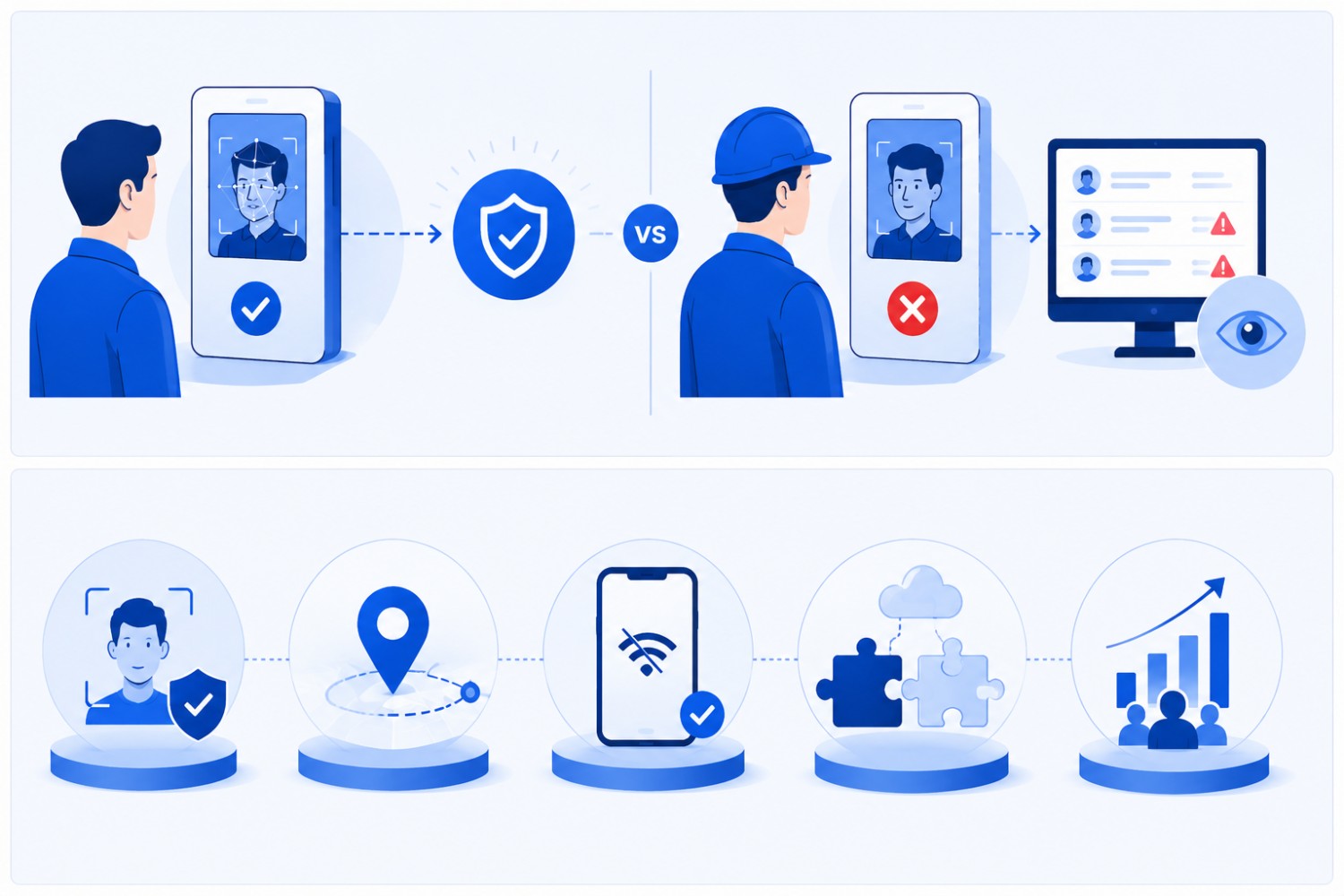
Once identity verification is settled, four more criteria decide whether a system survives a real, multi-site operation. Generic buyer's guides treat these as a checklist. In practice, they're a filter: most products in this category fail at least one of them once a company runs more than a handful of sites.
Decision rule: If a vendor can't give you a direct answer on all five criteria, identity verification method, offline reliability, hardware requirements, payroll integration depth, and contractor management, in a single call, that's a signal their product wasn't built for a multi-site, contractor-heavy operation in the first place.
A system that passes the identity check but fails offline reliability is still a liability on a job site with a basement, a metal structure, or a rural location. A system built for a 20-person office rarely holds up once contractor agencies and multiple sites enter the picture.
Truein is built for companies managing contract, hourly, and multi-site workforces, which is a different design problem than a single-location attendance app. That focus shows up in how it handles offline capture, contractor headcount caps, and dedicated-hardware-free deployment, the three areas most generalist attendance software treats as an afterthought.
It serves 500-plus clients across 25 countries and more than 10,000 locations, and holds a 4.8 out of 5 rating on G2 and Capterra as of July 2026.
Companies like Walker Engineering, Hallmark Housekeeping Services, and Unispice run multi-site hourly and subcontractor crews on Truein today, which is the kind of operational profile this framework is built around.
It is worth checking out Truein's mobile-based attendance features to see how AI face recognition fits into the wider feature set.
When Offline Capture Stops Being Optional for a Time Tracking Deployment
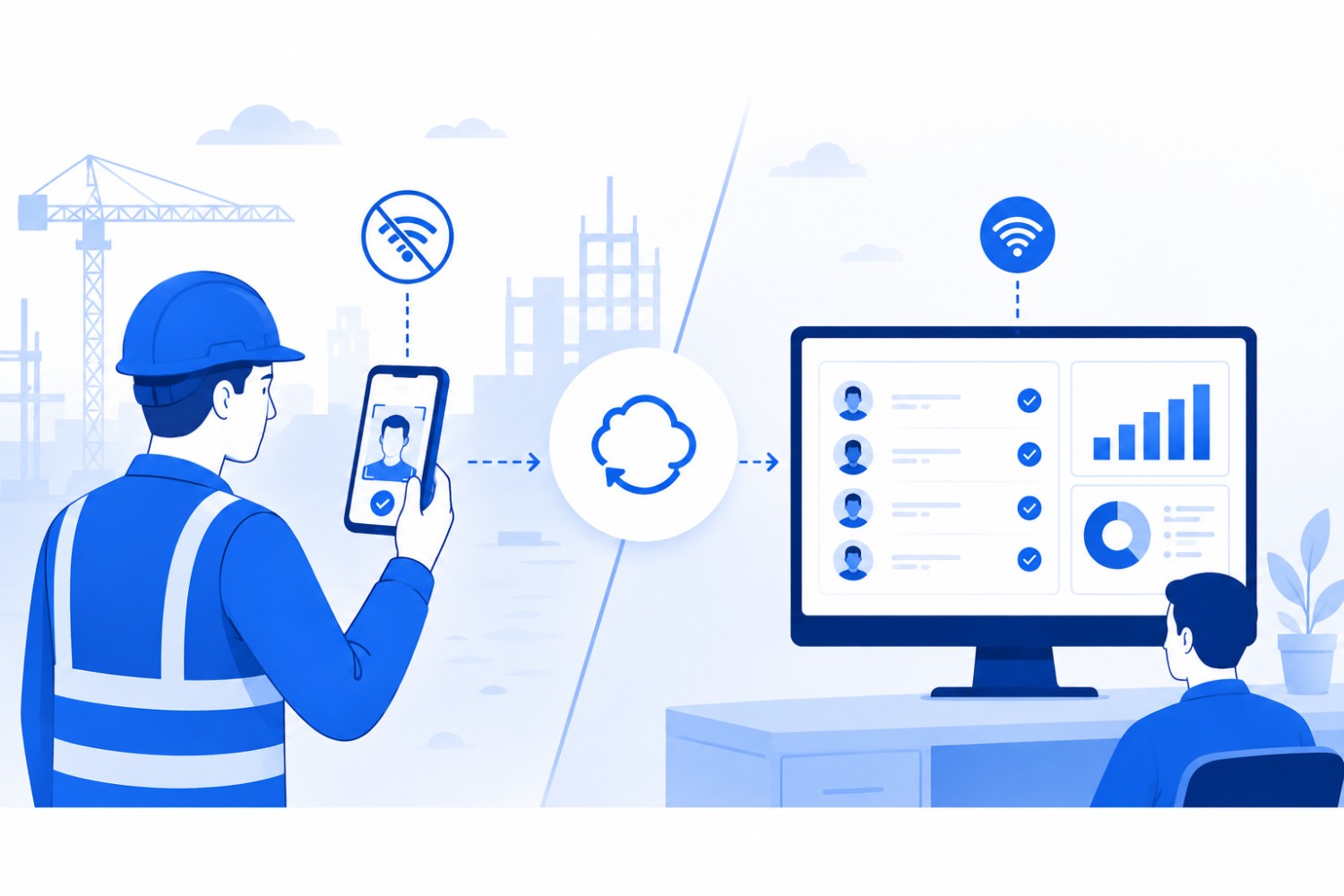
For a distributed, multi-site workforce, offline reliability isn't just a nice-to-have feature. It's the deciding factor that determines your payroll information.
What Happens to Attendance Data When a Site has No Signal All Day
Offline clock-in means the system captures a face-matched punch on the device itself, with no live network connection required, and syncs that record to the dashboard automatically once connectivity returns.
This matters most for construction basements, rural highway projects, and any site where cell signal is inconsistent through a shift.
Here's the part vendors sometimes gloss over: Offline records only appear in the manager's dashboard after the device reconnects and syncs. That's not the same as real-time visibility, and no attendance software should claim otherwise for punches captured offline.
A well-built attendance capturing system flags those records as "captured offline" for easy review once they land, so nothing is silently lost, but nobody sees it live while the site has no signal.
For most urban construction sites and well-connected offices, this is a reassurance feature. Signal is generally reliable, so offline capture is a safety net rather than the main selling point.
For rural highway construction, remote energy sites, or mining operations, it becomes the primary reason to choose one system over another, because a missed shift's worth of attendance data on paper is a payroll headache nobody wants to untangle after the fact.
A dead signal should never mean a missing attendance record. If your system can't say that with a straight face, it's not built for your use case.
Face Recognition Time Clocks and Hardware: What You Actually Need to Buy
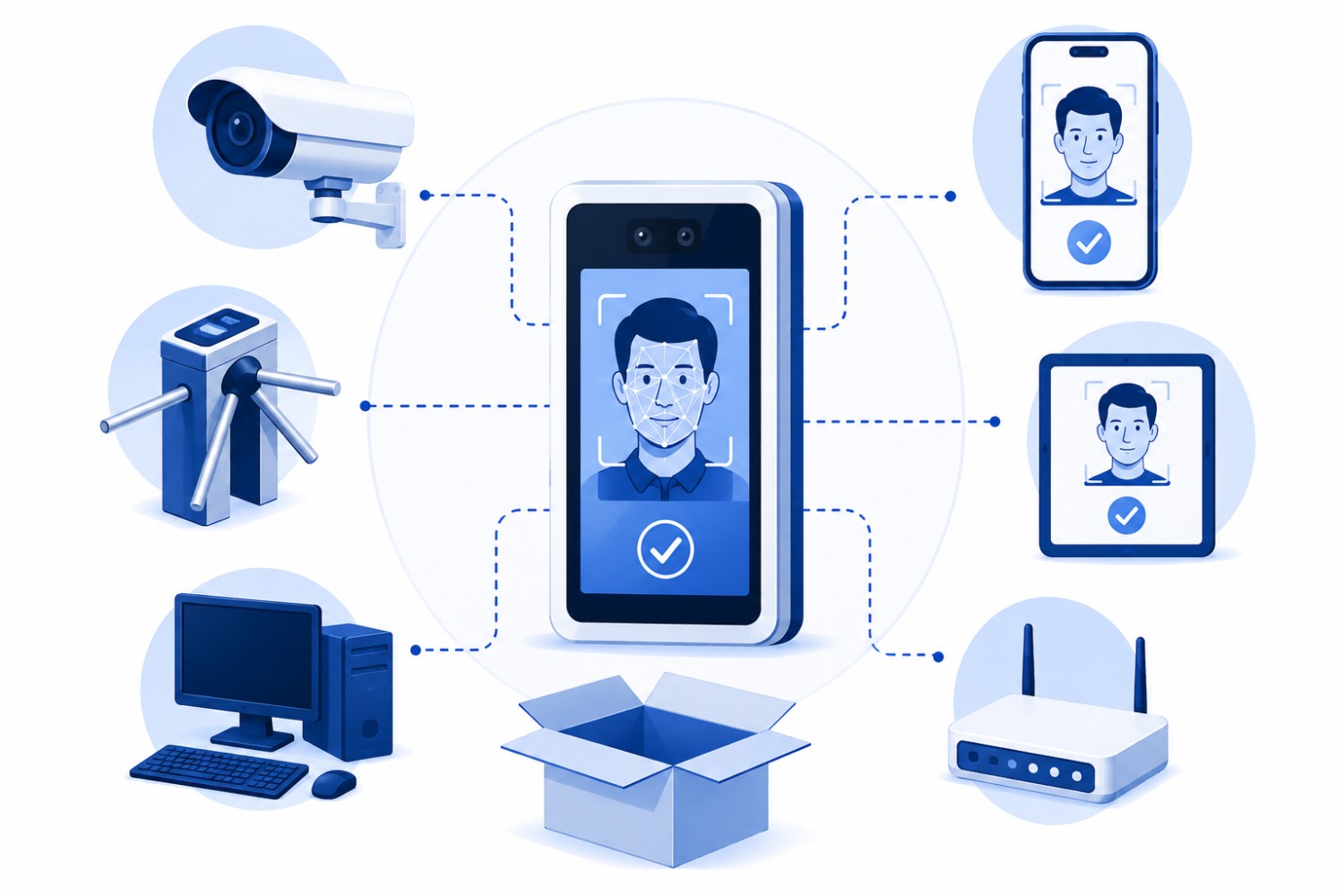
A lot of friction in adopting attendance technology comes from an outdated assumption: that face recognition means buying and installing dedicated hardware. That assumption is wrong for most modern platforms, and it's worth correcting before it talks a company out of a system that would actually work.
Systems in this category generally deploy in one of three ways:
- A dedicated kiosk at a single entry point works well for a factory floor or office with one clear entrance.
- A shared tablet at a site trailer works for construction and field crews rotating through a common check-in point.
- Clock-in from a personal smartphone works for field service technicians, delivery staff, or anyone who doesn't pass through a fixed location during a shift.
Matching the Setup to the Site
None of these require proprietary scanners or custom-built terminals. A system worth buying runs on any standard Android or iOS phone used by workers or tablets a company already owns, which means new sites can go live in minutes rather than waiting on a dedicated hardware order and an IT install.
That's a meaningfully different rollout timeline than a system requiring dedicated biometric hardware, where getting even one new site operational can take weeks between procurement and setup.
Truein can be deployed on whatever Android or iOS devices a site already has.
This is dedicated-hardware-free deployment, not "mobile-first." The distinction matters because a mobile-first product implies a consumer app bolted onto attendance as an afterthought.
A dedicated-hardware-free platform is built to run equally well on a shared tablet bolted to a wall as it does on a supervisor's personal phone, which is the reality of most job sites where workers don't each carry a company device.
Managing Subcontractors and Staffing Agencies is a Different Problem Than Onboarding Your Own Crew
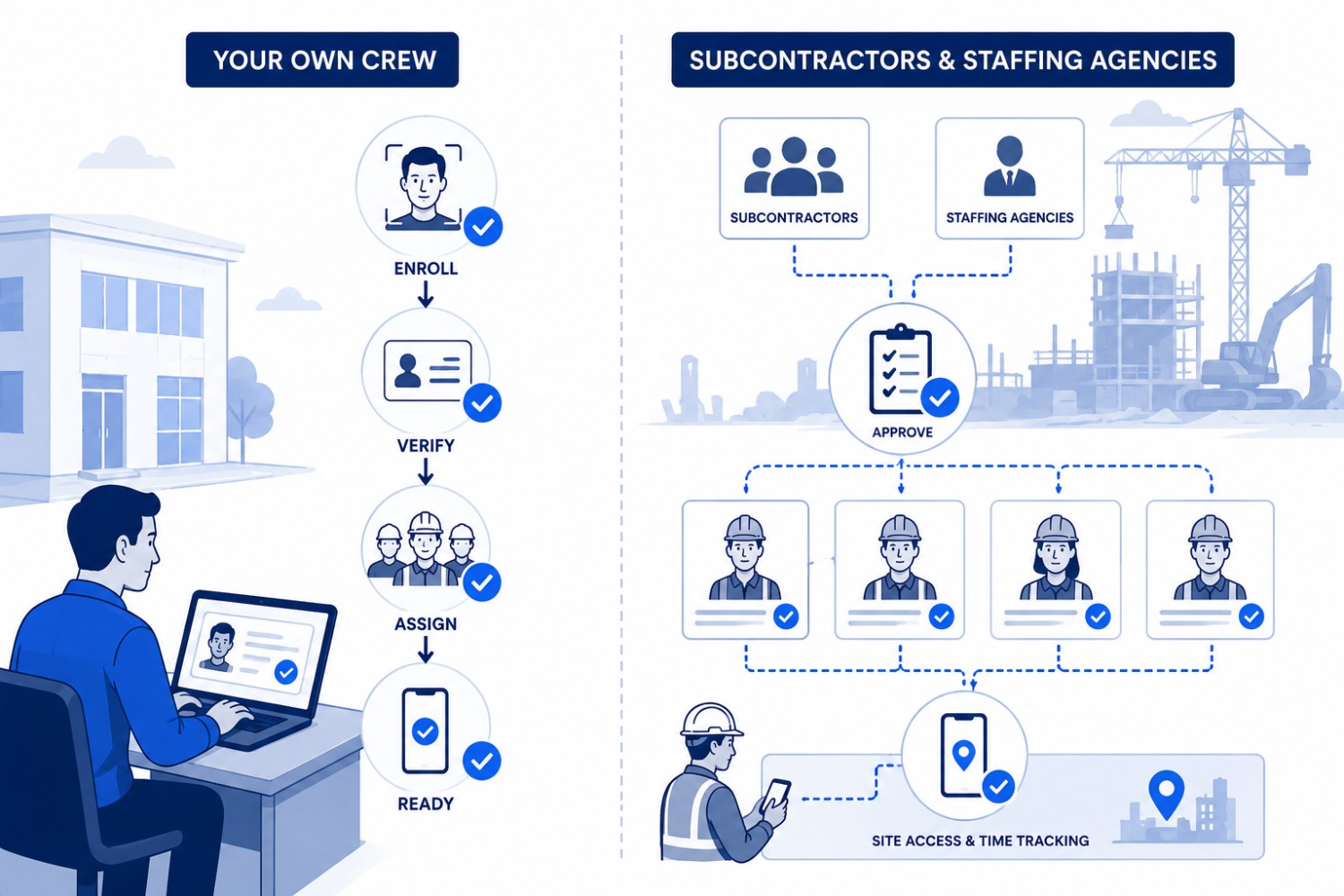
Managing your own hourly staff and managing subcontractor agencies are not the same operational problem, and treating them the same is how contractor accountability breaks down.
A general contractor with 40 electricians from one subcontractor and 25 laborers from a staffing agency needs to know, at any given moment, exactly how many workers from each agency are on-site, whether that count is within the agreed headcount, and whether an agency's documentation (licenses, certifications, insurance) is current.
Adding a subcontractor's crew as regular employees in an attendance system loses all of that visibility.
Headcount Caps, Agency-Scoped Dashboards, and Why Quick Enrollment Isn't the Same as Agency Management
Contractor agency management in an attendance context means giving each subcontractor's supervisor a dashboard limited to their own workers only, setting a maximum headcount per agency to catch unauthorized overbilling before it reaches an invoice, and tracking document expiry so an expired certification doesn't quietly stay active on-site.
This is agency-level management, not quick individual worker enrollment, and the two are frequently confused in vendor marketing. The operational reality of managing multiple contractors across shared sites is exactly where this distinction stops being theoretical.
Truein supports multiple contractor agencies under one account, applies per-agency headcount limits, and gives each agency’s supervisor a scoped view limited to their own staff, separate from company-wide employee data.
For a general contractor juggling several subcontractors across multiple active jobs, that's the difference between knowing exactly who is billing what and finding out during a dispute over an invoice.
Decision rule: If any of your sites use subcontractors or staffing agencies, ask specifically whether the system can cap headcount per agency and restrict dashboard access to each agency's own workers. If the answer is "add them as employees," that's not agency management, and the visibility gap will show up eventually.
What Integration With Payroll Actually Needs to Look Like
Attendance data that doesn't reach payroll cleanly creates more work than it saves. The question isn't whether a system "integrates" with payroll. It's whether that integration moves clean data without someone re-typing it.
Payroll-Ready Reports Versus Payroll Processing, and Why That Distinction Matters
Truein is not payroll software, and it does not process payroll itself. What it does is generate payroll-ready reports and integrate with the payroll and HRMS tools a company already runs.
For U.S. companies, that means confirmed integrations with ADP, QuickBooks, Sage, Paychex, and Xero, along with Trimble, a meaningful differentiator for construction companies already using Trimble for project management and job costing.
API-based integration keeps employee data and timesheet records synced in near real-time between the attendance system and payroll, so additions, updates, and deactivations stay consistent across both platforms without a manual export step.
Some setups use FTP-based batch sync instead, which works but introduces a lag between when data is captured and when it lands in payroll.
A vendor that only offers a CSV export and calls that "integration" is asking you to keep doing manual reconciliation, just with better-looking software.
Is Face Recognition Attendance Legal to Roll Out in the U.S.?
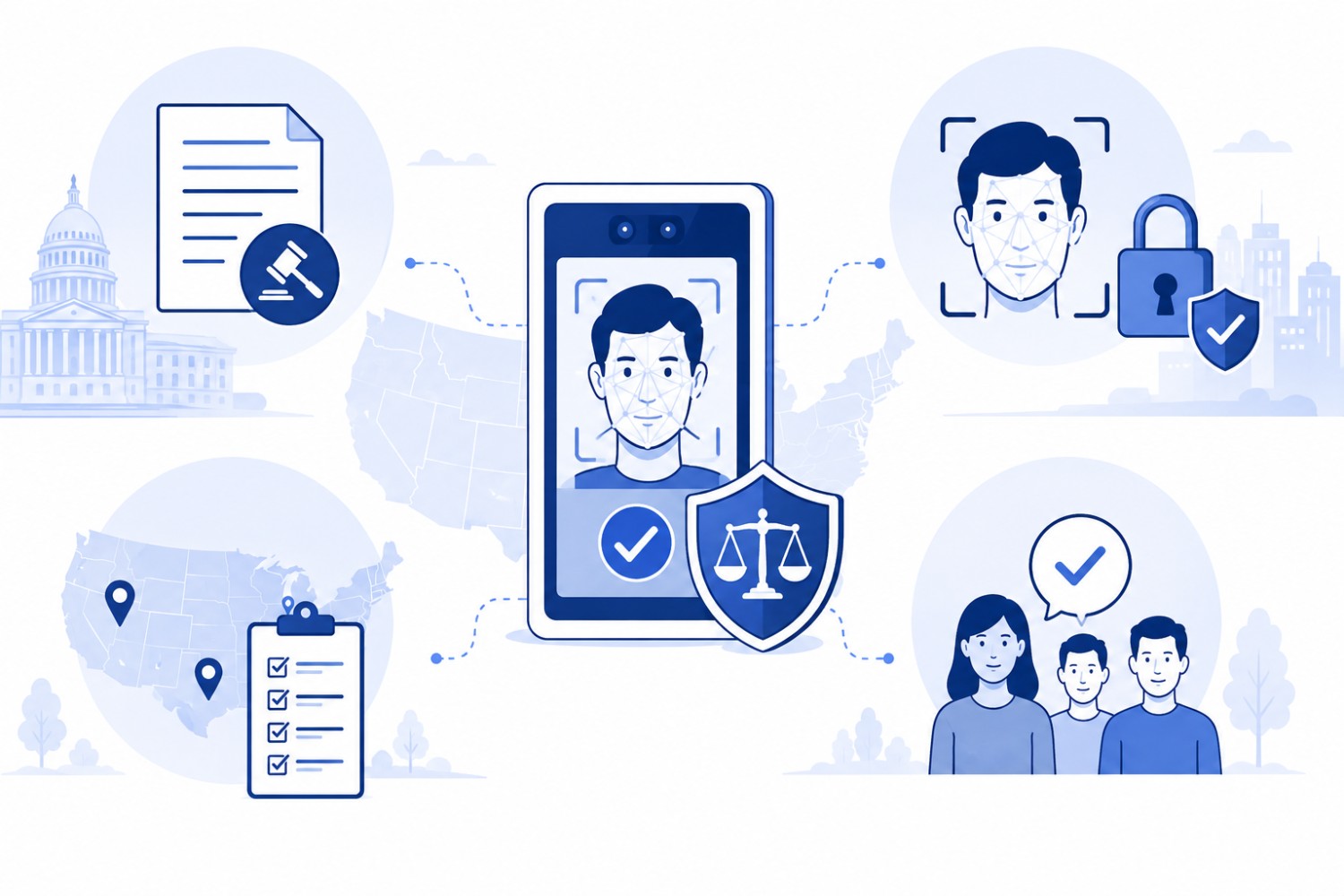
Short answer: Yes, with proper consent, though the specifics depend on which state a company operates in. This is one area where published content gets vague, citing GDPR or a blanket "BIPA-compliant" claim that doesn't actually map to U.S. law correctly.
The States Where Biometric Consent Law Actually Applies to Attendance Tracking
1. Illinois
Illinois has the Biometric Information Privacy Act (BIPA), which requires written consent before collecting biometric data and, unlike most state biometric laws, lets individuals sue directly over violations.
That private right of action is why BIPA carries more practical risk than most other state biometric statutes, and it's specific to Illinois, not a national standard.
2. California
California is the state that matters most right now for most U.S. employers. Since January 1, 2023, the employee exemption under the California Consumer Privacy Act and its amendment, the California Privacy Rights Act, expired.
California employees now have full rights, including notice, access, and deletion rights, over biometric data collected at work, including for time and attendance. Any company with California-based sites should treat this as an active compliance consideration, not a future one.
3. Texas
Texas has its own biometric statute, the Capture or Use of Biometric Identifier Act (CUBI), which requires a company to inform employees and get consent before capturing biometric identifiers, including a record of face geometry, for a commercial purpose.
CUBI has no private right of action. Only the Texas Attorney General can enforce it, with civil penalties of up to $25,000 per violation. That AG-only enforcement is a real distinction from Illinois, not just a technicality, since it removes the class-action exposure that makes BIPA the highest-risk statute on this list.
4. Washington
Washington's RCW 19.375, the Washington Biometric Privacy Act, is the relevant statute for workplace attendance in that state.
It requires notice and consent before a company enrolls a biometric identifier in a database for a commercial purpose. This is separate from the Washington My Health My Data Act, which explicitly excludes employment-context data and doesn't apply to attendance tracking.
Like Texas, RCW 19.375 has no private right of action. It's enforced solely by the Washington Attorney General through the state's Consumer Protection Act, not through employee lawsuits.
5. Colorado
Colorado's HB 24-1130, effective July 1, 2025, requires employee consent before collecting biometric identifiers for employment use, a written retention and deletion policy, and deletion within 24 months of an employee's last interaction unless a statutory exception applies.
Notably, Colorado's law does not include a private right of action either, which puts it in the same lower-litigation-risk category as Texas and Washington, as opposed to Illinois.
Truein supports consent-first face enrollment through configurable consent prompts before face registration, and includes privacy, audit, and policy controls that help customers align attendance workflows with their applicable biometric compliance requirements.
That's a meaningfully different claim than saying any software "ensures" or "guarantees" legal compliance, which no attendance platform can honestly promise, since compliance also depends on how a company actually configures and communicates its own policy.
Decision rule: If your company has sites in California, Illinois, Texas, Washington, or Colorado, confirm in writing how a vendor's consent flow handles that specific state's requirements before rollout, not after.
What a Face Recognition Attendance System Costs, Beyond the Sticker Price
Pricing pages rarely tell the full story, and per-user pricing alone can be misleading once hardware, setup, and support costs are factored in. The honest way to evaluate cost is total cost of ownership, not the number on the homepage.
Hardware, Setup, Training, and Support: The Costs Vendors Don't Put on the Pricing Page
A per-employee monthly fee is easy to compare across vendors, but it hides real variables:
- Does the vendor require proprietary hardware, and if so, what does that cost per site?
- Does onboarding require a paid implementation package, or can a company's own team configure it?
- Is support included, or does it cost extra once the free trial period ends?
Systems that require dedicated biometric hardware add a real, recurring cost every time a company opens a new site, since that hardware has to be purchased, shipped, and installed before day one. Dedicated-hardware-free platforms like Truein remove that specific cost line, since new sites can go live on devices a company already owns.
Competitive framing matters here too. In the U.S. construction and field services market, Truein is a more affordable purpose-built alternative to platforms like ClockShark.
The right comparison isn't which platform's list price is lower. It's which platform's total cost, including hardware, setup, and the manual reconciliation work a weak payroll integration creates, is actually lower across a full year.
Decision rule: Before comparing per-user pricing between two vendors, ask each one to itemize hardware, setup, and support costs separately. A vendor that resists breaking out those numbers is hiding where the real cost lives.
How to Pilot a Face Recognition Attendance System Before You Commit
No spec sheet substitutes for watching a system run on a real site with real workers. A short, structured pilot answers questions no sales demo can.
What to Measure During a Two-Week Pilot at One or Two Sites
Run the pilot at one or two representative sites, ideally including at least one site with connectivity challenges if that's part of the company's actual footprint.
Enroll a real cross-section of workers, not just office staff, including anyone who wears a hard hat, glasses, or a mask regularly during a shift, since those are the conditions that reveal real-world accuracy, not lab-condition accuracy.
Track four things across the two weeks: how long a typical clock-in actually takes at busy shift-change moments, how the system handles a mismatch (does it block or just log), whether offline captures at low-signal sites sync correctly once connectivity returns, and whether the payroll export at the end of the pilot period actually lands clean in the company's existing payroll workflow without manual fixes.
At the end of the pilot, compare the scorecard against the five criteria covered earlier in this guide: identity verification method, offline reliability, hardware fit, payroll integration depth, and contractor management if subcontractors are involved.
A pilot that passes all five on a representative site is a far stronger signal than any accuracy percentage on a vendor's website.
Truein is an AI-powered time and attendance platform, an AI face recognition time clock for hourly and multi-site workforces, that verifies identity at clock-in with face recognition and GPS, on any Android or iOS device, with no dedicated hardware required.
That single sentence captures the core of what separates a purpose-built system from a generic attendance app with a camera bolted on. The mechanism, the deployment model, and the workforce it's designed for are all tied together, and none of the three works well without the other two.
The Bottom Line
The real evaluation question is never the accuracy number on a landing page.
It's whether the system blocks a bad punch the instant it happens or just hands someone a photo to review after payroll already ran, and every other factor covered here, offline capture, hardware requirements, payroll integration, contractor management, determines whether that verification actually holds up across a company's real sites rather than just a vendor's demo environment.
If your crews are spread across multiple sites, some of your workers come through subcontractor agencies, and payroll keeps catching attendance problems after the fact instead of before, it's worth scheduling a demo to know how Truein handles identity verification, offline capture, and multi-site visibility in practice.
And if the more immediate concern is understanding exactly how attendance fraud shows up in payroll before it becomes a bigger cleanup job, Truein's breakdown of common attendance fraud patterns is a useful place to start before committing to anything.
Frequently Asked Questions
1. Can face recognition attendance work without the internet at a job site?
Yes. Systems built for field and construction use, including Truein, capture the face-matched punch directly on the device with no live connection required, then sync that record to the central dashboard automatically once the device reconnects.
The important caveat is that offline records only become visible to managers after that sync happens, not in real time while the site is offline. For rural or remote sites where signal drops through part of a shift, this is what keeps attendance data from simply disappearing for the day.
2. Do I need to buy special hardware for face recognition attendance?
No, not with a dedicated-hardware-free platform. Truein runs on any standard Android or iOS smartphone or tablet a company already owns, whether that's a shared tablet mounted at a site trailer or a supervisor's personal phone.
This removes the procurement and installation delay that comes with proprietary biometric hardware, where a single new site can take weeks to get operational. New sites on a dedicated-hardware-free system can typically go live within minutes of setup.
3. Does face recognition attendance work with glasses, hard hats, or beards?
Generally yes, though accuracy can vary with heavy face coverings like full masks. Modern face recognition attendance software is designed to account for glasses, facial hair, and changed hairstyles, and typically performs in the 95 to 100 percent accuracy range under normal working conditions.
Accuracy drops somewhat, commonly cited around 80 percent, when a mask covers most of the face, which is why any vendor claiming perfect accuracy under every condition should be questioned closely on their testing methodology.
4. Is face recognition attendance legal for U.S. employers?
Yes, when it's built on proper consent, though the specifics vary by state. Illinois has BIPA, which requires written consent and allows individuals to sue directly. California employees have had full rights over workplace biometric data since the CCPA/CPRA employee exemption expired on January 1, 2023. Texas (CUBI), Washington (RCW 19.375), and Colorado (HB 24-1130, effective July 2025) each have their own requirements.
A platform like Truein that is designed to support compliance with these state-specific rules through consent-first enrollment is the right approach, not a blanket compliance guarantee, since no software can promise legal compliance on its own.
5. Can face recognition attendance stop buddy punching completely?
It significantly reduces it, but no system blocks every fraudulent punch with certainty. Face matching blocks unauthorized clock-ins on the spot when the face at the camera doesn't match the enrolled worker, which stops the most common form of buddy punching before it's recorded.
A separate backend layer flags suspicious patterns, like unusual correction rates or irregular timing, and those checks can surface after the punch depending on configuration. Anyone claiming their system catches 100 percent of fraudulent punches in real time is overstating what the technology actually does.
6. Does face recognition attendance integrate with payroll software?
Yes, but it's worth being precise about what that means. Truein is not payroll software and does not process payroll itself. It generates payroll-ready reports and integrates with payroll and HRMS platforms companies already use, including ADP, QuickBooks, Sage, Paychex, and Xero, with API-based sync keeping employee and timesheet data consistent across both systems.
The distinction matters because a system that only offers a manual CSV export still leaves a company doing reconciliation work by hand every pay cycle.
7. What's the difference between face recognition attendance and a biometric attendance system?
Face recognition attendance is one type of biometric attendance system, alongside fingerprint and iris-based methods. The distinction that matters for a buyer isn't the biometric type, it's whether the system verifies identity at the moment of the punch or only captures data for someone to check afterward.
A face recognition system that just logs a photo for review offers no more real-time fraud prevention than a fingerprint scanner that gets bypassed with a borrowed badge.
8. What is an AI face recognition time clock?
An AI face recognition time clock is attendance software that verifies a worker's identity by matching their face at the moment of clock-in, rather than logging a photo for later review. Platforms like Truein run this on any Android or iOS phone or tablet, pair the face match with GPS geofencing, and block a mismatched punch before it's recorded.
