


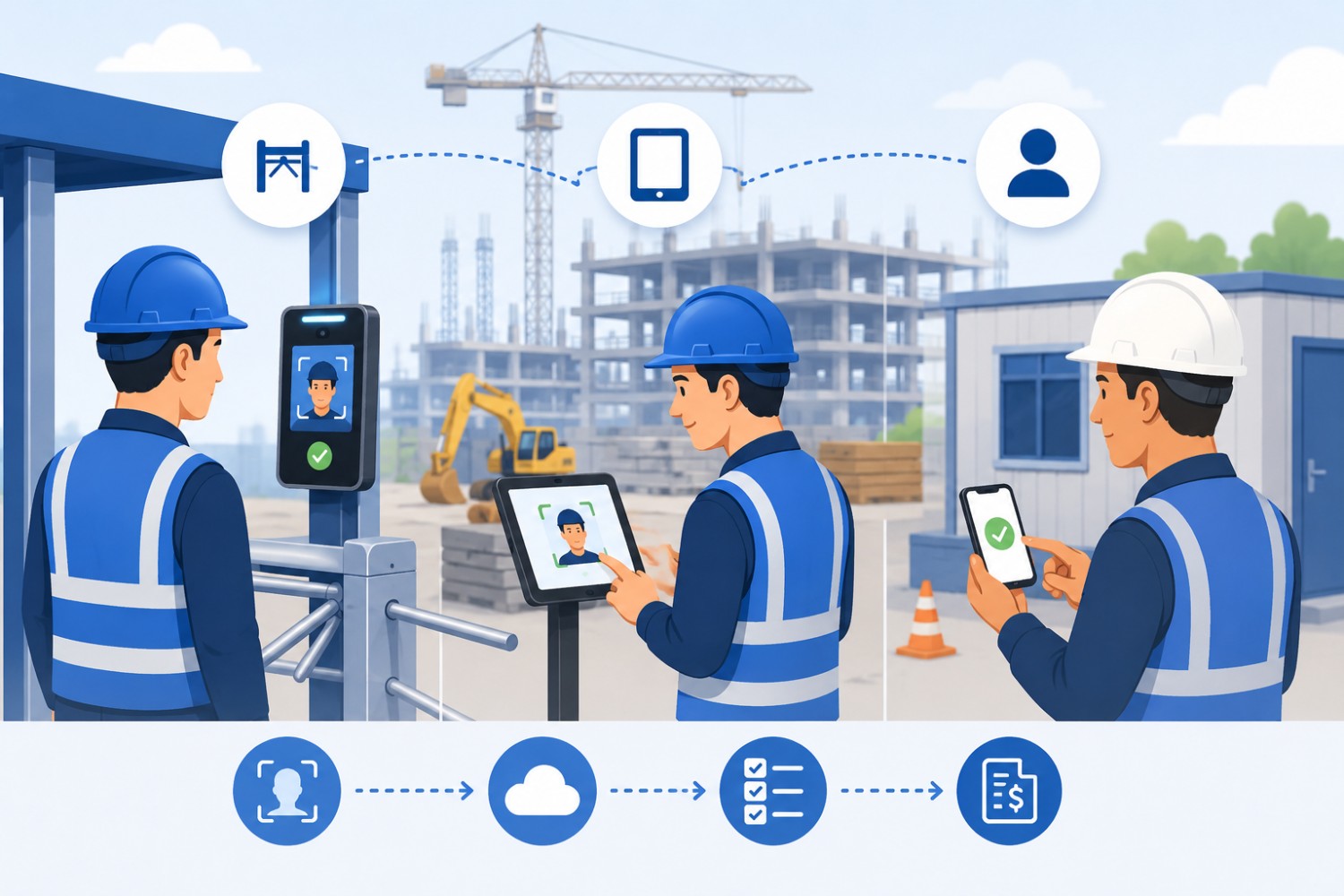

A face recognition attendance system for construction sites verifies a worker's identity at the moment of clock-in, then ties that clock-in to a specific site, shift, and project. The setup wrapped around that verification decides whether it produces clean payroll data or another broken process. A fixed gate terminal works best where a site has one controlled entrance, mains power at that entrance, and a large group arriving inside the same window.
That same terminal becomes the wrong choice on a site where the entry point moves every few weeks, or where work is spread across zones with no gate at all. None of the common setups survives inconsistent enrolment across manpower agencies, because a face that was never registered cannot be matched at any entry point.
TL;DR
- The face recognition engine matters less than the capture setup, because gate throughput, connectivity, site layout, and agency structure decide whether attendance data reaches payroll intact.
- A fixed gate terminal suits a single controlled entrance with mains power and a concentrated arrival window, and a shared site tablet suits an entrance that relocates as the build progresses.
- Supervisor-assisted clock-in is the only setup that captures attendance on linear or remote sites such as highways, pipelines, and solar farms, where no fixed entry point exists.
- Offline capture stores punches on the device and syncs them when the network returns, which means those records reach the dashboard after sync rather than in real time.
- Face recognition attendance verifies who was present and when, and it will not settle billing disputes that come from scope changes or rate disagreements with a manpower agency.
Choose This Setup When Your Site Looks Like This
- Choose a fixed gate terminal when the site has one controlled entrance, mains power at that entrance, and several hundred workers arriving in the same window, because a mounted terminal clears a queue faster than any handheld method.
- Choose a shared site tablet when the entrance is temporary or shifts as the structure goes up, because a tablet redeploys in minutes and a turnstile installation does not.
- Choose supervisor-assisted clock-in when work runs across zones with no fixed entry point, such as road, pipeline, or solar projects.
None of the three works when workers are enrolled inconsistently across agencies. Fix enrolment before you choose a capture method.
What Is A Face Recognition Attendance System For A Construction Site?

A face recognition attendance system for construction sites is software that captures a worker's face at clock-in, matches it against a registered face template, and records a verified attendance entry against a site, shift, and worker category. It replaces paper muster rolls and card-based registers with data that can be audited.
The process runs in five steps.
- Enrolment. A worker registers once with a photo, along with their identifier, company, project, and worker category.
- Capture. The worker presents their face at a gate terminal, a shared tablet, or a supervisor's device.
- Match. The system compares the live capture against the stored face template. A match failure blocks the punch immediately and prompts a retry.
- Location check. Global Positioning System (GPS) geofencing checks the clock-in against the defined site boundary, and out-of-boundary punches are blocked, alerted, or sent for approval depending on configuration.
- Record and sync. The entry is written with a timestamp, site, and device, then synced to a central dashboard.
Two terms carry most of the weight in vendor conversations. Liveness detection is the check that separates a live face from a photograph or a video played back at the camera. Geofencing is a virtual boundary drawn around a site, inside which a clock-in is permitted and outside which it is blocked, flagged, or routed for approval depending on configuration.
Why Does Attendance Break On Construction Sites?
Construction sites break attendance systems in ways an office never does. The failure points are physical, structural, and commercial at the same time.
- Paper muster rolls cannot be audited. A register filled in by hand at the gate carries no evidence that the person named was present, which makes disputes with a client or an agency unresolvable after the fact.
- Proxy attendance is easy at a busy gate. One worker clocking in on behalf of an absent colleague, commonly called buddy punching, is the single most reported form of time theft on high-headcount sites.
- Fingerprint readers fail on working hands. Oily or greasy fingers cause read failures, and dedicated fingerprint machines sometimes cannot recognise a worker at all. That is a limitation of the capture method, not of a particular brand.
- Worker turnover outpaces onboarding. A system that takes days to register a new worker leaves gaps every week on a site with rolling agency crews.
- One project often has several gates. Attendance captured at one entrance and not another produces a headcount nobody trusts.
- Basements and remote zones have no signal. Any system that depends on a live connection to record a punch loses data exactly where supervision is thinnest.
Radio frequency identification (RFID) cards solve the speed problem and reintroduce the identity problem, since a card can be handed to a colleague as easily as a paper register can be filled in on someone else's behalf.
Gate Terminal, Site Tablet, Or Supervisor Clock-In: Which Setup Fits Your Site?
The right capture setup is decided by four site facts: whether there is a controlled entrance, whether that entrance has power and connectivity, how concentrated the arrival window is, and whether the entrance stays in one place for the life of the project.
| Setup | Best for | Worker volume it handles | Connectivity needed | Throughput at shift change | Where it fails |
|---|---|---|---|---|---|
| Fixed terminal at turnstile or flap barrier | Single controlled entrance, permanent for the project duration | Several hundred to several thousand per gate | Mains power required; network can be intermittent if the device buffers locally | Highest of any setup here; workers move through in single file without stopping | Entrance relocates, or the project has no perimeter yet |
| Shared tablet kiosk at gate or site office | Entrances that move as the build progresses | Up to a few hundred per device | Device power required; works offline with local storage | Moderate; limited by how many devices are placed | Very large concentrated arrivals through one lane |
| Supervisor-assisted clock-in on a phone | Linear and remote sites with no fixed entry point | Crew-sized groups, typically 10 to 60 per supervisor | Device power only; captures offline and syncs later | Not applicable; capture happens at the work face, not a gate | Supervisor process is inconsistent or unsupervised |
| Worker self clock-in on a personal phone | Skilled trades and staff who carry smartphones | Scales with device ownership, not with gates | Device dependent; offline capture available | Distributed, so no queue forms at all | Large contract labour crews without personal smartphones |
| Hybrid: gate terminal plus roving zones | Large projects with a main gate and dispersed work fronts | Several thousand across one project | Mixed; mains at the gate, device power in the field | Highest at the gate, distributed everywhere else | Small single-gate projects, where the added configuration earns nothing |
Setup characteristics verified against Truein product documentation reviewed in August 2026.
Verdict: a fixed terminal wins on projects with a permanent, powered, single entrance and a heavy concentrated arrival, because throughput is the binding constraint there. A shared site tablet wins when the entrance is provisional, since redeployment cost dominates. Supervisor-assisted clock-in wins on linear and remote work, where the alternative is not a slower gate but no attendance record at all. Worker self clock-in wins for trades and staff who reliably carry smartphones, and it should never be the primary method for a large contract labour crew.
Single-gate tower project, 200 to 500 workers
One controlled entrance, mains power, and a concentrated morning arrival make this the clearest case for a fixed terminal. Add a shared tablet at the site office as a fallback for late arrivals and visitors, so a queue at the gate never becomes a reason to wave people through unrecorded.
Large infrastructure site, 5,000 or more workers, multiple gates
Infrastructure projects across the Gulf regularly run 10,000 or more workers on a single site. Contractors including Group Amana, KAD Construction, and KAEFER manage headcounts at this scale using Truein. The setup that holds up is a terminal or tablet at every gate feeding one dashboard, with agency crews separated at the point of capture rather than reconciled afterwards in a spreadsheet.
Linear or remote sites with no fixed entrance
Road, pipeline, and solar projects have a work front instead of a gate. Supervisor-assisted clock-in on a phone, combined with GPS geofencing, records who was at which chainage or section on which day. Contractors running distributed sites across India, including SJ Contracts, use this pattern to keep site-level attendance without building an entry point.
Multiple active projects reporting to one head office
Head office needs one view across every project, not a report per site. The setup choice can differ site by site, provided every device writes into a single dashboard with consistent worker categories, agency mapping, and policy configuration.
How Many Workers Can Pass Through One Gate During A Shift Changeover?
Gate capacity is arithmetic, and it is the number most contractors skip. Divide the number of workers arriving by the length of the arrival window, then convert that to seconds per worker per lane. A site with 600 workers arriving inside 30 minutes needs one lane to clear 20 workers per minute, or 3 seconds per worker.
Face match speed is rarely what breaks that budget. The approach, the pause at the reader, the walk-through, and the gap before the next worker steps up consume most of the 3 seconds. A second lane changes the answer far more than a faster matching engine does.
Run the calculation before you decide how many terminals to buy. If the result demands under 2 seconds per worker on a single lane, the site needs another lane, a wider arrival window, or a staggered gang start.
Does Face Recognition Work With Hard Hats, Masks, Dust, And Direct Sunlight?

Yes. Truein's face recognition operates at around 95% to 100% accuracy, including with facial hair, masks, changed hairstyles, and hard hats. Site conditions still influence the result, and the variables worth controlling are enrolment quality, camera placement, and light at the point of capture.
Enrolment quality does most of the work. A registration photo taken in poor light or at an odd angle produces a weaker template, and that weakness shows up months later as repeated retries at the gate. Register workers in even light, facing the camera, before the first shift.
Camera placement handles the rest. A reader mounted facing directly into low morning or evening sun forces the sensor to fight backlighting every day at exactly the busiest moment. Shade the approach and orient the device away from the sun path, which costs nothing at installation and cannot be fixed later in software.
Two mechanisms operate here and they are not the same thing. A face-match failure blocks the punch immediately and prompts a retry, so an unrecognised worker never gets a recorded entry. A suspected spoofing attempt is flagged after the punch in the default configuration, after which the record is marked for review and the staff member can be blocked.
What Happens When The Site Has No Connectivity?
Offline clock-in captures the full attendance record on the device with no network available, stores it locally, and syncs automatically when connectivity returns. Records captured this way are flagged as captured offline, which makes them easy to review separately. Those punches reach the dashboard only after sync, so they are not real-time entries.
That distinction matters for how you use the system, not just for how you describe it. A safety manager pulling a live headcount during an evacuation sees connected clock-ins, and offline punches from a basement level appear once that device reconnects.
Offline capture is the difference between a gap in the record and a delayed record. For basements, remote highway sections, and sites in tier-2 and tier-3 locations where mobile coverage is inconsistent, it is the feature that decides whether the system is usable at all.
How Do You Track Manpower Agency Crews Separately From Your Own Staff?
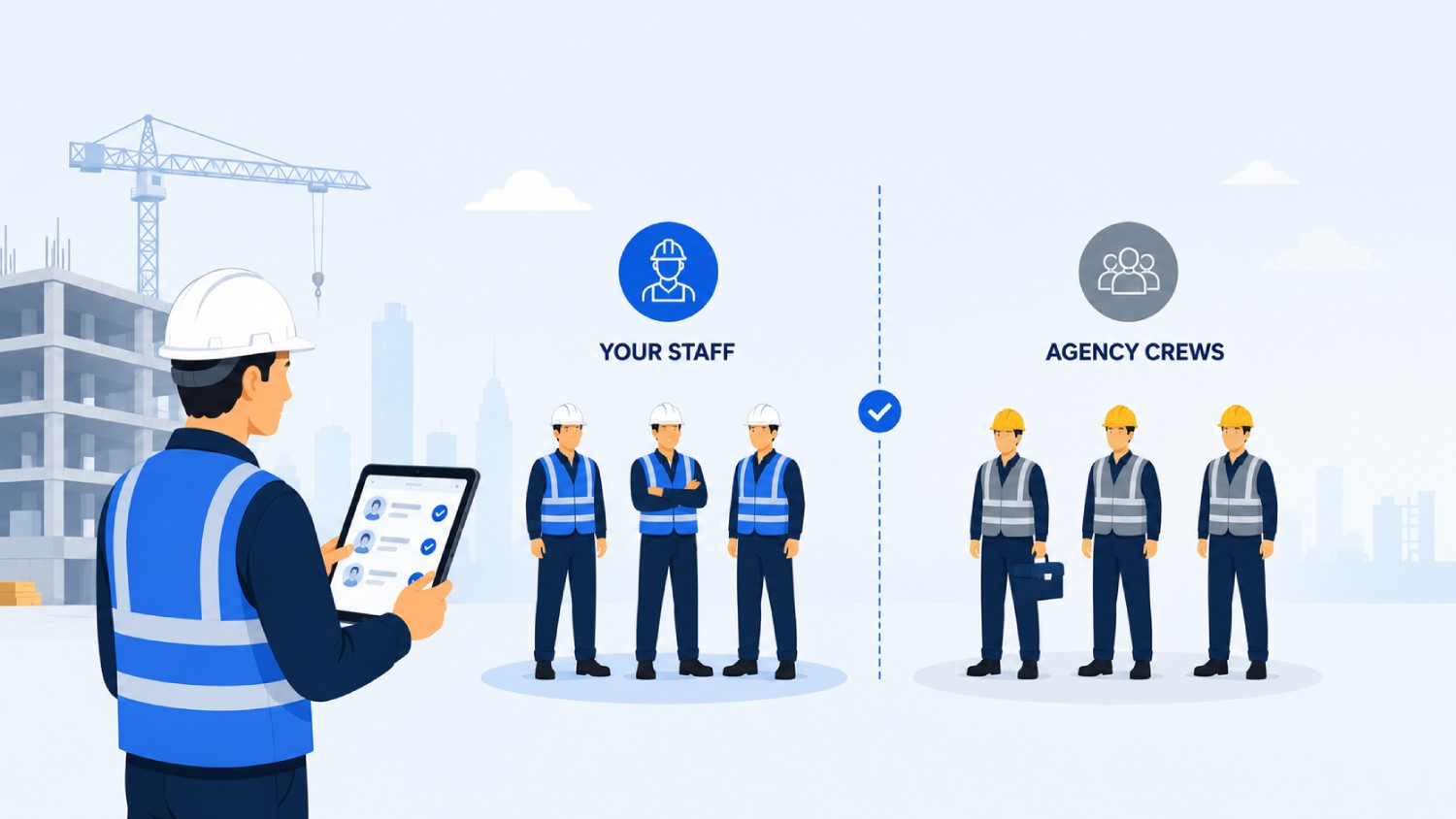
Multiple manpower agencies can operate under one account, each mapped to specific sites, with per-agency headcount limits applied. Each agency supervisor gets a scoped view limited to their own staff, kept separate from company-wide employee data. Agency-specific policies, pay rates, and document expiry tracking are configured per agency.
The commercial value sits in the separation itself. Where several agencies work the same site, attendance captured against the agency at the point of clock-in gives you the visibility and controls needed to spot overlap and overbilling before an invoice lands, rather than discovering it during a monthly reconciliation.
Document expiry tracking handles the second half of the problem. Safety inductions, trade certifications, and work authorisations attached to a worker record let a site block entry for anyone whose clearance has lapsed, which is a control that no paper register can apply at the gate.
Do You Need Dedicated Biometric Hardware?
Dedicated hardware means purpose-built physical attendance equipment such as a fingerprint terminal, an infrared scanner, or a fixed biometric kiosk. Truein is dedicated-hardware-free and runs on standard Android and iOS phones and tablets, though a shared tablet kiosk still has to be physically installed at the site where one is used. For a device-by-device view of the hardware side, including solar-powered rugged boxes and keytab clocks, see the comparison of portable time clocks for construction sites. US contractors weighing a fingerprint terminal against face recognition should also check the biometric time clock laws for construction, since Illinois, Texas, and Colorado regulate the biometric template itself.
| Factor | Dedicated hardware terminal | Software on standard phones and tablets |
|---|---|---|
| Setup time for a new site | Weeks, covering procurement, delivery, mounting, and cabling | Minutes for the software; installation time only where a shared tablet kiosk is mounted |
| Procurement required | Device purchase, spares, and information technology involvement | Uses devices the site already has, or standard retail tablets |
| Failure mode | A dead unit stops attendance at that gate until it is replaced | A failed device is swapped for any other phone or tablet |
| Works with hard hats | Depends on the model and its sensor | Yes, at around 95% to 100% accuracy including hard hats and masks |
| Offline behaviour | Varies by model; some units buffer locally, others do not | Captures offline on-device and syncs on reconnect, flagged as offline |
| Multi-site rollout | Cost and lead time scale with the number of gates | Configuration scales; device count scales with gates |
| When the project closes | Units are uninstalled, transported, and remounted | Software is reassigned to the next site |
Comparison based on Truein product documentation reviewed in August 2026.
Verdict: dedicated terminals earn their place at permanent high-volume gates where a mounted, cabled unit will stay put for years. Software on standard devices wins wherever sites open, move, and close on project timelines, which describes most construction work. Brands such as ZKTeco, Hikvision, and Matrix COSEC supply capable terminals, and the choice between them and a software deployment is a question of site permanence rather than of recognition quality.
Contractors across the Gulf Cooperation Council (GCC) states have often already invested in fingerprint or infrared terminals. Software face recognition runs alongside that investment as an upgrade rather than a replacement, which keeps the existing capital in service while extending capture to gates and zones the fixed units never covered.
How Does Site Attendance Data Reach Payroll?

Truein is not payroll software and does not process payroll. It produces payroll-ready reports from verified attendance data and connects to payroll and human resource management systems through application programming interface (API) connections for real-time sync, or through file transfer protocol for batch workflows. Confirmed integrations include ADP, SAP, Sage, QuickBooks, and Trimble.
Payroll routing on GCC sites
Truein does not produce Wage Protection System (WPS) or Salary Information File (SIF) output, and no attendance platform should be positioned as producing your wage submission. What it provides is verified time data and standard reports from which your payroll team builds the compliant submission your country's system requires.
Payroll routing on Indian sites
Attendance exports are formatted for direct use in payroll calculation, covering shifts, overtime, and leave in one dataset. A payroll-ready export is not automatically formatted for Provident Fund (PF) or Employees' State Insurance Corporation (ESIC) filing, so confirm the specific output your payroll team needs before you assume the mapping exists.
What Changes For Compliance And Reporting On A GCC Construction Site?
All six Gulf Cooperation Council states run a Wage Protection System, adopted by the United Arab Emirates in 2009, Saudi Arabia in 2013, Oman in 2014, Qatar and Kuwait in 2015, and Bahrain in phases from 2019. What differs between them is the Salary Information File format, the administering authority, and enforcement maturity, not whether wage protection applies.
Workforce nationalisation programmes sit separately from wage protection and should never be described as the same thing. Emiratisation in the United Arab Emirates and Nitaqat in Saudi Arabia are quota programmes, and accurate attendance by nationality and site supports the headcount reporting that feeds into those filings.
Rest day and working hour rules change how shifts and overtime should be configured. Saudi Arabia, Qatar, Kuwait, Bahrain, and Oman observe a Friday or Friday to Saturday weekly rest day, and the United Arab Emirates moved to a Saturday to Sunday weekend in 2022. Statutory Ramadan reductions, commonly 2 hours per day, apply across the region and need to be set as policy rather than handled manually each year.
Truein's 70 or more configurable policies cover overtime, breaks, holidays, and leave by location, shift, and worker category. These are configurable tools designed to support compliance with local labour law, and they are not legal guarantees.
Disclaimer: This section does not constitute legal advice. The information presented is based on available references at the time of writing and may contain inaccuracies or omissions. Readers are advised to verify details independently or consult a qualified professional.
What Changes For Compliance And Reporting On A Construction Site In India?
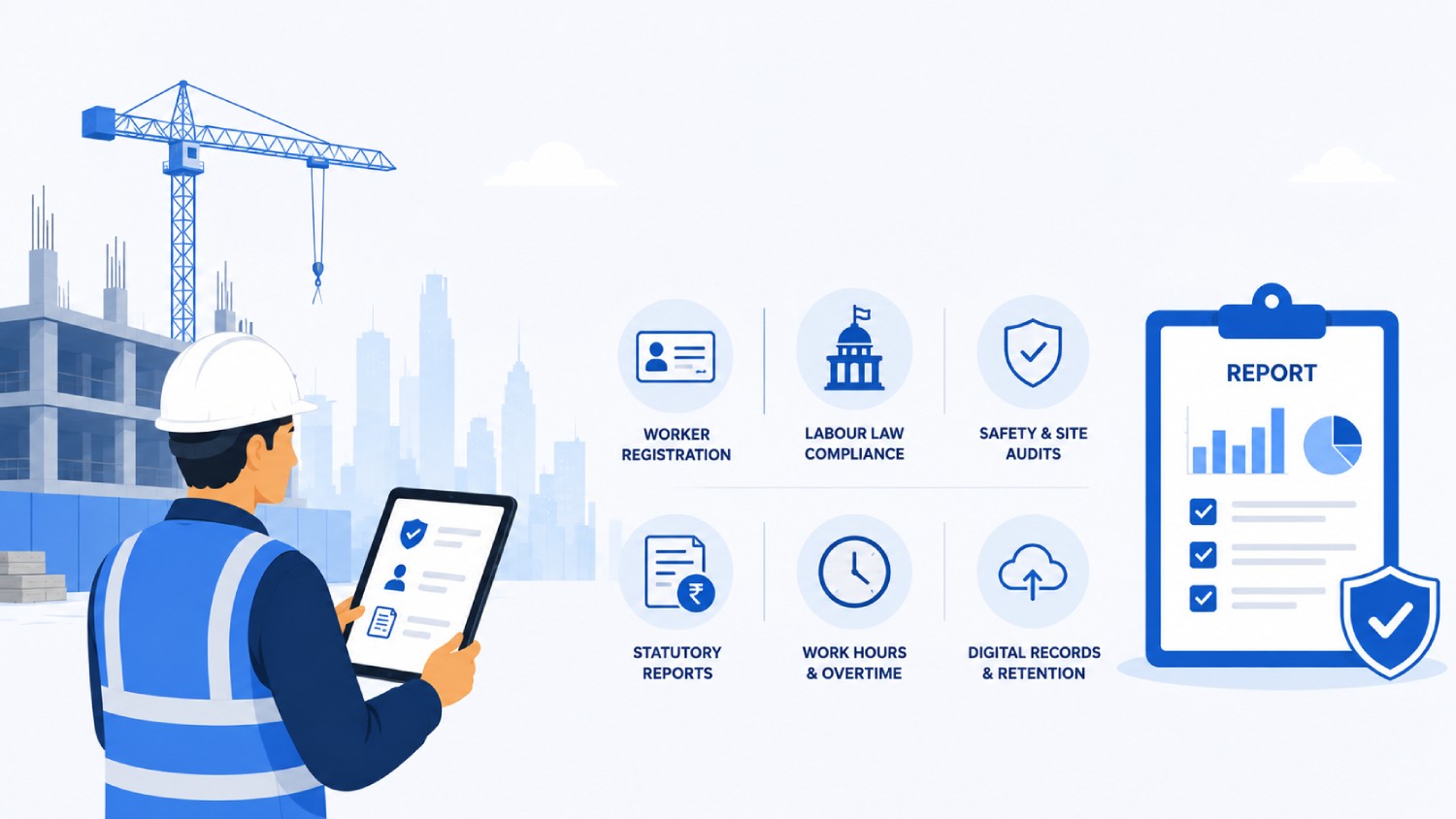
The Contract Labour (Regulation and Abolition) Act, 1970 has been consolidated into India's four Labour Codes, in force from 21 November 2025, with central rules notified on 8 May 2026 and state-level rules still being issued. Compliance depth now runs primarily through the Occupational Safety, Health and Working Conditions Code rather than the standalone Act.
Statutory social security is being extended beyond permanent staff under the Code on Social Security, 2020. Provident Fund, Employees' State Insurance Corporation coverage, insurance, and gratuity are being extended to contract and fixed-term workers, with coverage for gig and platform workers still being operationalised. ESIC applies nationwide rather than only in notified areas, fixed-term workers receive the same benefits as permanent employees, and the principal employer carries responsibility for social security and health benefits for contract workers.
Data protection runs on a separate track from labour law and should not be merged with it. India's Digital Personal Data Protection Act, 2023 (DPDP Act) governs how biometric and attendance data is collected, stored, and processed, and it is arriving in phases: rules were notified in November 2025, consent-manager provisions become operative in November 2026, and substantive obligations are enforced from May 2027.
Truein's data protection posture is built around the principles the Act establishes. The platform is ISO 27001:2022 certified and SOC 2 Type II compliant, operates with a designated Data Protection Officer reachable at dpo@truein.com, and processes attendance data, including face registration and personal identifiers, on Amazon Web Services infrastructure hosted in India. Truein's framework aligns with the core principles of consent, data minimisation, and breach notification, and the company is structured to meet its obligations as the rules come into force progressively.
Disclaimer: This section is for general informational purposes only and does not constitute legal advice. India's data protection and labour law framework, including the Digital Personal Data Protection Act and the Labour Codes, is still being rolled out in phases and is subject to change. The information presented reflects publicly available sources as of the article's publish date and may not capture subsequent rules, notifications, or amendments. Readers are advised to verify current requirements independently or consult a qualified professional before making compliance decisions.
A Two-Week Pilot Plan Before You Roll Out Across Sites
Run the pilot on one site, with one agency included, before committing across a portfolio. Two weeks covers a full payroll cycle boundary on most projects.
- Pick the hardest site, not the easiest. Choose the one with the worst connectivity or the highest agency mix. A pilot that succeeds on your simplest site tells you nothing.
- Set the geofence and confirm the boundary. The configurable minimum radius is 20 metres, roughly 65 feet, and each floor, wing, or zone can be geofenced separately. Walk the perimeter and check that a clock-in from outside is handled the way you configured it.
- Enrol workers in even light before day one. Success looks like every worker on the site register having a face template before the first shift, with no walk-up registrations at the gate.
- Map the agency structure before capture starts. Assign each agency to its sites, set headcount limits, and give each agency supervisor their scoped view. Success looks like an agency supervisor logging in and seeing only their own crew.
- Run days 1 to 3 in parallel with the paper muster roll. Compare the two records each evening. Investigate every difference, because differences in the first week are usually enrolment gaps rather than system errors.
- Test offline capture deliberately. Take a device to the basement or a dead zone, record punches, then bring it back into coverage. Success looks like those records appearing in the dashboard flagged as captured offline.
- Time an actual shift changeover. Count workers through the lane against a stopwatch and compare the result to the arithmetic in the throughput section above. This is when you find out whether the site needs a second lane.
- Configure shift, overtime, and rest day policies and let them run. Do not correct output manually during the pilot, because manual correction hides exactly the misconfiguration you are testing for.
- Let AI TimeGuard run through a full cycle. Anomaly detection surfaces unusual clock-in patterns, geofence edge cases, overtime spikes, and frequent corrections. First anomaly alerts typically surface within the first payroll cycle.
- Export a payroll-ready report and hand it to your payroll team unedited. Success looks like your payroll team processing it without asking for a manual rework. That single outcome is the pilot result that matters.
Questions To Ask Any Vendor Before You Sign
- What happens to a punch when the network is down, and how is that record marked when it syncs?
- Is identity verified at the moment of clock-in, or is a photo captured for a supervisor to review afterwards?
- What is the stated recognition accuracy with a hard hat and a mask, and under what test conditions was it measured?
- What is the minimum configurable geofence radius, and can separate zones on one site be geofenced individually?
- Can several manpower agencies operate under one account with separate headcount limits and scoped supervisor access?
- How long does it take to register a new worker, and can a supervisor do it on site?
- What happens on day one at a new site, and how much of that time is software configuration versus physical installation?
- Which payroll and human resource systems are live integrations today, and which are on a roadmap?
- Who is the data controller and who is the data processor under our contract, and where is the attendance data hosted?
- What certifications does the provider hold, and when were they last audited?
- Can policies be set differently by site, shift, and worker category, or only at the account level?
- What does the provider do when a worker's face is repeatedly not recognised?
How Truein Handles Construction Site Attendance
Truein is an artificial intelligence powered time and attendance platform that runs face recognition attendance on standard Android and iOS phones and tablets, built for companies managing contract and multi-site workforces. On construction projects it covers the full path from a verified clock-in at the gate through to a payroll-ready report, without dedicated biometric equipment at every entrance.
Three capabilities do most of the work on live sites. Face verification at the moment of clock-in blocks an unmatched punch outright rather than flagging it for a supervisor days later. GPS geofencing ties every entry to a defined site boundary, configurable down to a 20 metre radius per floor, wing, or zone. Offline capture records attendance where connectivity does not reach and syncs it when the device reconnects.
AI TimeGuard monitors that verified attendance data continuously and flags unusual clock-in patterns, suspicious location behaviour, impossible travel sequences, abnormal overtime spikes, and frequent timesheet corrections, so managers review flagged exceptions rather than entire timesheets. AI Analytics answers questions about attendance rates, overtime patterns, and correction frequency across sites without anyone building a report.
The system runs at construction scale. Truein serves more than 500 clients across 25 countries and over 10,000 locations, covering more than 500,000 users, with contractors including Group Amana, KAD Construction, KAEFER, and SJ Contracts among them. Reviewers rate the platform 4.8 out of 5 on G2 across 95 reviews and 4.8 out of 5 on Capterra across 42 reviews, checked in August 2026.
There is a limit worth stating plainly. A face recognition attendance system verifies who was present on site and when, and it does not measure whether that time was productive. It will not settle billing disputes that come from scope changes or rate disagreements with a manpower agency, and contractors whose core problem is commercial rather than attendance accuracy should fix the contract before they change the clock-in method.
See how Truein handles face recognition attendance for contract and multi-site workforces, or review the regional setup across the Gulf for construction and facility management teams.
Where To Start On Your Next Site
The decision that determines whether a face recognition attendance system for construction sites works is made before any vendor is shortlisted, and it is not a decision about recognition technology. It is a decision about whether the capture method matches the site: one entrance or many, permanent or provisional, connected or dead, your own staff or four agencies sharing a gate. Contractors who get this wrong buy accurate technology and still end up reconciling attendance in a spreadsheet, because the setup never reached the workers it needed to record.
Start by running the throughput arithmetic on your busiest gate and walking your worst-connected zone with a stopwatch and a phone. Those two exercises take an afternoon and will tell you more about which setup you need than any vendor demonstration. Then run the two-week pilot on that hardest site, with the paper muster roll running in parallel for the first three days, and judge the result on one criterion: whether your payroll team can process the export without a rework.
The regulatory ground is moving underneath this decision. India's Labour Codes came into force in November 2025 with state rules still being issued, and the Digital Personal Data Protection Act reaches substantive enforcement in May 2027. Sites that already capture verified, auditable attendance by worker category and agency will absorb those changes as a configuration update. Sites still running paper registers will be rebuilding their attendance process and their compliance evidence at the same time.
Book a Truein demo for your site setup and bring your gate count, arrival window, and agency structure to the call.
Frequently Asked Questions
1. What happens if a worker's face is not recognised at the gate?
The punch is blocked and the worker is prompted to retry, so no unverified attendance entry is created. Repeated failures usually trace back to a poor enrolment photo rather than the reader, and re-registering the worker in even light resolves most cases. A supervisor can record the clock-in from their own device while that is sorted.
2. Can workers without smartphones use a face recognition attendance system?
Yes. A shared tablet kiosk at the gate or site office, or supervisor-assisted clock-in from a supervisor's device, records attendance for workers who carry no phone. Personal-device clock-in is one capture option among several, which is why large contract labour crews are typically run on shared tablets rather than individual smartphones.
3. How long does it take to enrol workers when a new site opens?
Workers register with a single selfie on site in seconds, or the human resources team pre-uploads staff details so the crew can clock in from day one. Software configuration for a new site is close to instant. Where a shared tablet kiosk is used, physical installation of that tablet is the only part that takes real time.
4. Is face recognition better than RFID cards for construction site attendance?
For identity verification, yes. A radio frequency identification card proves the card reached the gate, not the person, so it carries the same proxy attendance weakness as a paper register. Cards remain faster to issue and cheaper to replace, which is why some sites keep them for visitor and vehicle access alongside face recognition for workers.
5. Isn't face recognition attendance overkill for a site that already has a fingerprint machine at the gate?
Not if the gate is not the whole site. A fingerprint terminal covers one entrance and struggles with oily or dusty hands, and it records nothing at basements, remote zones, or work fronts without a gate. Software face recognition extends capture to those areas while your existing terminals stay in service.
