


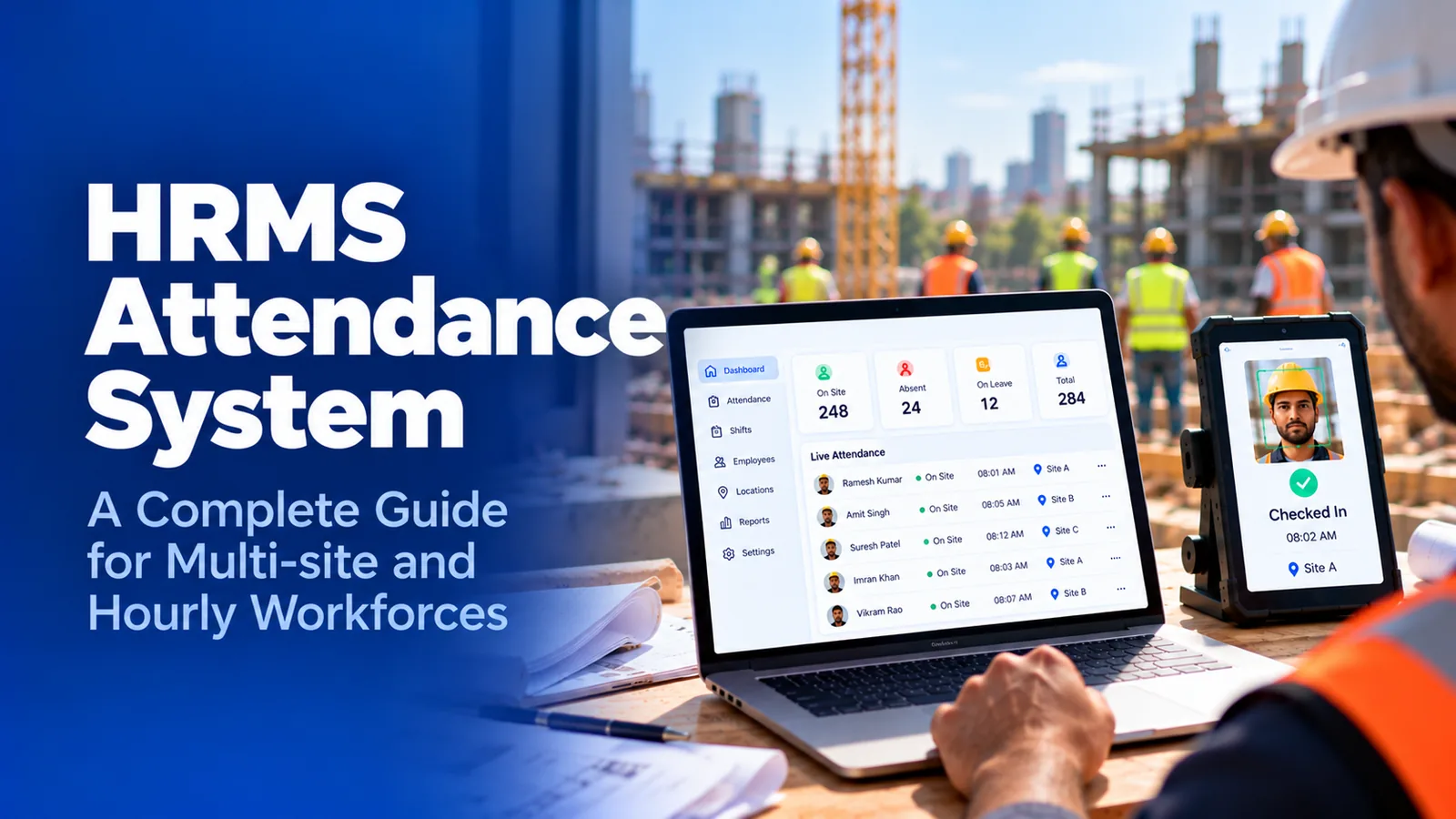

What is an HRMS attendance system?
An HRMS attendance system is the time and attendance module inside a human resource management system. It assigns employees to shifts, records their clock-ins, applies overtime and break rules, routes corrections for approval, and sends approved hours to payroll. It works best for employees at fixed locations and strains when workers are spread across sites or employed by contractors.
- The six stages one punch passes through inside an HRMS attendance module
- What each stage needs to be true about your workforce to work
- Where each stage breaks for multi-site crews and contract workers
- What to check in your own HRMS before payroll does it for you
Most HR teams never see their attendance module as a system. They see a timesheet screen, a stack of correction requests, and a payroll file that is due on Thursday. Behind that screen, every punch passes through six stages, and each stage was designed around one assumption: the person clocking in is an employee at a known location.
This guide is for HR, payroll, and operations leads at US companies that run hourly crews across sites or through staffing agencies and contractors. It explains how an HRMS attendance system works, stage by stage, and shows exactly where that assumption stops holding.
What is an HRMS attendance system?
An HRMS attendance system is the module inside a human resource management system that records when employees work and turns those records into payable hours. In the US the same product is often called an HRIS or HCM time module; the mechanics are the same.
Its job is narrow and important. It decides who is expected to work, captures when they actually did, applies the company's pay rules, lets managers correct mistakes, and hands the result to payroll. Because it shares the employee record with payroll, benefits, and leave, nothing has to be re-keyed between systems. That shared record is its main strength, and as the stages below show, also the source of most of its limits.
How does an HRMS attendance system work?
Every punch moves through the same six stages, in order. A failure at an early stage carries forward, so a wrong record at stage one is still wrong when it reaches payroll at stage six.
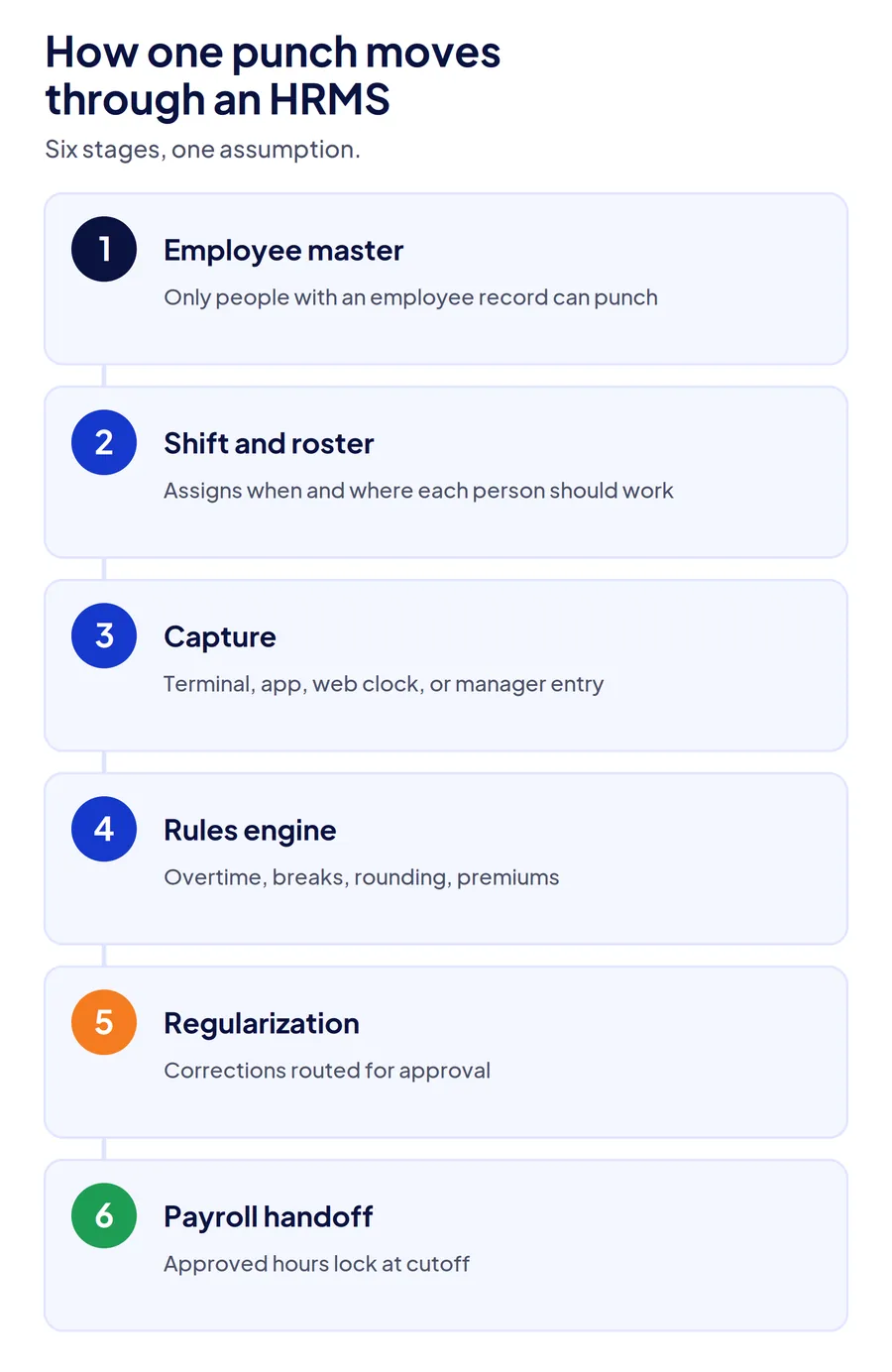
1. Employee master: who exists
The module can only record attendance for people who have an employee record. That record holds the worker's ID, department, pay rate, work location, and reporting manager. Every later stage reads from it.
2. Shift and roster: who is expected, where
Each employee is assigned a shift and a work location. The roster tells the system when someone should arrive, which is how it later decides whether a punch is late, early, or missing.
3. Capture: the punch itself
The punch arrives from a biometric terminal, a web clock, a mobile app with GPS, or a manager entering time. The module stores the time and, depending on the method, a location or device ID.
4. Rules engine: turning punches into hours
Overtime thresholds, break deductions, rounding, shift premiums, and holiday rules convert raw punches into regular and overtime hours. Most modules apply one rule set per legal entity or pay group.
5. Exceptions and regularization: fixing what went wrong
Missed punches, late arrivals, and device failures create exceptions. The employee or manager submits a correction, often called attendance regularization, and it routes through an approval chain before the hours are final.
6. Payroll handoff: approved hours become pay
Approved hours lock at the payroll cutoff and flow to the payroll engine in the same system. Under the FLSA, those records are the employer's record of hours worked for non-exempt employees, so their accuracy is the employer's responsibility, not the software's.
Where does the HRMS attendance module break?
It breaks at the stage where the workforce stops matching the module's assumption. For a single-site team of employees, all six stages hold. For multi-site and contract workforces, each stage has a specific failure point.
| Stage | What the module assumes | Where it breaks for multi-site and contract crews |
|---|---|---|
| 1. Employee master | Everyone who clocks in is an employee with a record | Agency, staffing, and subcontractor workers have no record, so they cannot punch at all |
| 2. Shift and roster | Each person has one primary location | Crews that move between sites mid-week show as absent at one site and unscheduled at another |
| 3. Capture | The device or app proves the punch is real | A terminal verifies a fingerprint at one gate; a phone app often verifies only location, not who held it |
| 4. Rules engine | One rule set per pay group | Sites with different overtime, union, or client rules end up in side spreadsheets |
| 5. Regularization | Exceptions are occasional | On dispersed sites, corrections become routine and approvals turn into rubber stamps |
| 6. Payroll handoff | Approved hours are accurate | Errors from stages 1 to 5 reach payroll looking clean, with nothing to show they were corrected |
The employee master is the biggest gap
Contract labor is the failure most HR teams discover last. A staffing agency's temps and a subcontractor's crew are employed by someone else, so they usually have no employee record in your HRMS. They either sign a paper sheet or are not tracked at all, and their hours arrive later as an invoice you have no record to check against.
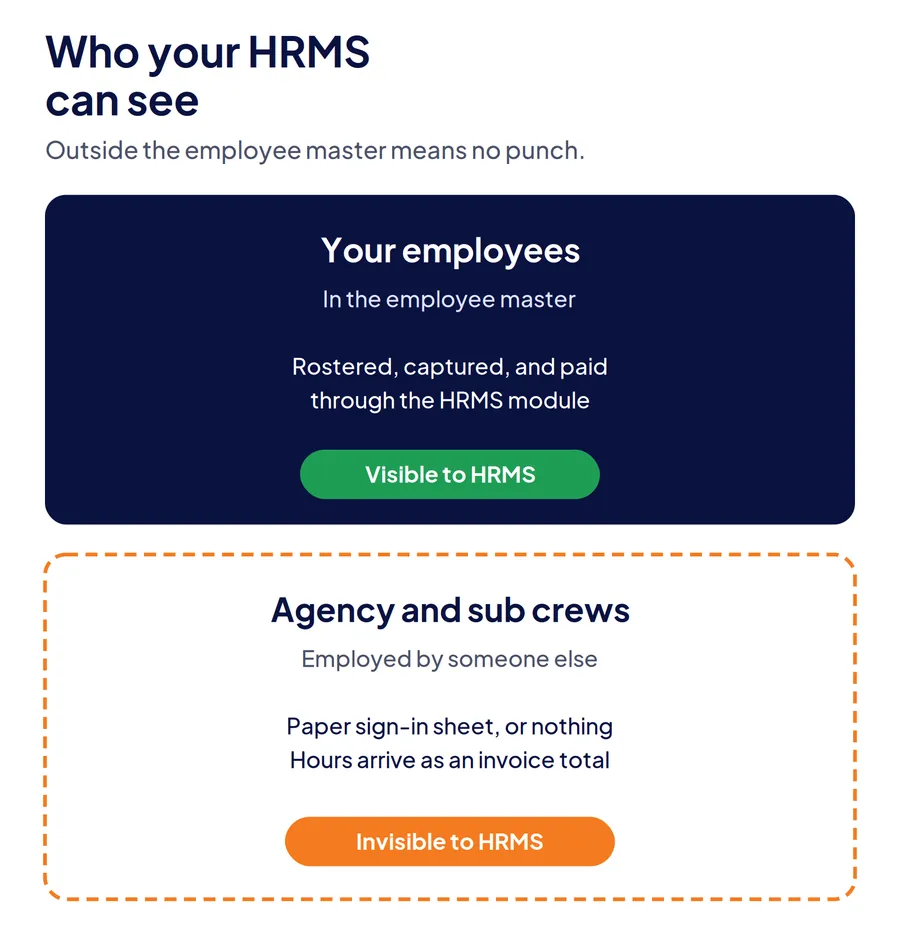
This is why companies with significant agency labor almost always run a separate contract labor attendance layer, even when their HRMS has a capable attendance module.
Capture proves less than it seems
A biometric terminal proves identity at one fixed point and stops at that gate. A mobile app with GPS proves a phone was on site and says nothing about who held it. Neither handles sites with no signal unless the punch is stored on the device with its original time. The offline attendance guide covers what that storage has to preserve.
Regularization becomes the real timekeeping
When capture is weak, corrections fill the gap. A supervisor approving 40 regularization requests every Friday is reconstructing the week, not reviewing exceptions. Once that happens, the edit log, not the punch log, is your attendance record, which is the correction error described in the guide to inaccurate labor hours. Over a year, that becomes one of the quietest sources of leakage that starts before payroll runs.
How do you check whether your HRMS attendance module is holding up?
Pull one pay period of data and answer five questions. Each maps to a stage, so the answers tell you where the break is.
| Check | What it tells you |
|---|---|
| How many people worked on your sites who are not in the employee master? | Stage 1 gap: untracked contract labor |
| What share of punches came from a manager entering time? | Stage 3 gap: capture is not verifying anything |
| How many pay rules live in a spreadsheet outside the HRMS? | Stage 4 gap: the rules engine does not fit your sites |
| What share of timesheets had a regularization request? | Stage 5 gap: corrections are doing the work capture should |
| Can you show the original punch next to every corrected one? | Stage 6 gap: payroll is receiving hours with no audit trail |
If two or more answers point to a gap, the module is not failing; it is being asked to do a job it was not designed for. Whether to keep stretching it or add a dedicated layer is a separate decision, covered in HRIS time tracking or dedicated software.
How does Truein work with an HRMS attendance module?
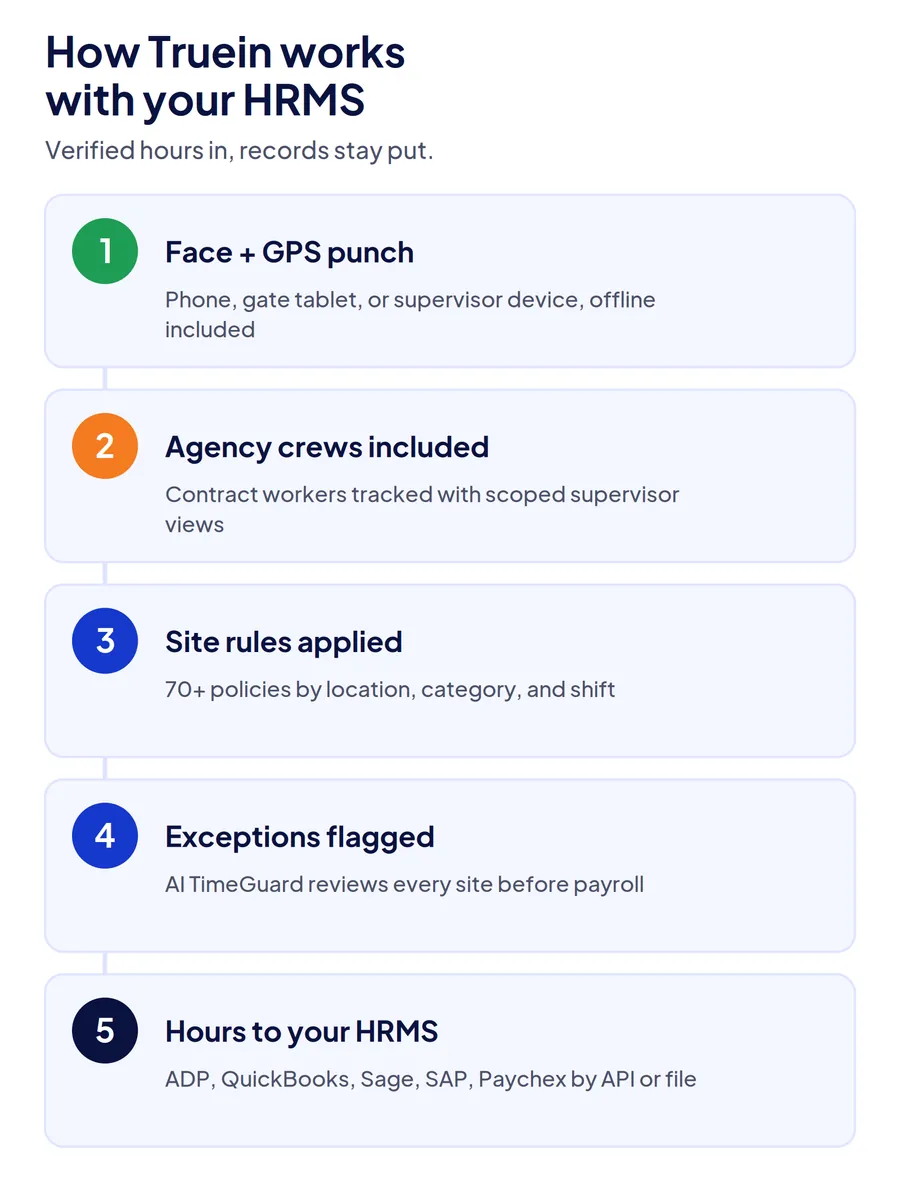
Truein replaces stages one to five for the workers your HRMS cannot handle well, and feeds stage six. Every punch carries a face match and a GPS geofence check, on a personal phone, a shared tablet at the gate, or a supervisor's device, and punches at sites with no signal are stored on the device with their original time. Agency and subcontractor crews run on the same account with scoped supervisor views, so their hours exist as records rather than invoice totals.
More than 70 configurable policies apply overtime, break, and shift rules by location, worker category, and shift, and AI TimeGuard flags anomalies such as repeated corrections and impossible travel across sites before payroll. Approved hours sync to the payroll or HRMS you already run through API or file-based integrations, including ADP, QuickBooks, Sage, Xero, SAP, and Paychex. Companies that also cost labor by job use the same feed for feeding verified hours into an ERP, with job and cost codes attached at the punch.
Where it stops: Truein is not an HRMS. Employee records, benefits, and payroll processing stay where they are. If your hourly workers are all employees at one or two fixed locations, your HRMS attendance module is probably enough.
Conclusion
An HRMS attendance system is six stages built on one assumption: the person clocking in is an employee at a known location. When that holds, the module is the simplest way to track time, because attendance, leave, and payroll share one record. When crews move between sites or work for a contractor, each stage strains in its own way, and the errors arrive at payroll looking clean. Check the five numbers above before deciding what, if anything, to change.
Frequently Asked Questions
What is an HRMS attendance system?
An HRMS attendance system is the time and attendance module inside a human resource management system. It records when employees work, applies overtime and break rules, routes corrections for approval, and sends approved hours to payroll in the same system. In the US, the same module is often called an HRIS or HCM time module.
How does attendance tracking work in an HRMS?
Each punch passes through six stages: the employee master, the shift roster, the capture method, the rules engine, exception handling, and the payroll handoff. The punch is matched to an employee and a scheduled shift, converted into regular and overtime hours, corrected if needed, and locked at the payroll cutoff.
What is attendance regularization in an HRMS?
Attendance regularization is the process of correcting an attendance record after the fact, such as a missed punch or a late arrival caused by a device failure. The employee or manager submits a request, it routes through an approval chain, and the corrected hours replace the original. A high regularization rate usually means capture is weak.
Can an HRMS track attendance for contract and agency workers?
Usually not well. An HRMS attendance module records attendance for people with an employee record, and contract or agency workers are employed by another company, so most have no record. Companies with significant contract labor typically track those crews in a separate attendance layer and reconcile agency invoices against those records.
Does an HRMS attendance module work offline?
It depends on the capture method. Fixed biometric terminals often store punches locally and sync later. Mobile and web clocks in many HRMS platforms need a connection to record the punch. For sites with no signal, check that a punch is stored on the device and keeps its original time when it syncs.
How do you connect a time and attendance app to an HRMS?
Most dedicated attendance apps pull employee records from the HRMS and send approved hours back through an API or a scheduled file transfer. Decide which system owns each field, such as pay rates in the HRMS and verified hours in the attendance app, so the same record is never edited in two places.
