



Why are construction labor hours inaccurate?
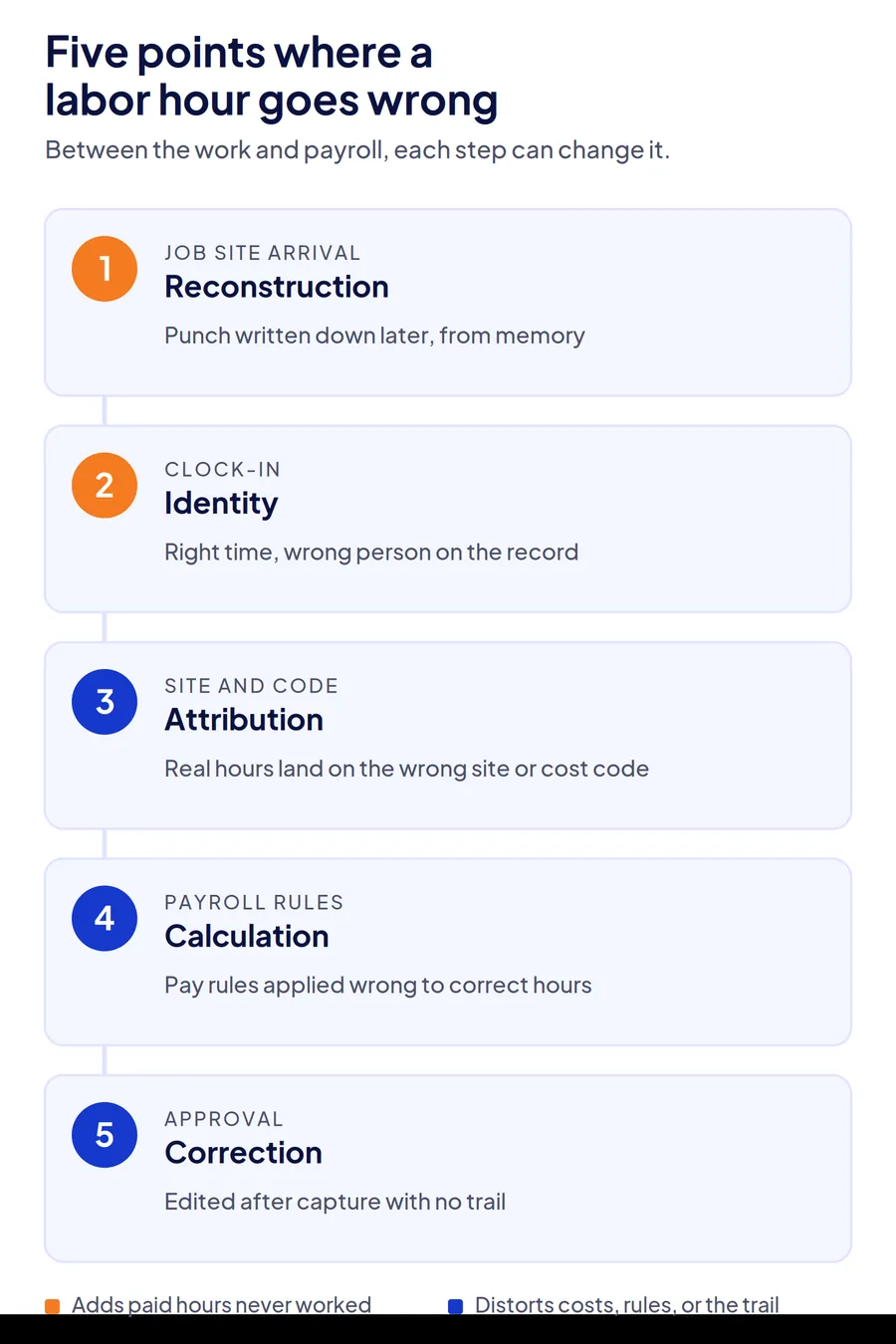
Construction labor hours go wrong at five separate points: the punch is reconstructed from memory, the wrong person is recorded, the hours land on the wrong site or cost code, pay rules are applied incorrectly, or edits happen with no trail. Each has a different symptom and a different fix, which is why switching to an app alone rarely closes the gap.
- The five points where an hour of labor goes wrong between the job site and payroll
- Symptoms in your own payroll data that tell you which error you have
- A two-pay-period audit to measure your error rate before changing anything
- The fix that matches each error, and what it cannot fix
Every contractor has had the Thursday where payroll is due, three timesheets do not add up, and the foreman who could explain them is on a site with no signal. Blaming paper or the spreadsheet is only part of the answer. Inaccurate labor hours in construction timekeeping come from five separate errors, and most companies have two or three of them running at once.
This guide is for ops heads, project controllers, and payroll managers running crews across job sites. It separates the five errors, shows how to spot each in data you already have, and matches a fix to each.
Why are construction labor hours inaccurate?
Labor hours are inaccurate because an hour of work passes through five steps on its way to payroll, and each step can change it. Treating all five as one problem is why a new app often moves the error rather than removing it.
| Error | Where it enters | What it looks like on the timesheet |
|---|---|---|
| 1. Reconstruction | The punch is written down later, from memory | Round numbers everywhere: 7:00, 3:30, exactly 8 hours |
| 2. Identity | The punch is real but belongs to someone else | Clean records for a worker who was not there |
| 3. Attribution | The hours are real but land on the wrong site or cost code | One job absorbs hours it never used; another runs under |
| 4. Calculation | Pay rules are applied wrong to correct hours | Overtime, breaks, or shift premiums off by the same amount every week |
| 5. Correction | Hours are edited after capture with no trail | Approved totals that differ from punches with nobody able to say why |
Reconstruction: the punch that never happened at the punch
A worker arrives at 6:52. Nobody records it. At the end of the day the foreman writes 7:00 for the whole crew, and on Friday the office enters that into a spreadsheet. The hour was real; the record is an estimate of it. Reconstruction is the most common error and the easiest to spot, because real punches are messy and estimates are tidy.
Identity: the right time for the wrong person
A phone is handed across the fence. A PIN is shared. A fob is tapped twice. The timestamp is exact and the location is right, and the hours still belong to someone who was at home. Identity errors are the most expensive per incident because every one is a full shift paid for no work, and the record looks perfect. The same weakness shows up at the gate, where badge-based site access control verifies a credential rather than the person carrying it.
Attribution: real hours on the wrong job
A crew works the morning on one site and the afternoon on another, and all eight hours stay on the first because the job code was set once at clock-in. The drive between those sites is paid time too, as the guide to construction travel time rules explains. Nobody is underpaid, which is why this one survives payroll review. It surfaces months later as a project that lost money nobody can explain. When hours post automatically to an ERP, nobody gets a chance to catch it, which is the core risk in ERP labor posting fed by unverified punches.
Calculation: correct hours, wrong rules
Overtime after 8 hours in a day in some states and after 40 in a week elsewhere, a prevailing wage rate on one project and a standard rate on the next, a 30-minute unpaid break that was never taken. When rules live in a payroll clerk's head or a spreadsheet formula, the same error repeats every pay period with the same precision. Which rules apply in the first place, from FLSA overtime to state daily overtime, is covered in our guide to payroll compliance rules for contractors. Site rules that need their own spreadsheet are one of the signs the HRIS time module has run out.
Correction: the edit nobody can explain
A supervisor adjusts a punch to cover a dead phone. Payroll rounds a late clock-out. Both may be right. Neither leaves a record of what the original value was, who changed it, or why, and that is what an auditor, a union steward, or a general contractor's billing reviewer asks for first. The same gap is why attendance regularization in an HRMS so often ends up replacing the punch log as the real record.
What do inaccurate labor hours cost a construction business?
The direct cost is overpayment, but the larger costs sit downstream, in job costing that misleads the next bid and in time-and-materials invoices a client can dispute. The five errors do not cost the same amount, and the ranking matters for where you start. Together they make up the timesheet side of what payroll leakage is, the steady loss most payroll reviews never see.
Identity and reconstruction cost the most per week because they add paid hours that were never worked. A crew of 40 where each worker's day is rounded up by 15 minutes is 10 paid hours a day that produced nothing, before a single case of buddy punching is counted.
Attribution costs the most per project, because it corrupts the labor-per-unit figures every future estimate is built on. A superintendent who believes a scope took 1,200 hours when it took 950, and bids the next one accordingly, loses the bid or the margin.
Calculation and correction cost the most under audit. Under the FLSA, employers must keep accurate records of hours worked each day and each workweek for non-exempt workers, and a record that cannot show its original value does not meet that bar. Prevailing wage, union, and certified payroll work raises the stakes further, because the record is the deliverable. On Davis-Bacon jobs, the guide to certified payroll for contractors walks through what that record has to contain week by week.
How do you find out which timekeeping errors you have?
Trace one hour from the moment a worker arrives to the line on the payroll register, and list every point where a human interprets it. Then run a two-pay-period check against the symptoms below. The goal is a number, not an impression, so the fix you choose is sized to the problem you can prove.
| What you see in two pay periods | Likely error |
|---|---|
| More than half of punches fall on :00, :15, :30, or :45 | Reconstruction |
| A worker's hours match a colleague's to the minute across several days | Identity |
| A site's actual hours exceed its daily headcount times shift length | Identity or attribution |
| Hours by site do not change on days the crew moved between sites | Attribution |
| The same overtime or break variance recurs on the same workers each period | Calculation |
| Approved hours differ from raw punches with no note on the edit | Correction |
Run the check this way. Pull raw punches, not approved timesheets, for two pay periods. Count the share of punches on a quarter hour. Compare each site's total hours to its headcount and shift length. Pick ten workers who moved between sites and check whether their job codes moved with them. Compare approved totals to raw totals and count edits with no reason attached. If you cannot pull raw punches separately from approved hours, that is the first finding.
For a general contractor with four active sites and two subcontractor crews, this takes a payroll clerk an afternoon and usually finds at least two of the five errors.
Why do multi-site and subcontracted crews get the worst of it?
Multi-site crews hit all five errors in a single day, and subcontractors add a sixth party to the chain: the sub's own supervisor, who has every incentive for the hours to be high and no tool to prove they are right. A single-site, direct-hire crew can get away with a weak process because the foreman sees everyone. A crew that starts at Site A, drives to Site B, and finishes under a sub's foreman at Site C cannot.
Take a facility management company rotating cleaning crews across 30 client buildings. Reconstruction happens because nobody is at each building to record arrivals. Attribution happens because the crew's job code was set at the first building. Correction happens because the supervisor fills in the gaps on Friday. The company is not being defrauded. Its process has three holes, and each client invoice carries all three.
Subcontracted labor compounds it. When the sub's hours arrive as a total on an invoice, the general contractor is verifying a number, not a record, and the two usual outcomes are a dispute the GC cannot win or a payment the GC cannot justify. The job site attendance guide for GPS time clocks covers why location alone does not settle this; the identity question still has to be answered on the same punch.
How do you fix inaccurate labor hours in construction timekeeping?
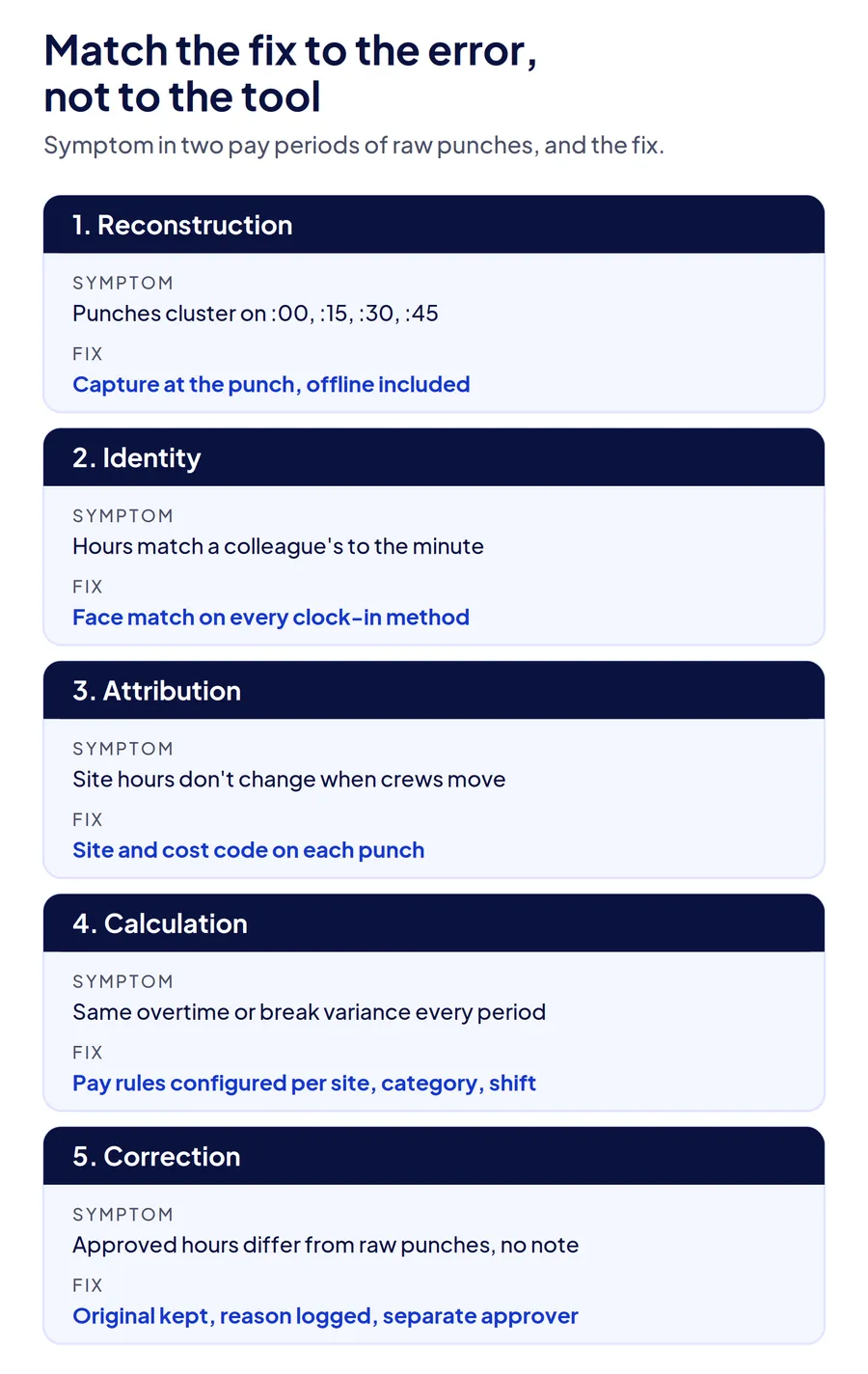
Match one fix to each error, in the order the errors enter the chain. Fixing the last step first, with tighter payroll review, catches almost nothing, because by then the hour has already been interpreted three times.
Fix reconstruction with capture at the moment of work
The punch has to be recorded when the worker arrives, by the worker or a supervisor standing with them, on a device at the site. That removes the end-of-day estimate entirely. Where sites have no signal, the record has to be captured on the device and keep its original time when it syncs, which the offline attendance guide for construction sites covers in detail.
Fix identity with a live check on every punch
A GPS stamp proves a device was at the site. A PIN proves someone knew the code. Only a face match at the moment of the punch proves the enrolled worker was there, and it has to run on every clock-in method the company uses: personal phone, shared tablet at the gate, and supervisor-assisted clock-in for crews without phones. If identity is only verified at the kiosk, the personal-phone punches are still open.
Fix attribution with job codes that move with the worker
Each punch should carry a site and, where you cost by phase, a cost code, and a worker who moves sites should clock out of one and into the next with the code changing at that moment. A geofence per site makes this automatic for location, and tracking that runs while the worker is clocked in lets you verify crews stayed on site after clock-in instead of trusting the gap between two punches. Activity or job tagging at the punch handles the code, and the tools built for tracking construction labor by cost code are compared separately. The supervisor should be approving a pre-filled allocation, not building one from memory.
Fix calculation with rules in the system, not the spreadsheet
Overtime thresholds, break deductions, shift premiums, holiday rates, and prevailing wage rules by project should be configured once and applied to every punch automatically, by location, worker category, and shift. The test for any tool is whether a project with a different overtime rule can run on the same account as the standard one without a manual workaround.
Fix correction with an edit trail and an approval step
Edits will still happen. Phones die and workers forget. The fix is that every edit keeps the original punch, records who changed it and why, and routes to an approver who is not the person who made the change. That one control is what turns a timesheet into a record you can hand to an auditor or a client. How that approval step fits the rest of the week is laid out in our guide to approving timesheets before payroll.
| Error | Fix | What to ask a vendor |
|---|---|---|
| Reconstruction | Capture at the punch, offline included | Does an offline punch keep its original time after sync? |
| Identity | Face match on every clock-in method | Does face verification run on personal phones, not just the kiosk? |
| Attribution | Site and cost code on each punch | Can a worker change site and code mid-shift without a supervisor? |
| Calculation | Pay rules configured per site, category, and shift | Can two projects with different overtime rules run on one account? |
| Correction | Original value kept, edit reason, separate approver | Can you show the original punch next to every edited one? |
How does Truein keep labor hours accurate from the punch to payroll?
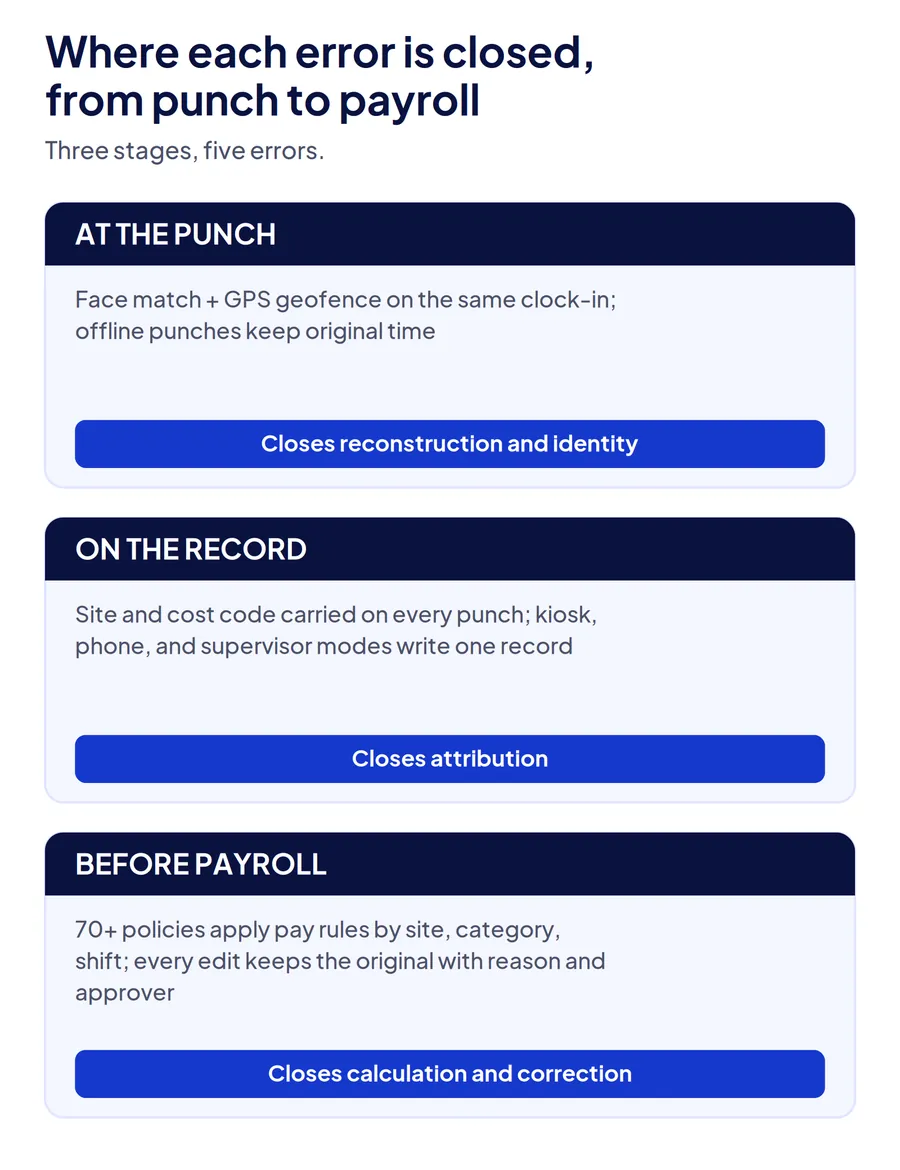
Truein closes the first three errors at the punch and the last two in the record. Clock-ins run on any Android or iOS phone or shared tablet with a live face match and a GPS geofence on the same punch, so the time is captured at the moment of work and the identity is verified before the record exists. Offline punches are captured on the device, face match included, and keep their original time when they sync.
Each punch carries a site, and Activity Punch tags it to a job, task, or cost code, so a worker who moves between sites during a shift leaves hours on the right one. Supervisor-assisted and kiosk clock-ins feed the same record as personal-phone punches, which is what keeps subcontractor hours comparable to direct labor on one dashboard.
On the record side, more than 70 configurable policies apply overtime, break, holiday, and shift rules by location, worker category, and shift, and every edit keeps the original punch with the editor and reason attached for approval. AI TimeGuard then reviews the record across sites before payroll, surfacing impossible travel sequences, identical clock-in timing, and repeated corrections for a manager to check.
One honest limit: Truein does not decide what your pay rules should be. A project with the wrong overtime threshold configured will apply it precisely. Rule setup is a one-time job at rollout, and it is worth having payroll, not operations, sign off on it. The construction time tracking software page shows the site-level setup, and the timesheet fraud guide covers the deliberate end of the identity and correction errors.
Conclusion
Inaccurate labor hours are not one problem, and the companies that fix them are the ones that stop treating them as one. Trace an hour, find which of the five errors you have, measure them over two pay periods, and fix them in the order they enter: capture, identity, attribution, rules, corrections. A tool that verifies the first three at the punch and controls the last two in the record removes most of the reconciliation your payroll team does every Thursday, and the margin leak that never showed up as a line item.
Frequently Asked Questions
How common are timesheet errors in construction?
Common enough that most contractors who run the two-pay-period check above find at least two of the five error types. Paper and spreadsheet processes produce the highest rates because every hour is interpreted two or three times before payroll. App-based processes without identity verification remove reconstruction but leave identity and attribution errors in place, which is why switching tools does not always change the payroll variance.
What is the biggest cause of inaccurate labor hours on job sites?
Reconstruction, where arrival and departure times are written down later from memory, is the most frequent. Identity errors, where a punch is made for someone who is not there, are the most expensive per incident. Attribution errors, where real hours land on the wrong site or cost code, do the most long-term damage because they corrupt the data future bids rely on.
Can a GPS time clock app fix inaccurate labor hours?
It fixes reconstruction, because the punch happens at the site, and it helps with attribution, because the geofence identifies the site. It does not fix identity, since a GPS stamp proves where a phone was and not who held it, and it does nothing for calculation or correction errors. GPS is a necessary layer, not a complete one.
How do you verify subcontractor labor hours?
Enroll subcontractor workers on the same clock-in system as direct labor, with identity verified at the punch, and keep their records scoped by contractor so each sub's supervisor sees only their crew. Reconcile the sub's invoice against verified punches rather than against a total. Where the sub will not enroll, require punch-level records with the invoice and treat an unsupported total as unverified.
What records do you need to keep for FLSA compliance on labor hours?
For non-exempt workers, the FLSA requires records of hours worked each day and total hours each workweek, along with pay rate and basis. There is no required format, but the record has to reflect hours actually worked, so an edited punch with no original value behind it is weaker than one with the edit trail intact. Prevailing wage and certified payroll projects add their own documentation requirements on top.
How long does it take to reduce timesheet errors after switching systems?
Reconstruction and identity errors stop at the first pay period on the new system, because the punch is now captured and verified at the site. Attribution improves once job codes are set per site and workers clock between them, usually within a month. Calculation errors depend on how carefully pay rules were configured at rollout, which is why payroll should own that step rather than operations.