



What is the best portable time clock for construction?
The best portable time clock for construction depends on three choices: how workers prove identity (keytab, fingerprint, or face), how the clock syncs (LTE in real time or Bluetooth in batches), and whether you want a rugged box or a tablet kiosk. SmartBarrel leads for solar-powered rugged hardware, Truein for face-verified kiosks on any tablet, and ExakTime for keytab simplicity.
- Seven portable time clocks compared on identity method, power, sync, and pricing model
- The three decisions that matter more than how tough the housing is
- Which form factor fits fenced sites, linear work, and crews that move daily
- What a portable clock can and cannot verify once subcontractors and temps arrive
A portable time clock for construction has one job: produce an accurate record of who worked at a site that has no office, no reliable power, and often no signal. Most roundups rank these devices by how well they survive a drop test. That matters less than it sounds.
The clocks that fail contractors rarely break; they record a punch from the wrong person, or sync it six hours late. This comparison is for ops and payroll leads running crews across job sites who need a clock that holds up in the field and on the timesheet.
The 7 best portable time clocks for construction (2026)
Here is the shortlist, ranked by how well each option handles the three things that decide payroll accuracy on a job site: proving who punched, syncing without someone driving data to the office, and working where there is no outlet. Pricing is shown as a model rather than a figure, because device and plan prices for this category change often and most hardware vendors quote rather than publish.
| Clock | Form factor | Identity at the punch | Power and sync | Pricing model |
|---|---|---|---|---|
| Truein | Kiosk app on any tablet or phone | Live face match with AI fraud detection, plus GPS | Device battery or site power; LTE or Wi-Fi; offline capture on device | Per user per month, no base fee, no device purchase |
| SmartBarrel TimeClock 4.0 | Dedicated rugged box, magnet mount | AI facial verification, PPE detection, fob or badge option | Solar or AC; built-in LTE; real-time sync | Quote-based, no upfront device purchase |
| ExakTime JobClock Hornet | Dedicated rugged box | Keytab tap; no identity check on the device | Rechargeable battery up to 21 days or AC; LTE sync every hour | Device plus software subscription, quote-based |
| ClockShark KioskClock | Kiosk app on a shared tablet | Facial recognition or PIN at the kiosk; GPS on personal phones | Tablet power; Wi-Fi or hotspot; offline sync queue | Base fee plus per user per month |
| busybusy | App with supervisor crew clock-in | GPS stamp and photo at punch; supervisor clocks crew in | Phone power; offline mode | Free plan; paid tiers per user |
| TimePilot Extreme Blue Enhanced | Dedicated weatherproof box | Key fob (iButton); no identity check | Four AA batteries, up to a year; Bluetooth sync to a phone within about 33 feet | Device purchase plus software or cloud license |
| EasyClocking Xenio R700 | Dedicated rugged box | Fingerprint, secondary camera | Power-tool battery, roughly 12 hours active; Ethernet, Wi-Fi, 3G, or Bluetooth | Device purchase plus software |
Truein
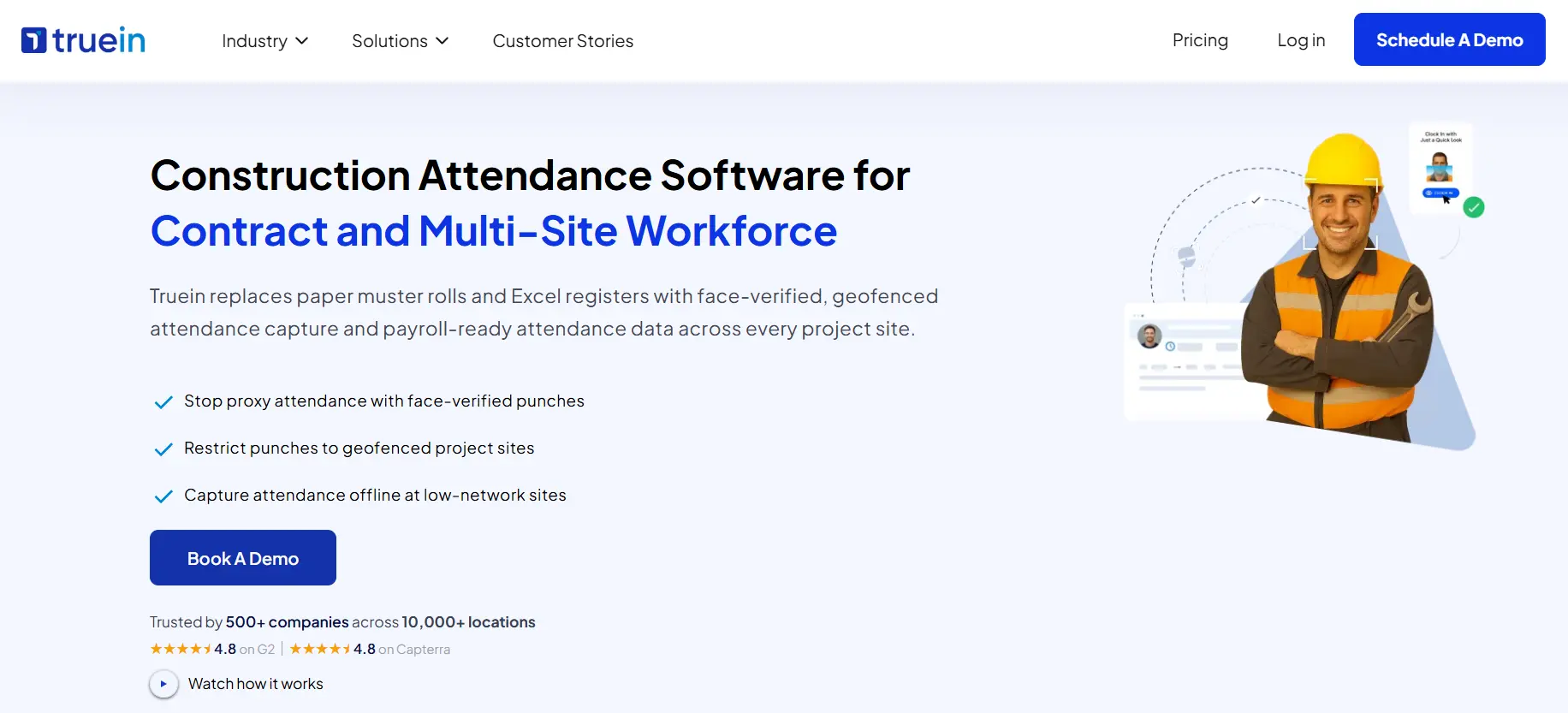
Truein turns any Android or iOS tablet or phone into a portable time clock for construction with a live face match and GPS geofence on every punch, so the device you mount at the gate does not have to be purpose-built hardware. Clock-ins are captured on the device at no-signal sites, face match included, and sync when coverage returns.
- Face recognition with AI fraud detection on kiosk, personal phone, or supervisor-assisted clock-in
- GPS geofence configurable from a 20-meter radius, roughly 65 feet, per site, floor, or zone
- Offline capture on the device with automatic sync, flagged as captured offline
- Subcontractor and agency crews under one account with scoped supervisor access
- Payroll-ready exports and integrations with ADP, QuickBooks, Sage, Xero, SAP, Viewpoint, and Paychex
- No dedicated hardware required; kiosk mode runs on a tablet you already own
Honest limit: Truein does not sell a weatherproof, solar-powered box. For an open site with no trailer or power, you supply a rugged tablet case and a battery pack or solar charger. Where that is a dealbreaker, a dedicated device below is the better fit.
Truein pricing is published at $2.25 per user per month for Time Capture and $3.50 for Advanced, billed annually, with no base fee and a 14-day free trial.
SmartBarrel TimeClock 4.0
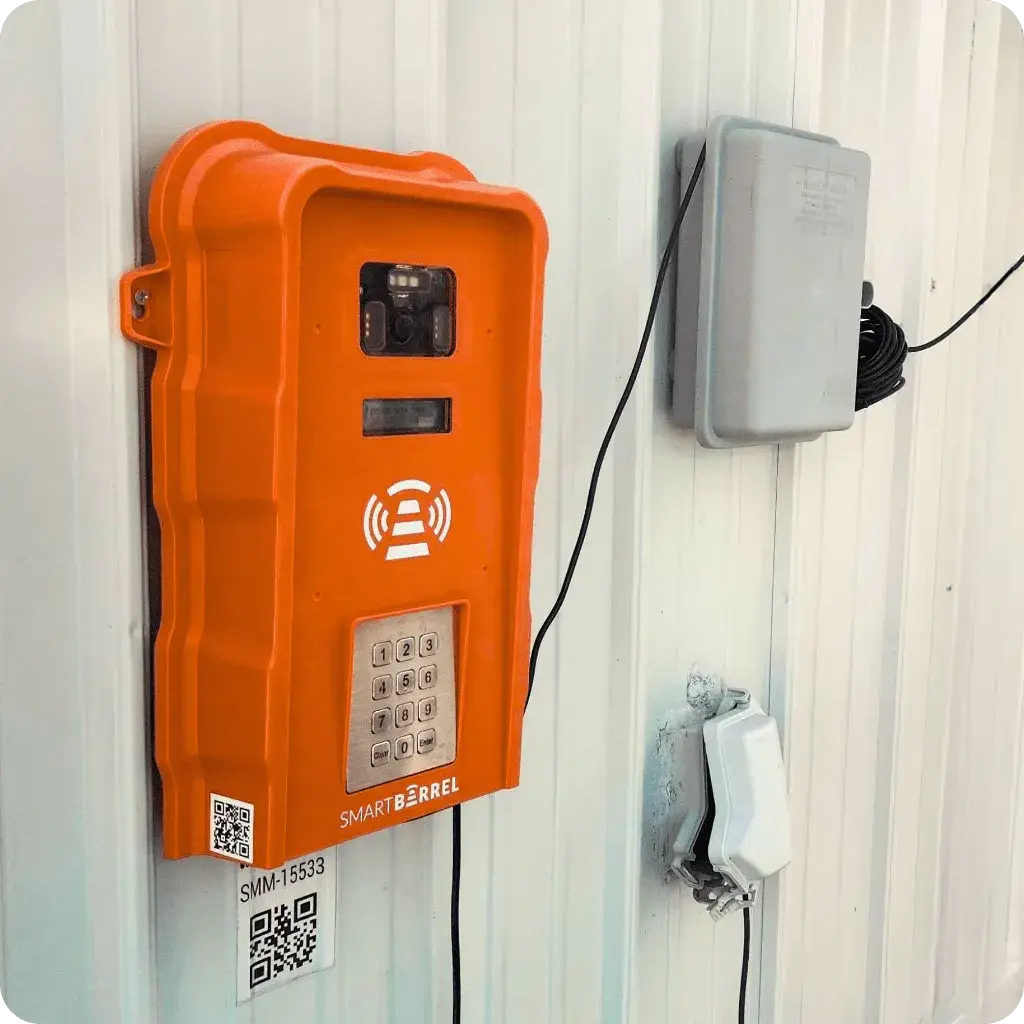
SmartBarrel is the dedicated hardware option built for commercial construction from the start: a weatherproof box that mounts with magnets to a trailer or steel, runs on a solar panel or AC, and ships with its own LTE connection. Workers punch by phone number, fob, or badge, and the device verifies each punch with AI facial matching.
- Solar or AC power with built-in LTE and real-time sync to the dashboard
- AI facial verification with PPE detection at the punch
- Fob and badge options for crews that prefer not to type
- Direct integrations with Procore, CMiC, and Power BI; exports for QuickBooks, Viewpoint, and Foundation
- Device replaced at no cost if broken or stolen, per SmartBarrel
Honest limit: pricing is quote-based with no free trial, and the device is the product. Crews that rotate between many small sites each day need a box at every one of them, or a switch to SmartBarrel's mobile and kiosk apps.
ExakTime JobClock Hornet
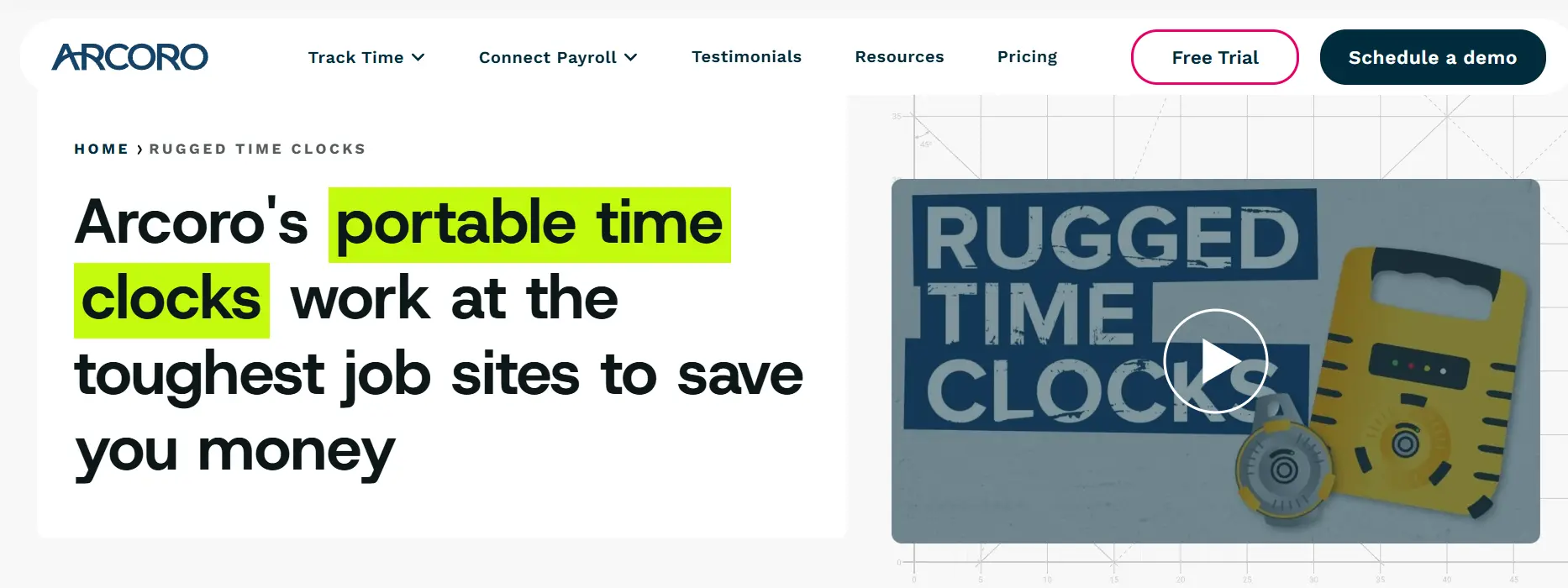
The JobClock Hornet is the long-running rugged clock from ExakTime, now part of Arcoro. Workers tap a colored keytab to the clock to punch in and out, and the Hornet sends records to ExakTime Connect over LTE once an hour. Its sibling, the JobClock/LE, stores punches locally and uploads over Bluetooth when a supervisor syncs it.
- Keytab clock-in with no app, no phone, and no training beyond a tap
- Rechargeable lithium-ion battery rated up to 21 days, with AC as an option
- Hourly LTE sync on the Hornet; manual Bluetooth upload on the LE
- Exports and integrations with QuickBooks, Sage, ADP, Foundation, Viewpoint, and Procore
- Operating range from well below freezing to extreme heat, per ExakTime
Honest limit: a keytab proves a fob was present, not a person. Any worker can tap a colleague's tab. ExakTime's FaceFront selfie verification lives in the mobile app, not on the Hornet, so identity checks require phones after all.
ClockShark KioskClock
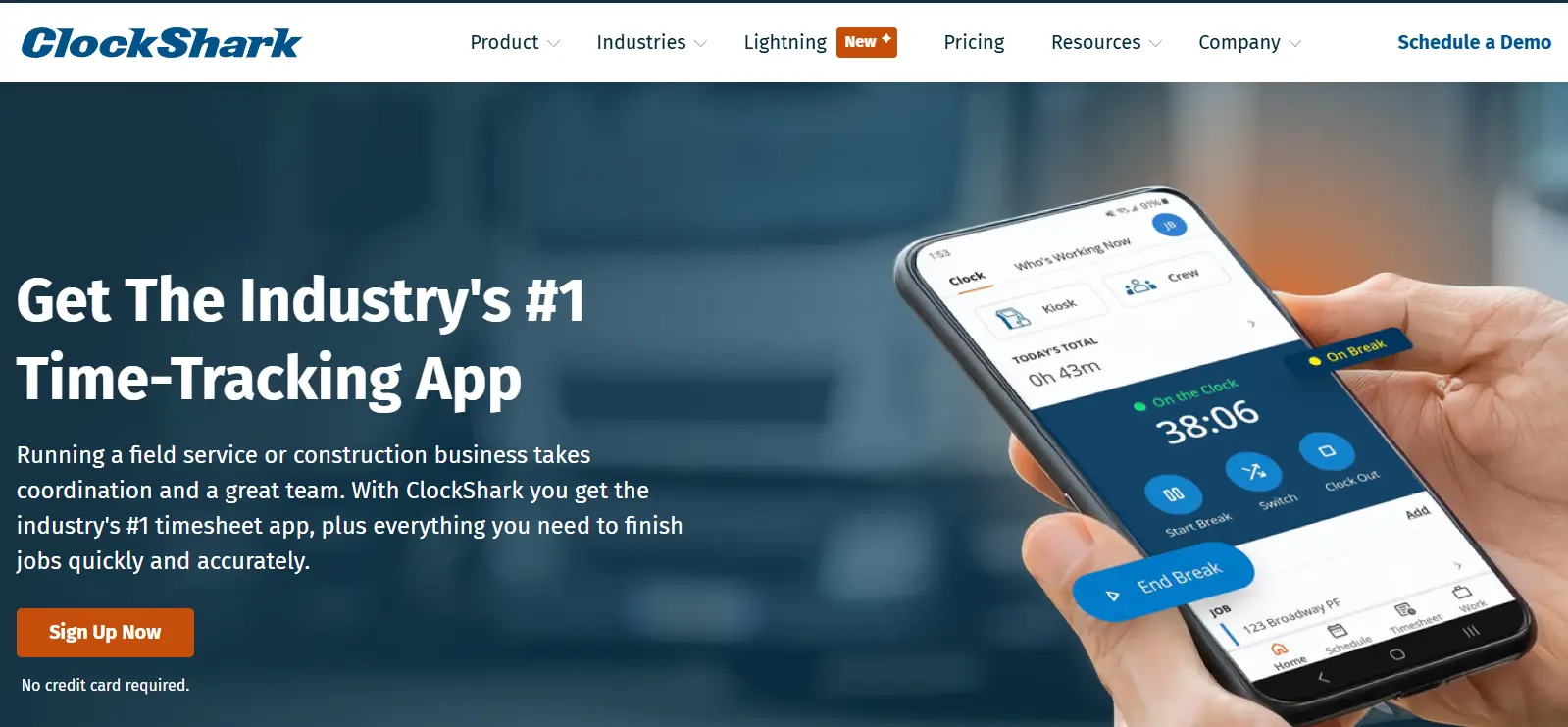
ClockShark's portable option is a kiosk app on a shared tablet, where workers clock in by PIN or facial recognition, paired with GPS-verified punches on personal phones for crews that carry them. It suits trade contractors who report to one gate and want scheduling and job costing in the same product.
- KioskClock on a shared tablet with facial recognition and 4-digit PIN
- GPSFence prompts and out-of-bounds alerts on the mobile app
- Offline sync queue holds entries until signal returns
- Drag-and-drop scheduling and job-level labor tracking in the same platform
- Integrations with QuickBooks, Sage, ADP, Gusto, Paychex, Foundation, and Procore
Honest limit: facial recognition runs in kiosk mode only; punches from personal phones are GPS-verified, not face-verified. Multi-site crews on their own devices do not get the identity check.
busybusy
.webp)
busybusy skips hardware entirely and leans on a construction-specific app where a supervisor can clock an entire crew in from one phone, with GPS and photo capture on each punch. Its free plan makes it the lowest-risk way to test whether your crews will accept a phone-based clock at all.
- Supervisor crew clock-in from a single device
- GPS stamp and photo at the punch, with geofence options
- Equipment hours tracked alongside labor hours
- Offline mode with automatic sync
- Free plan with unlimited users; integrations with QuickBooks, Procore, Sage, and Autodesk
Honest limit: the photo is captured for review, not matched against an enrolled face, so buddy punching is documented rather than blocked. There is no dedicated device for sites where phones are not allowed.
TimePilot Extreme Blue Enhanced
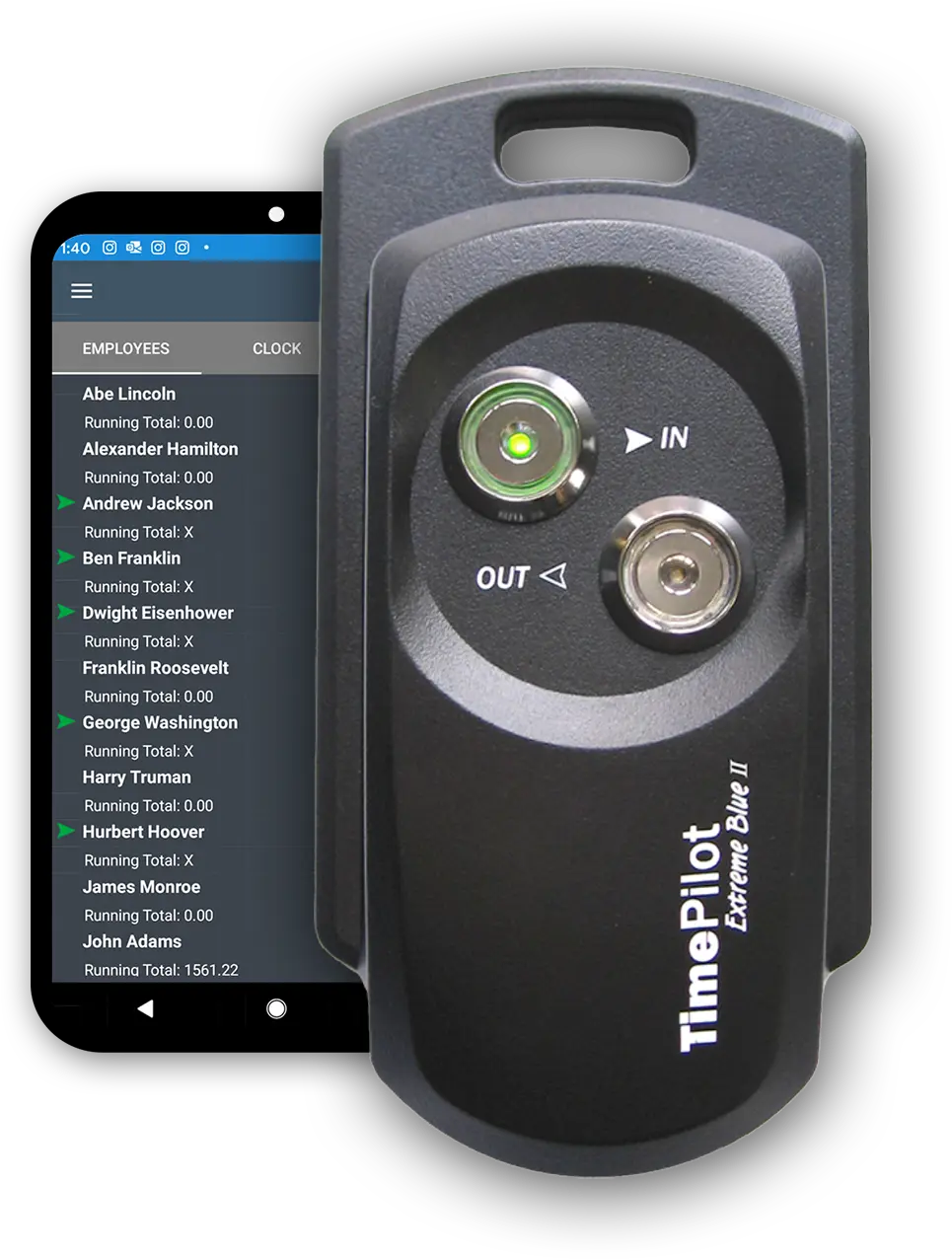
TimePilot's Extreme Blue Enhanced is the low-maintenance end of the rugged category: a weatherproof box that runs on four AA batteries for up to a year and identifies workers by iButton key fob. Punches are stored on the device and synced over Bluetooth to a phone app that pushes them to the cloud.
- Weatherproof housing with a one-year hardware warranty
- Four AA batteries rated for up to a year of use
- iButton key fob identification
- Bluetooth sync to a smartphone within roughly 33 feet
- TimePilot's pocket-sized Tap model covers mobile crews with USB sync
Honest limit: no real-time data. Someone has to walk to the clock with a phone to pull punches, and the fob proves nothing about who tapped it.
EasyClocking Xenio R700
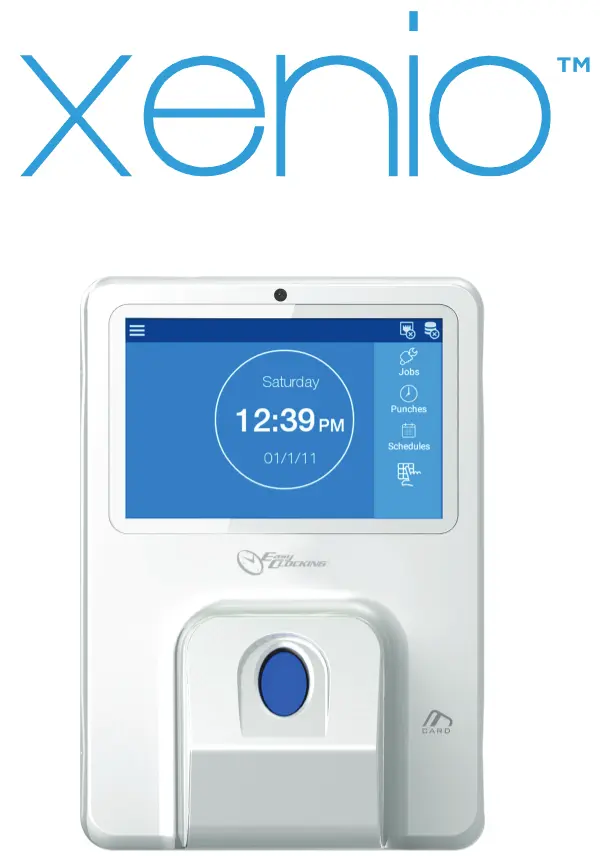
The Xenio R700 is a rugged fingerprint clock in a power-tool style housing, compatible with DeWalt lithium-ion batteries and connectable over Ethernet, Wi-Fi, 3G, or Bluetooth. It comes from EasyWorkforce, a broad workforce management vendor with a direct ADP Workforce Now integration.
- Fingerprint identification with a secondary camera
- Compatible with DeWalt lithium-ion batteries
- Four connectivity options including real-time 3G or Wi-Fi
- Direct ADP Workforce Now integration; exports for QuickBooks and Paychex
Honest limit: fingerprint readers struggle with gloves, dust, and worn prints, which describes most trades. The battery is rated around 12 hours active and three to four days idle, so it needs daily charging, and the warranty excludes physical damage. The guide to choosing a construction biometric time clock compares fingerprint with face and covers the state consent rules that apply to either.
Pricing and feature claims above were checked against vendor websites and published third-party reviews as of October 2026. Prices and plan limits change; confirm with each vendor before purchase.
How should you choose a portable time clock for construction?
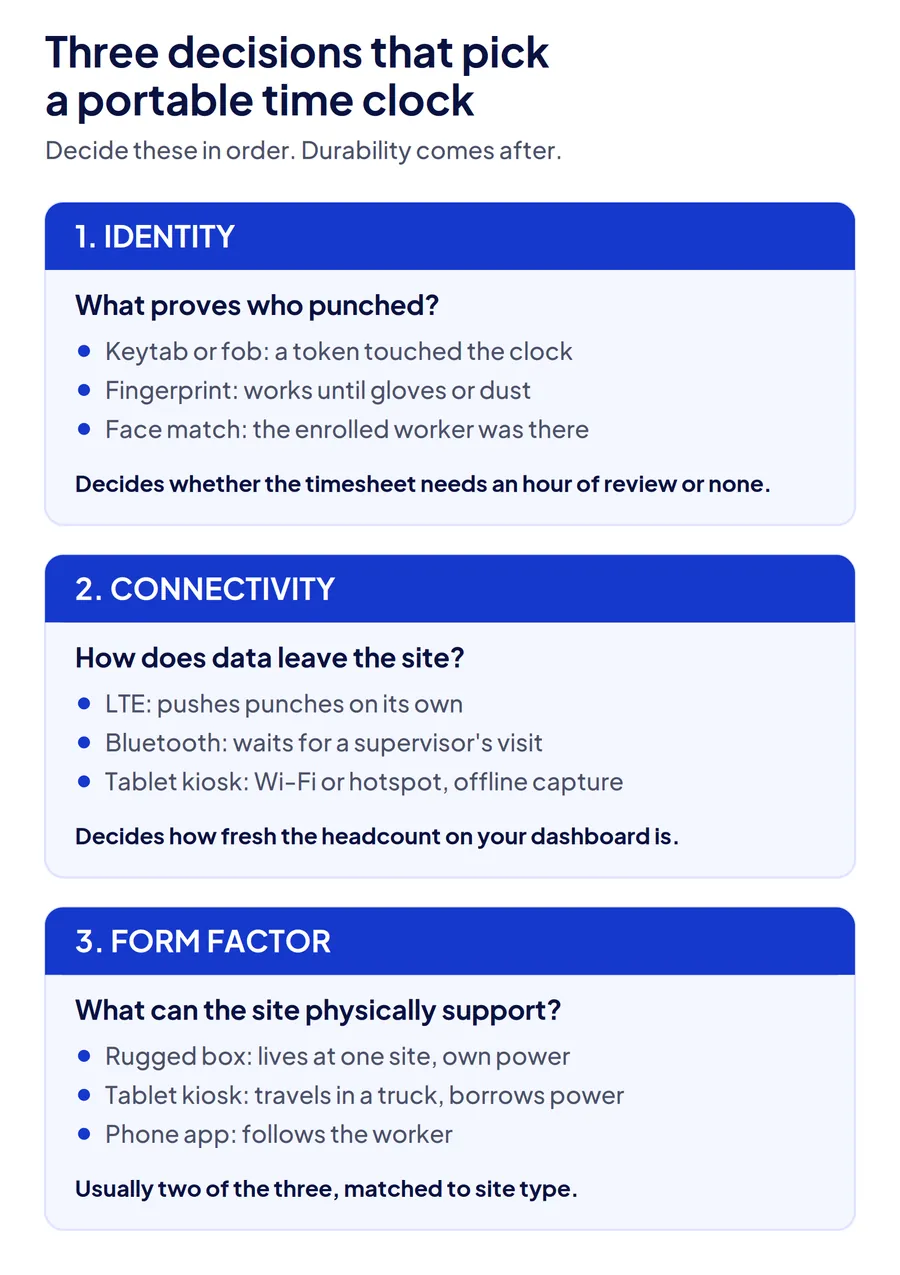
Choose a portable time clock for construction on three decisions, in this order: how the clock proves identity, how it gets data off the site, and what form factor your sites can physically support. Durability ratings come after, because every device in this comparison survives weather; they differ on what reaches payroll.
Identity: keytab, fingerprint, or face
A keytab or fob proves a token touched the clock. A fingerprint proves a finger did, when the reader can read it through dust and gloves. A face match proves the enrolled worker was there. For a construction superintendent running a 60-person crew with two foremen, that difference decides whether the Thursday timesheet needs an hour of review or none.
Connectivity: real-time or batch
LTE clocks (SmartBarrel, ExakTime Hornet) push punches to the office on their own, from every minute to every hour. Bluetooth clocks (TimePilot, ExakTime LE) hold punches until a supervisor syncs them, which means headcount on the dashboard is only as fresh as the last visit. Tablet kiosks sit in between: real-time on Wi-Fi or a hotspot, offline capture when neither is available.
Form factor: rugged box, tablet kiosk, or phone
A rugged box lives at one site and needs its own power plan. A tablet kiosk moves between sites in a truck and borrows power from a trailer or battery pack. A phone app follows the worker. The right answer is usually two of the three, matched to site type rather than one standard for the whole company.
| Decision | Strongest option | Trade-off |
|---|---|---|
| Identity verified at the punch | Face match (Truein, SmartBarrel, ClockShark kiosk) | Needs a camera and enrollment; fobs and fingerprints are faster to deploy but easier to share or fail |
| Real-time sync without site power | Solar plus LTE (SmartBarrel) or long-life battery plus LTE (ExakTime Hornet) | Dedicated device per site; hourly rather than instant on the Hornet |
| Lowest hardware footprint | Tablet kiosk or phone app (Truein, ClockShark, busybusy) | Outdoor use needs a case and a power source you supply |
Rugged clock, tablet kiosk, or phone app: which fits your sites?
Match the form factor to how the site is laid out and how long the crew will be there, because the same company often needs a different answer on a gated high-rise than on a highway corridor.
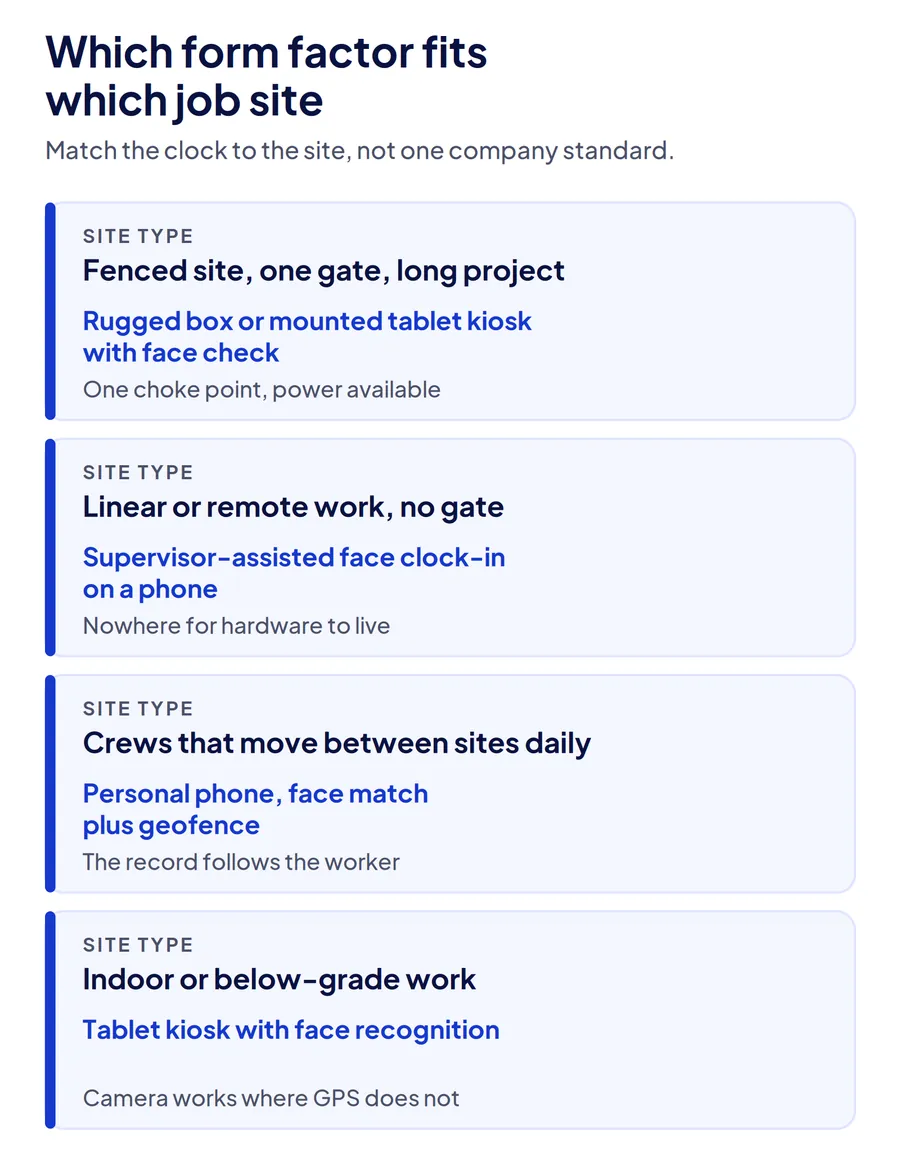
Fenced site, one entrance, long duration
A dedicated rugged clock or a mounted tablet kiosk at the gate. Everyone passes one point, power is usually available from a trailer, and the device stays put for months. Face verification at the gate handles high headcount without slowing the morning rush.
Linear or remote work with no entrance
Supervisor-assisted clock-in from the foreman's phone or tablet, with each worker's face captured individually. A fixed clock has nowhere to live on a pipeline or a road job, and a solar box ends up a mile from where the crew actually started.
Crews that move between sites daily
Phone-based clock-in with a face match and GPS geofence, so the record follows the worker. A facility management company rotating crews across 25 client properties cannot mount a device at each one, and a keytab clock left at a site nobody returns to is a clock nobody syncs.
Indoor or below-grade work
Tablet kiosk with face recognition where GPS is weak, since satellite position drops out inside shells and basements while the camera still works. The offline attendance guide for construction sites covers what has to happen on the device for those punches to hold up.
| Site type | Form factor | Why |
|---|---|---|
| Fenced, one gate, long project | Rugged box or mounted tablet kiosk with face check | One choke point, power available, device stays for months |
| Linear or remote, no gate | Supervisor-assisted face clock-in on a phone | No fixed location for hardware; record still captured per worker |
| Crews moving daily | Personal phone with face match and geofence | Record follows the worker; no device per site |
| Indoor, low GPS | Tablet kiosk with face recognition | Camera works where satellites do not |
What can a portable time clock not verify once subcontractors and temps show up?
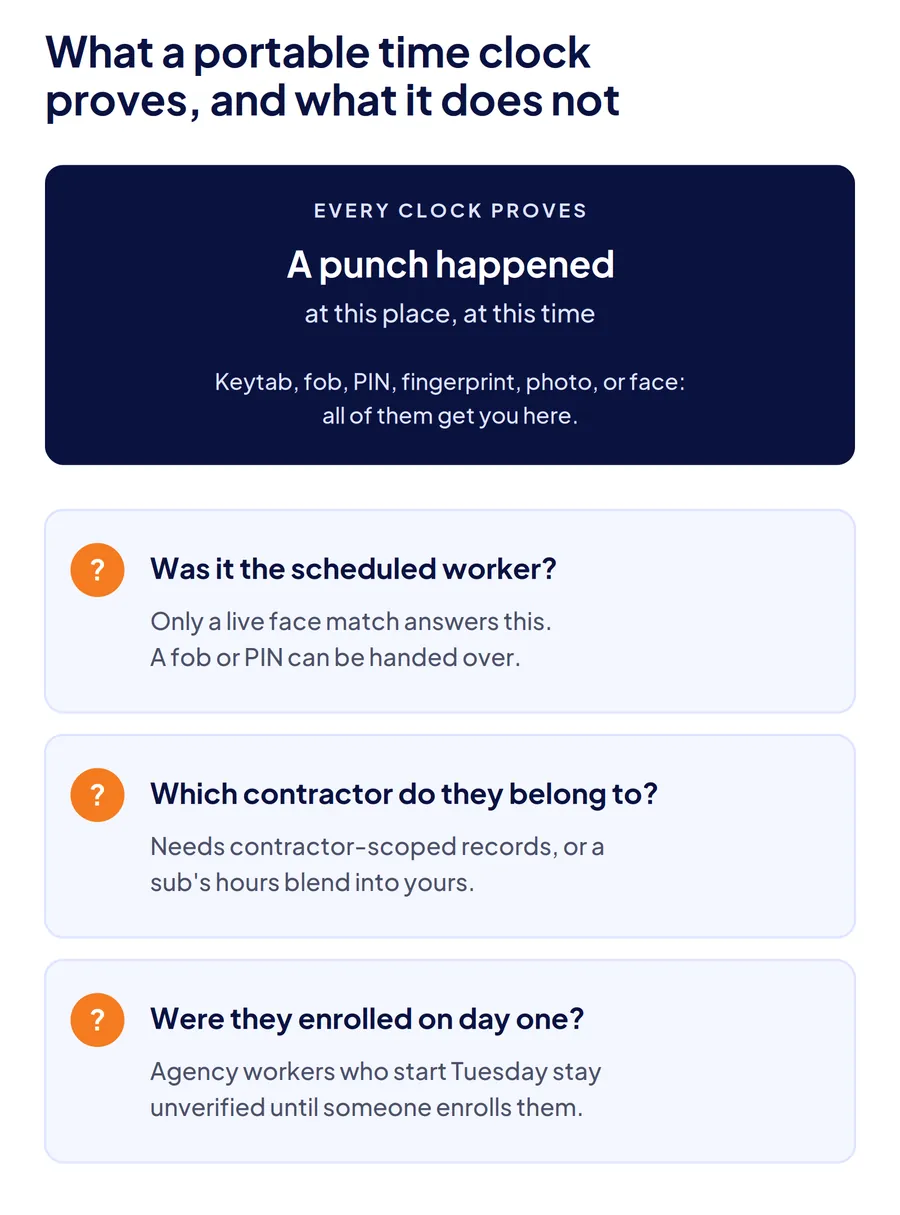
A portable clock proves a punch happened at a place and time. It does not prove the person was the one scheduled, was employed by the sub who is billing you, or was enrolled at all, unless identity is checked at the punch and the system knows which contractor the worker belongs to. That gap is where multi-site contractors lose money, and it widens the moment labor stops being direct hire.
Take a general contractor with four subcontractors on one site and a labor broker filling shortfalls weekly. Fobs get handed out at onboarding and handed around after. A fingerprint reader rejects a mason with worn prints and the foreman overrides it. Agency workers who started Tuesday are not enrolled on anything until payroll notices on Friday. The first week of a new crew is the least verified week of the entire job.
Two capabilities close most of it. Face enrollment that takes a minute at the gate on day one, so new workers are verified from their first punch. And contractor-scoped records, so each sub's hours stay separate from direct labor and the sub's own supervisor sees only their crew. Under the FLSA, employers must keep records of hours worked each day and each workweek for every non-exempt worker, and a record that misidentifies the worker does not meet that bar however rugged the device that captured it.
Where the clock sits in the broader stack is covered in the ranking of time card apps for construction, and the difference between gate terminals, site tablets, and supervisor clock-ins is covered in how to choose a face recognition attendance system for construction sites.
Conclusion
The best portable time clock for construction is the one whose identity method, sync model, and form factor match your sites, not the one with the toughest housing. For fenced long-duration sites, a solar LTE box or a face-verified gate kiosk. For crews that move daily, a face match and geofence on the phone they already carry. For most contractors running both kinds of site, a system that accepts every method into one record is the decision that actually reduces payroll corrections.
Frequently Asked Questions
What is the best time tracker for construction workers?
For crews on fenced sites, a face-verified clock at the gate, either a dedicated device such as SmartBarrel or a tablet kiosk running software such as Truein or ClockShark. For crews that move between sites, a phone app with face recognition and GPS geofencing so the record follows the worker. Keytab clocks are the simplest to deploy but cannot tell who tapped the fob.
How much does a portable construction time clock cost?
Dedicated rugged devices are typically sold as a device purchase or a quote-based bundle plus a monthly software subscription per worker, and some vendors do not publish prices at all. Tablet kiosk software is priced per user per month, with the tablet as your only hardware cost. Truein publishes its pricing at $2.25 and $3.50 per user per month, billed annually, with no base fee. Confirm current figures with each vendor.
Do portable time clocks work without cell signal?
Most store punches locally and upload when signal returns, but how they upload differs. LTE clocks sync on their own once coverage exists. Bluetooth clocks wait for a supervisor to visit with a phone. Tablet kiosks and phone apps capture offline and sync automatically, though a GPS geofence can only be checked against the boundary once the record reaches the server.
What is the 7-minute rule for clocking in?
It refers to the US Department of Labor's rounding practice, under which employers may round punches to the nearest quarter hour as long as rounding does not consistently favor the employer. Seven minutes rounds down and eight rounds up. A digital clock that records exact times removes the need to round at all, which is simpler than defending a rounding policy in an audit.
Can a portable time clock prevent buddy punching on a construction site?
Only if it verifies identity at the punch. A keytab or PIN clock records that a credential was used, so one worker can clock in for another. Clocks with a live face match, such as SmartBarrel's device or Truein's kiosk mode, reject a face that does not match the enrolled worker. Photo capture without matching documents the punch for review but does not stop it.
How do you track hours for subcontractor crews on the same site?
Enroll them on the same clock as direct labor on day one and keep their records scoped by contractor. Systems built for contract labor let each subcontractor's supervisor see only their crew, cap headcount per agency, and export hours separately, so a sub's invoice can be reconciled against verified punches rather than a foreman's recollection.
