


.jpg)

Updated October 2026. Vendor details come from each vendor's own documentation.
A photo at clock-in does not stop buddy punching. It documents it. ExakTime, now sold as Arcoro Time, saves a photo of every clock-in for managerial review, and its own documentation states that its identity verification is not based on facial recognition.
By the time anyone opens the photo, the hours are already on the timesheet. If you are comparing ExakTime alternatives for construction time tracking, that gap is the first thing to test.
GPS, price, and payroll sync are easy to compare side-by-side for your shortlisted time tracking software vendors. Identity is harder, because a feature labeled facial recognition can mean a photo for review, a face detected in a frame, or a live match against an enrolled crew member, and the label alone does not say which tool would have stopped a crew member from clocking in for a friend.
This article sorts seven ExakTime alternatives for construction time tracking in 2026 by what each one can confirm at the clock-in (a phone's location, a photo someone reviews later, or the crew member’s face), then covers GPS, offline capture, job coding, payroll, cost, and consent law. It ends with a two-week pilot, including one test that separates tools that stop a wrong clock-in from tools that only record it.
Key Takeaways
- ExakTime is now known as Arcoro Time, and many buyers still search for the old name.
- Most alternatives match it on GPS, geofencing, offline capture, and cost codes. The real difference is whether the clock-in confirms who is there: a GPS stamp, a photo saved for review, or a face matched at the clock-in.
- Offline capture is a must-have on remote work and a reassurance on urban sites, and offline clock-ins reach the dashboard only after sync.
- Pilot any shortlist for two weeks on a real jobsite, including a test of what happens when the wrong face tries to clock in.
- For identity at the clock-in, Truein matches the crew member’s live face and GPS location on any Android or iOS device and blocks a mismatch instead of filing a photo for later review.
-
Is ExakTime Now Arcoro Time, and Why Do Teams Start Looking for Alternatives?
ExakTime is now sold as Arcoro Time, part of Arcoro's HR suite, and Arcoro's own site refers to the product as Arcoro Time (formerly ExakTime). The old name and website are still in wide use, so buyers see both. Arcoro says Arcoro Time connects to Arcoro Payroll or to your own payroll provider, so list the Arcoro connections your office relies on, such as payroll, accounting and Procore, before you shortlist an alternative.
ExakTime covers GPS, geofencing, job costing, and payroll integration: PIN or app clock-in, GPS at clock-in and clock-out, custom geofences that mark each clock-in on-site or off-site, cost codes, supervisor crew management, optional rugged clocks, and live QuickBooks and Sage integrations.
The identity step differs, because its FaceFront photo is reviewed after the fact, when someone opens the time card. A person has to look, on their own schedule, for the photo to matter. For a side-by-side view, see how Truein, ClockShark, and ExakTime verify a clock-in.
Each can be tested in a demo, and only one of them is about identity.
If your foremen can name every face on site, a stored photo plus GPS may be all you need. Once subcontractor crews rotate weekly, nobody can compare 400 photos to 400 faces before payroll closes.
When is Staying With ExakTime the Right Call?
Staying with ExakTime is the right call when your driver is something other than identity: rugged jobsite clocks, ExakTime's Procore or Foundation connections, or payroll that already runs through Arcoro Payroll. None of those is an identity problem, so switch only if buddy punching or subcontractor headcount is what you are paying for. If identity is the problem, the comparison below shows which tools check who is clocking in.
ExakTime vs. The 7 Alternatives: What Each Clock-in Actually Proves
An ExakTime alternative should cover ten capabilities: identity verification at clock-in, GPS location proof, geofencing that alerts or blocks, offline clock-in, project and cost codes, foreman crew clock-in, timesheet approvals, payroll integrations, reporting, and a flow a crew can learn in one shift.
The table weights the first five and covers the main types of alternative: identity-first, GPS and job-costing, bundled field-operations, hardware-based and QuickBooks-ecosystem tools.
Read the second column first, because it shows what the system records after the clock-in; the other columns are easy to compare in a demo.
1. Truein: Live Face Match at the Clock-in for Hourly Crews and Subcontractors

Truein is an AI-powered time tracking software for hourly and multi-site workforces that verifies identity at clock-in with live face recognition and GPS, on any Android or iOS device, with no dedicated hardware required. As construction time tracking software, it leads on one criterion: a face-match failure blocks the clock-in attempt and prompts a retry, instead of filing a photo for later review.
What it does: Face recognition and GPS time clocks that run on personal phones, shared tablets, and supervisor-assisted clock-ins, with accuracy of around 95 to 100 percent, including with hard hats, masks and changed hairstyles.
Spoofing attempts such as a printed photo or a screen are a separate safeguard: in the default configuration a suspicious clock-in is flagged, and the crew member can be blocked from further clock-ins. Offline clock-ins are captured on the device, flagged, and shown in the dashboard after sync, and Activity Punch tags time to a job, task, or cost code.
AI TimeGuard is Truein's built-in anomaly detection layer. It continuously analyzes time tracking data for risk signals such as unusual correction activity and suspicious clock-in patterns, then surfaces those findings for manager review, based on how the account is configured.
Truein produces payroll-ready reports for ADP, QuickBooks, Sage, Paychex, Xero and Viewpoint through payroll and accounting integrations on API or FTP sync, and your payroll system still runs payroll.
Truein serves 500+ clients across 25 countries and 10,000+ locations, with 500,000+ users. U.S. field and multi-site customers include Walker Engineering, Hallmark Housekeeping Services and Unispice, and Truein holds 4.8 on G2 from 98 reviews and 4.8 on Capterra from 42 reviews (as of October 2026).
Fits if: You run 100-man hourly crew or more across several job sites, rotate subcontractor crews, and need the clock-in itself to confirm who is on site.
Skip it if: You run a single-site crew under 100 crew members, or equipment hours are your main cost driver.
Notable limitation: It is built for field, hourly, and multi-site workforces, not office teams, and it is not a full construction management suite or a certified payroll tool.
2. SmartBarrel: Facial Verification and Rugged Hardware for Large Crews

SmartBarrel puts facial verification on a rugged, solar-powered, LTE-connected jobsite clock, so a crew that doesn't carry phones still gets an identity check at every clock-in. It also runs in an app for crews that do.
What it does: Its AI checks each clock-in against the crew member’s past check-ins on a solar-powered LTE clock or in an app, shows the jobsite in the app only when a crew member is inside the boundary, and produces payroll-ready reports for Procore, CMiC, Sage, QuickBooks, Viewpoint, Foundation and ComputerEase.
Fits if: A 10-man crew or more share a jobsite and you want a mounted, solar-powered clock that verifies faces, including for crew members who do not carry phones.
Skip it if: Your crews are small and spread across many sites, since SmartBarrel points to its hardware clock for jobsites with 10-man crew or more.
Notable limitation: Pricing is by quote rather than published, and the jobsite clock is hardware that has to be installed at each site.
3. Workyard: Continuous GPS and Automatic Job Coding
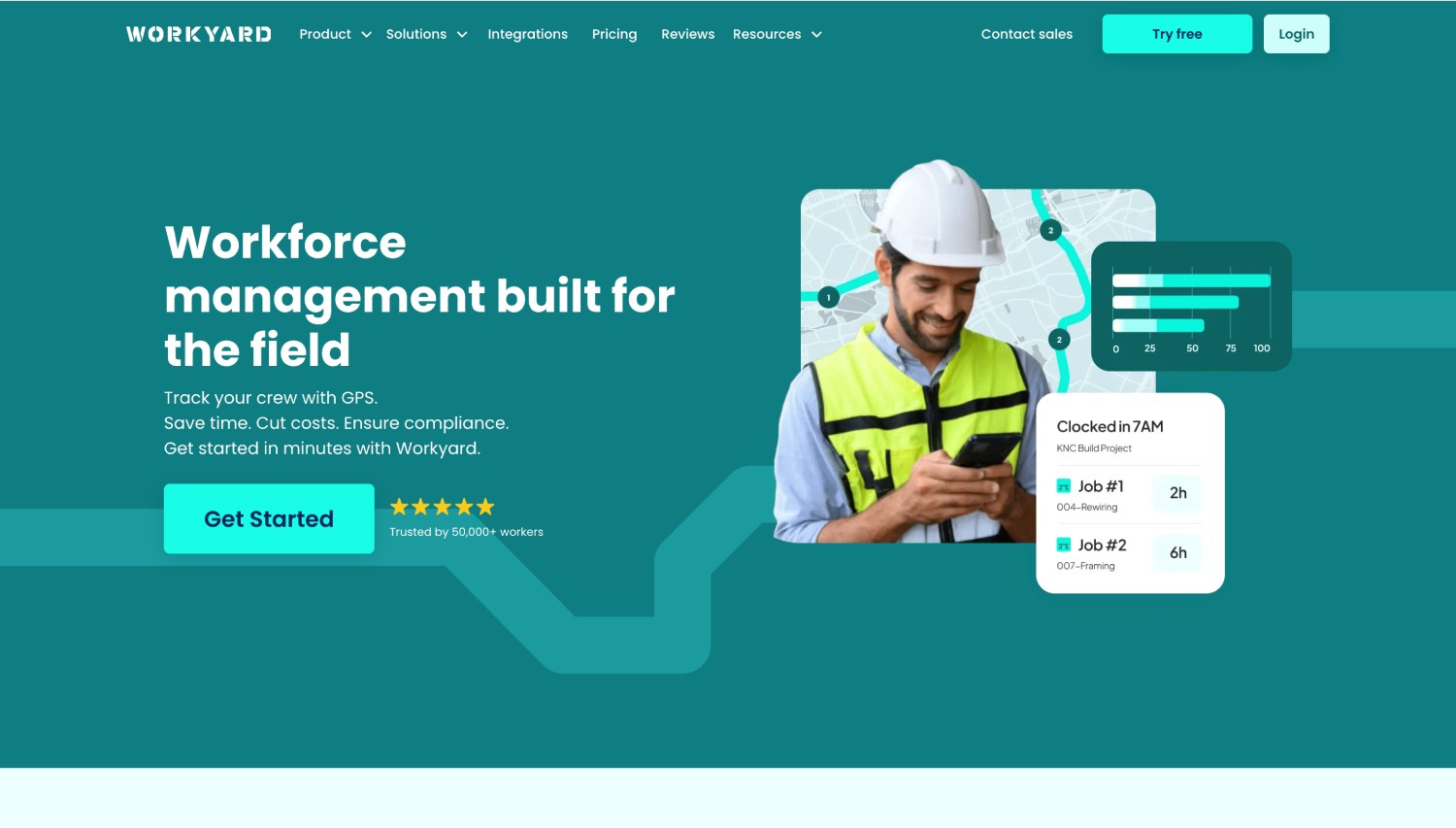
Workyard is built around location proof. Every time card carries a GPS-verified location and links to a job or cost code, which suits a contractor whose biggest leak is hours logged against the wrong site.
What it does: It records GPS continuously while a crew member is clocked in, supports polygon geofences that can restrict clock-in on higher plans, auto-assigns job and cost codes by location, and links to QuickBooks, ADP, Gusto, Paychex and Sage.
Fits if: Job costing and location evidence matter most: GPS-verified time cards tied to a job or cost code, and polygon geofences for odd-shaped lots.
Skip it if: Crews share phones or subcontractors rotate weekly.
Notable limitation: Its photo capture is not automatically matched to a crew member’s profile, so it does not verify identity with facial biometrics, and its strongest controls sit on higher plans.
4. busybusy: Labor and Equipment Hours on the Same Timecard

busybusy puts labor and equipment hours on the same timecard, so a superintendent sees what a crew and its machines cost a job in one place. Its free plan includes job costing, which makes it an easy first step for a small contractor.
What it does: It adds equipment tracking, GPS breadcrumbs, offline sync and, on paid plans, photo verification with automatic match-and-flag, with facial recognition in Kiosk Mode or AI safety-gear scans on Premium tiers, and it links to QuickBooks, Sage, ADP, Procore and Viewpoint.
Fits if: Labor and equipment hours belong on the same timecard, or you want job costing on a free plan to get started.
Skip it if: You want photo verification or a kiosk clock without moving to a paid plan.
Notable limitation: Standard mobile clock-ins need manual review, and an off-site clock-in is flagged by default and blocked only when On-Site Verification is turned on.
5. ClockShark: Crew Clock-in, Scheduling and Invoicing
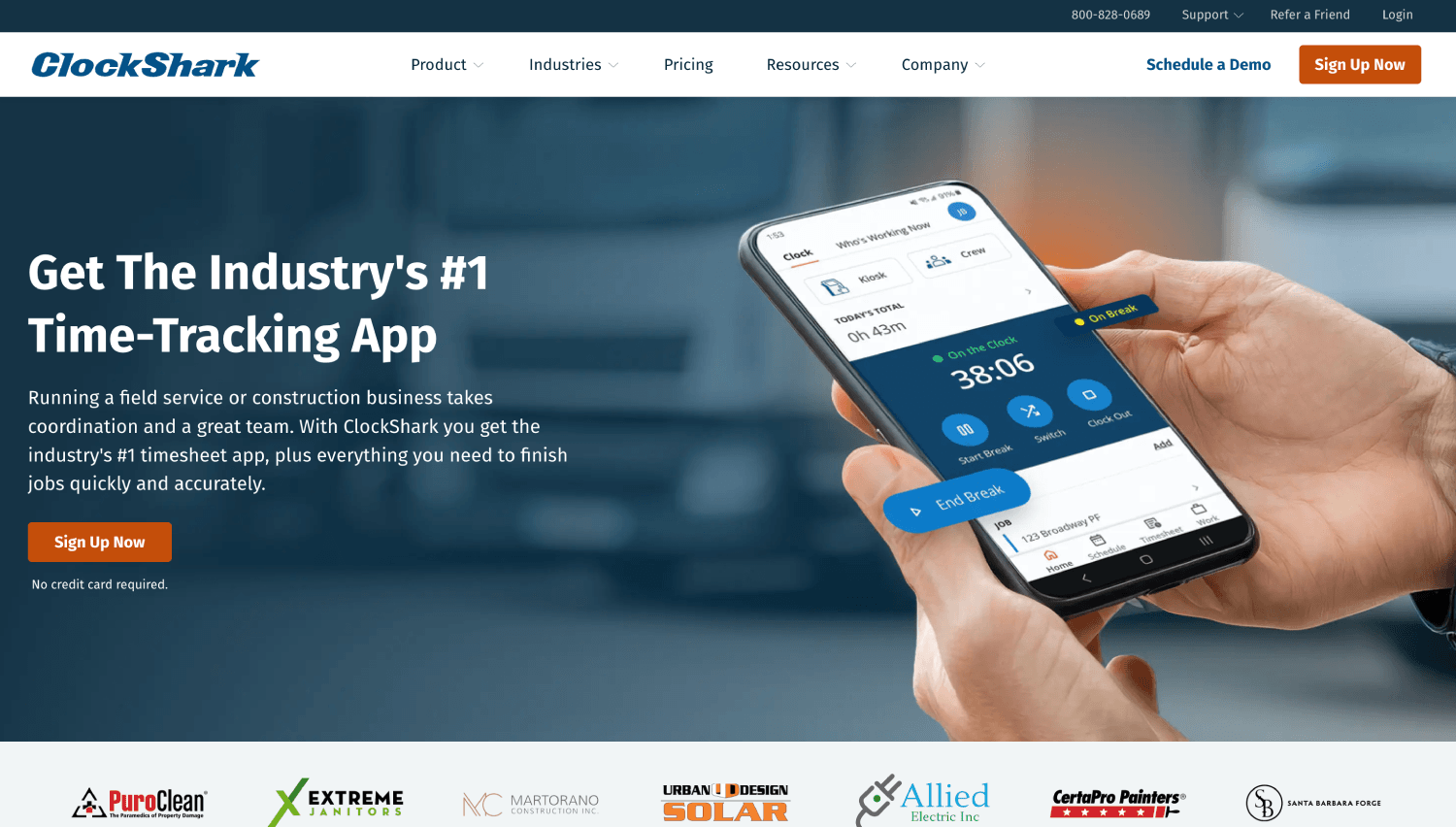
ClockShark runs time tracking, scheduling, job costing and invoicing from one app, so a small contractor can manage the field and the office from one login.
What it does: CrewClock lets a foreman clock in a whole crew, and ClockShark integrates with payroll software like QuickBooks (two-way), ADP, Gusto and Sage 100 Contractor.
Fits if: A small to mid-size contractor wants time tracking, scheduling, job costing and invoicing in one app.
Skip it if: You need an outside-the-fence clock-in blocked, since ClockShark flags it with an out-of-bounds notification.
Notable limitation: Facial recognition applies to the shared Kiosk Clock, so personal phones and Crew Clock clock-ins record GPS without a face check.
6. Buddy Punch: Flexible Clock-in Methods and PTO Tracking

Buddy Punch gives small hourly crews several ways to clock in (PIN, QR code, kiosk, computer or app) and builds PTO tracking into the same system.
What it does: Crew members clock-in by PIN, QR code, kiosk, or computer with a selfie stored for review, and its documentation also describes Face ID-based facial recognition on Apple devices, plus GPS, a geofence that blocks off-site clock-ins with an error message, job codes and payroll-ready exports to QuickBooks, ADP, Gusto and Paychex.
Fits if: A small hourly crew wants several ways to clock in (PIN, QR code, kiosk, computer or app) with PTO tracking in the same tool.
Skip it if: You need face-based sign-in on Android, or offline clock-in on every clock-in method.
Notable limitation: Its pricing page places geofencing on the Pro plan and above, and its help center limits offline mode to the mobile app on the Pro and Advanced plans.
7. QuickBooks Time: The Lowest-Friction Choice if You Already Run QuickBooks
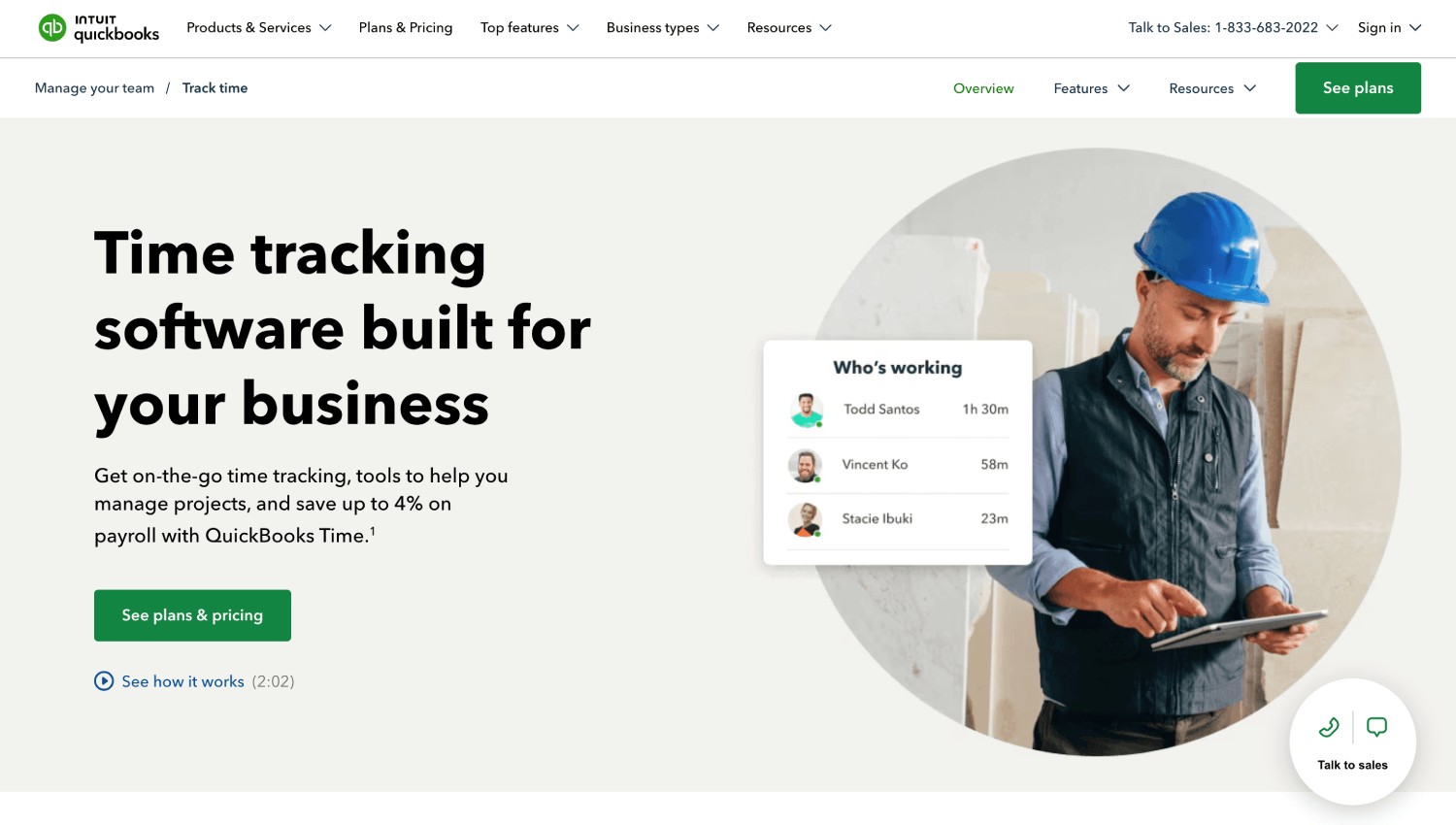
QuickBooks Time sends hours straight into QuickBooks payroll and accounting, the shortest path from timesheet to payroll for a contractor who already keeps the books there.
What it does: It captures a photo at clock-in, flags mismatches for manual review, shares location while a crew member is on the clock, and on the Elite tier can record the clock-in automatically when a crew member crosses into a geofence.
Fits if: Your books and payroll already run in QuickBooks and you want hours to flow straight in.
Skip it if: You need geofence rules that block an off-site clock-in, since QuickBooks Time allows it with a required note and puts geofencing on the Elite tier.
Notable limitation: Offline clock-in works only in the QuickBooks Workforce app.
Which ExakTime Alternative is Best for Construction Crews?
Match the tool to the problem that cost you the most last quarter: identity at the clock-in (Truein, SmartBarrel), GPS evidence (Workyard), equipment hours (busybusy), scheduling (ClockShark), PTO tracking (Buddy Punch) or a QuickBooks back office (QuickBooks Time).
Photo Capture vs Live Face Verification: Which One Stops a Wrong Clock-in?
Buddy punching is one crew member clocking in for another, and photo capture and live face verification handle it very differently. Photo capture documents the clock-in for later review, while live verification checks the person’s identity before the clock-in is recorded.
Does GPS Time Tracking Prove Who Clocked-in?
No. GPS shows where a device was at the moment of the clock-in, not who held it, so a crew member can hand a phone to a coworker already on site. A geofence is a virtual GPS boundary around a site, so a clock-in registers only inside it. Geofencing answers ‘where’ and identity verification answers ‘who’, so together they give each clock-in one record of who, when, and where.
What is the Difference Between Photo Capture and Live Face Recognition?
Live face recognition compares the face at the moment of clock-in to an enrolled profile and either records the clock-in or stops it. A face recognition time clock does that checking when it matters the most, which scales to rotating crews no foreman can memorize.
Truein’s face recognition time clock blocks a suspicious clock-in and prompts a retry. Spoof detection is a separate safeguard that flags a suspicious clock-in after capture in the default configuration.
Before you sign with anyone, run one test: have someone other than the enrolled crew member try to clock in as that crew member while you watch the dashboard. If the clock-in is accepted and a photo waits for review, the tool recorded the attempt instead of stopping it.
How Do Crew Members Fake a Clock-in, and How Do You See Who is On Site?
Four patterns are worth designing controls for, and buddy punching on construction sites rarely looks like one clean event to identify.
Subcontractor accountability needs separation by company as well as by crew, because crews rotate weekly, belong to different employers, and arrive under client headcount caps.
Look for separate subcontractor accounts under one company account, scoped supervisor access, per-subcontractor headcount limits, sites mapped to each subcontractor, and document expiry tracking.
If three subcontractors bill you for the same site, the test is whether you can cap and compare each one's verified headcount by company, not just add their crew members to your roster.
Truein handles this at the agency level. Each subcontractor's supervisor sees only their own crew, and each agency gets its own headcount limit, pay rates and policies, with document expiry dates tracked per agency. That gives a general contractor the controls to compare billed headcount against verified clock-ins by company, though someone still has to review the overlaps. These controls sit in the Advanced plan, and the setup guide for managing subcontractor crews covers the day-to-day.
On a site running four subcontractors at once, "who is here today, by company" should be a dashboard filter, not a phone call.
GPS, Geofencing, and Offline Capture: What to Check
Every tool here uses a geofence. What separates them is what happens when a clock-in lands outside it, and how long the tool keeps watching afterward. Three questions sort the field:
- Is GPS captured only at the clock-in or throughout the shift?
- Does an outside-the-fence clock-in get recorded, flagged, or blocked?
- When does tracking start, and when does it stop?
Here is how the seven handle a clock-in that lands outside the geofence:
- Blocks it: SmartBarrel and Buddy Punch; busybusy when On-Site Verification is turned on; Workyard on higher plans.
- Lets you choose: Truein can block it, route it for approval, or alert.
- Flags it: ExakTime and ClockShark.
- Asks for a note: QuickBooks Time.
A flag only tells you after the hours are recorded.
How Accurate is a Geofence on a Construction Site?
A geofence is only as good as the phone's GPS fix. GPS.gov puts typical smartphone accuracy at about 16 feet (4.9 meters) under open sky, and says it gets worse near buildings, bridges and trees, which describes most active job sites.
Signal blockage and reflection off buildings can put a phone's reported position outside a tightly drawn fence while the crew member stands inside it. That is why boundary size matters.
Truein's minimum radius is 20 meters (about 65 feet), and an irregular site can use a custom boundary drawn to the shape of the work area in the Dashboard.
Treat a geofence as a way to tie a clock-in to a site, not a spot, and decide in advance whether an outside-the-fence clock-in is blocked, alerted, or routed for approval.
Do Construction Time Tracking Apps Track Employees After Work?
They should not, and each vendor should state in writing when tracking starts and stops. Truein's Live Location Tracking is an optional add-on that begins only after a face-verified clock-in inside a geofence, ends at clock-out, and refreshes by movement (about every 50 meters).
What Happens When a Crew Loses Connectivity?
Offline clock-in lets a crew member clock in with no signal, keep the record on the device, and sync it when the connection returns.
ExakTime, Workyard, busybusy, ClockShark and SmartBarrel support offline clock-in, as do Buddy Punch and QuickBooks Time on their mobile apps only, and records are visible after sync in every case.
Offline clock-in on construction sites matters most where the work is remote, so count the sites where crew members lose signal during a shift, and if it is more than one in five, treat offline capture as a dealbreaker rather than a bonus.
Job Coding and Payroll: What Connects and What Does Not
The time tracking software mentioned in this article can track labor against jobs and cost codes in some form, and the test is whether a crew member who splits a day produces two coded blocks or one.
A crew member who spends four hours on framing and four on electrical rough-in should show four hours against each code while payroll still receives eight; coded once at 7 a.m., all eight land on framing and the next bid inherits a labor number that was never true.
Workyard auto-assigns codes by geofenced location, and Truein tags time at clock-in with Activity Punch. A tool that codes the job once per day is recording attendance, not labor cost.
Every tool here connects to QuickBooks, and most add ADP (ExakTime, Truein, Workyard, busybusy, ClockShark, Buddy Punch) and Sage (ExakTime, Truein, Workyard, busybusy, ClockShark, SmartBarrel).
An API sync moves data close to real time, FTP moves it on a schedule, and an export file means someone uploads it by hand. A weekly CSV and a sync are different products, even when both vendors say they integrate with ADP.
Can ExakTime Alternatives Handle Prevailing Wage and Certified Payroll?
Some can, and support that arrives only through an integration should not be described as built in. Under the Davis-Bacon Act, contractors on covered federal construction contracts submit certified payroll weekly, according to the U.S. Department of Labor's Wage and Hour Division.
Ask each vendor which prevailing-wage and certified payroll requirements it handles directly and which it passes to your payroll system.
Truein supplies verified time data with configurable overtime and break policies designed to support compliance with local rules, and certified payroll preparation stays with your payroll system.
Is Face Recognition Time Tracking Legal For U.S. Construction Crews?
Yes, when it follows consent-first enrollment, and the requirements are specific enough to plan around.
As of 2026, five states have consent rules that reach workplace time tracking:
- California's employee exemption under the CCPA and CPRA expired on January 1, 2023, so employees there hold full notice, access and deletion rights over biometric data, as this California biometric privacy law overview explains.
- Illinois' BIPA requires written consent and lets individuals sue directly, which makes it the highest-risk statute.
- Texas (CUBI) and Washington (RCW 19.375) require notice and consent with attorney-general enforcement
- Colorado's HB 24-1130, effective July 1, 2025, requires consent and a written retention and deletion policy.
Truein's consent screen appears before the camera opens when that setting is turned on, records consent with an audit trail, and lets HR or Admin switch a crew member who withdraws to non-biometric time tracking, while the employer owns the legal determination.
Disclaimer: This section is for general informational purposes only and does not constitute legal advice. Biometric privacy laws vary by state and change over time; the information above reflects publicly available sources as of the article's publish date and may not reflect subsequent legal developments in your jurisdiction. Before deploying biometric time tracking technology, consult a licensed attorney familiar with the applicable state and local requirements.
How to Switch From ExakTime in 6 Steps
A switch works best as a staged cutover, not a weekend swap:
- Export employee, job and cost-code data from ExakTime, and map those fields to the new tool.
- Configure payroll integrations and confirm which hours push automatically.
- Recreate geofences and permissions.
- Pilot with one crew for two weeks.
- Run parallel payroll for one cycle, and validate totals against the old system.
- Roll out company-wide.
Software setup can be fast, since Truein accepts bulk staff uploads and crew members self-enroll with a single selfie, but custom boundaries are drawn in the Dashboard and a shared tablet kiosk, if required, still has to be installed at each site. Most teams see cleaner payroll within the first cycle.
Pilot the New Time Tracking Software for Two Weeks
Build the pilot to break things on purpose, on one real jobsite with a supervisor and a field crew: clock in without signal, test the geofence at the boundary, have someone other than the enrolled crew member try to clock in as that crew member, create deliberate missing clock-ins, change job codes mid-shift, run a payroll export, and correct timesheets.
Then compare five numbers against ExakTime's prior two weeks: missing clock-ins per 100 shifts, timecard corrections, payroll-preparation time, incorrectly coded labor hours, and supervisor time spent fixing timesheets.
Frequently Asked Questions
1. What does ExakTime's FaceFront actually check at clock-in?
Nothing at the moment of the clock-in. FaceFront saves a photo with each clock-in and clock-out, and Arcoro's Photo ID Capture page says supervisors or office staff review it afterward to confirm the right person logged in.
Arcoro's own documentation states that FaceFront is not facial recognition. The photo helps settle a dispute, but it does not stop a wrong clock-in. A live face-verification alternative such as Truein compares the face to the enrolled crew member before the clock-in is recorded.
2. Where is Truein based, and does it have a U.S. presence?
Truein is India-headquartered with a dedicated U.S. office in New Jersey, and its U.S.-based account executives travel to support enterprise customers on implementations and business reviews.
It serves clients in 25 countries across 10,000+ locations, and its U.S. customers include Walker Engineering, Hallmark Housekeeping Services, and Unispice. Ask any vendor where support lives for your time zone, not only where the company is incorporated.
3. What is the best ExakTime alternative for construction crews?
It depends on the problem that cost you the most last quarter. Truein and SmartBarrel verify the face at the clock-in, Workyard leads on GPS evidence, busybusy on equipment hours, ClockShark on scheduling, Buddy Punch on flexible clock-in methods and PTO, and QuickBooks Time on a QuickBooks back office.
If subcontractor crews rotate weekly and buddy punching is the problem, start with the tools that match the face at the clock-in.
4. How long does it take to switch from ExakTime?
Plan a staged cutover, not a weekend swap: export your employee, job and cost-code data, map it to the new tool, pilot one crew for two weeks, then run one parallel payroll cycle before rolling out.
With Truein, software setup can be fast because staff upload in bulk and crew members self-enroll with a single selfie, but custom boundaries are drawn site by site in the Dashboard and a shared tablet kiosk still has to be installed at each site.
5. Do I need new hardware to replace ExakTime's rugged clocks?
Not necessarily. ExakTime offers optional rugged time clocks, and SmartBarrel's jobsite clock is dedicated hardware mounted at each site.
Truein is dedicated-hardware-free: it runs on Android or iOS phones and tablets you already own, and where a site wants a fixed clock-in point, a shared tablet kiosk is installed at that location.
Pick the Tool That Checks Who is Clocking in, Then Test it on One Real Crew
The seven ExakTime alternatives converge on GPS, geofencing, offline capture, and cost codes. They split on how far each clock-in goes: a GPS stamp, a photo someone has to open later, or a face matched before the hours are recorded.
That split decides whether a wrong clock-in is blocked when it is attempted or documented after payroll has been affected.
If your sites are spread out and subcontractor crews change every week, ask for a detailed walkthrough of how Truein verifies identity at clock-in with face recognition and GPS, on phones and shared tablets, and run the wrong-person test on every vendor you shortlist.
