




What is the best construction labor tracking software?
The best construction labor tracking software in 2026 is Truein for identity-verified hours across multi-site and subcontractor crews, Workyard for GPS-verified job costing, WorkMax for contractors on Foundation or another construction ERP, ClockShark for scheduling plus job costing, busybusy for equipment-heavy crews, and SmartBarrel for a dedicated site clock. The right pick depends on which of four questions your current records cannot answer.
- Six construction labor tracking tools compared on identity, site, cost code, and job cost sync
- The four questions labor tracking has to answer, and where most tools stop
- How to match a tool to the accounting system your books already run on
- How to track subcontractor and agency labor, which most rankings skip
Labor is the line on a construction job that moves fastest and gets checked last. A project manager learns the framing ran 300 hours over budget when the cost report lands, three weeks after the crew moved on. Construction labor tracking software exists to close that gap, but the category is broad: some tools prove who was on site, some tie hours to cost codes, some push them into job costing, and few do all three.
This comparison is for ops heads, project controllers, and payroll leads at US contractors running crews and subcontractors across job sites. Each tool is judged on the same four questions, with the honest limit of each stated alongside what it does well.
What does construction labor tracking software need to answer?
Construction labor tracking software turns field hours into labor cost by job. To do that it has to answer four questions in order: who worked, where they worked, which job and cost code the hours belong to, and what those hours cost against the budget. A tool that skips the first two produces a clean cost report built on unverified hours.
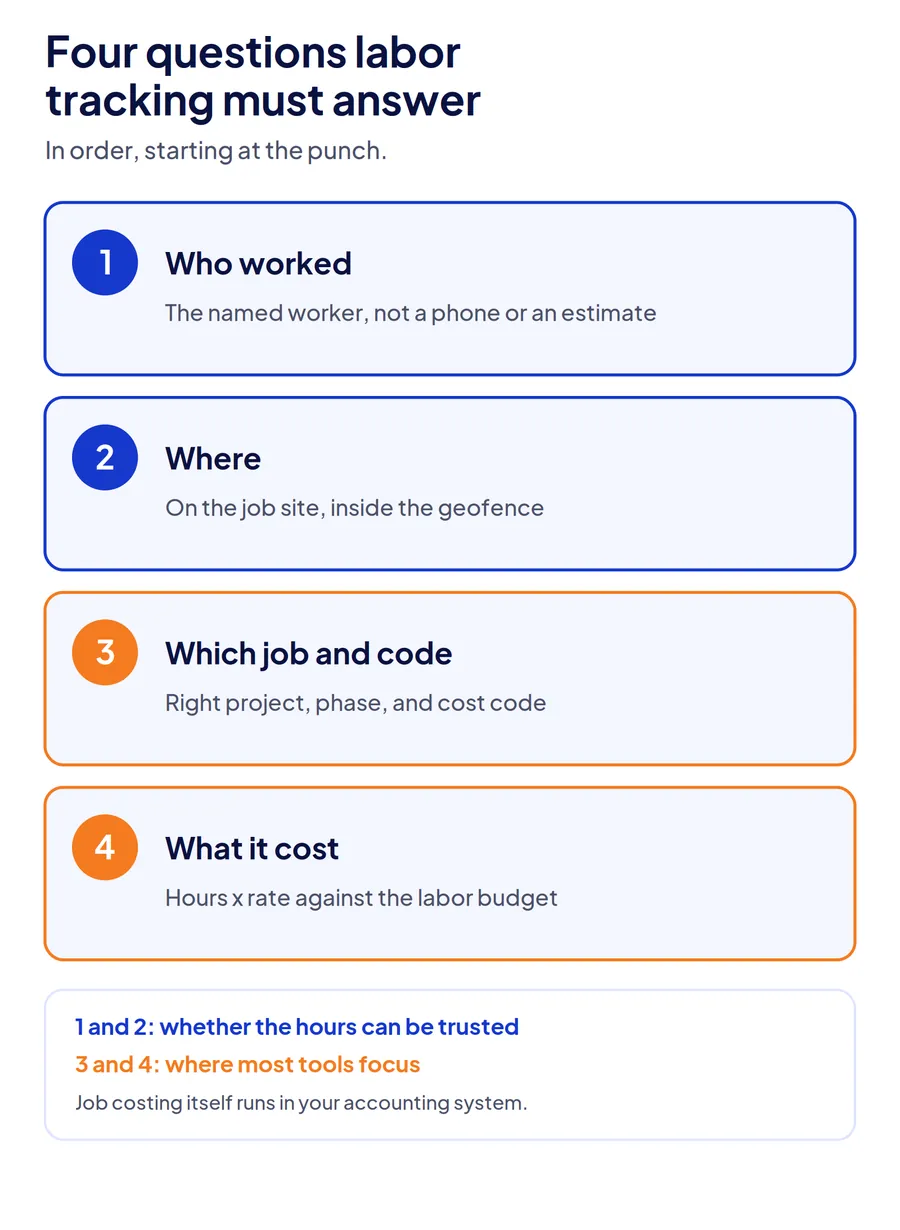
- Who worked. The hours belong to the named worker, not a colleague holding their phone or a foreman's end-of-day estimate.
- Where. The punch happened on the job site, checked against a geofence or a fixed site clock.
- Which job and cost code. The hours land on the right project, phase, and cost code, including when a crew moves between them mid-shift.
- What it cost. Hours times rates, against the labor budget, in the accounting or ERP system where job costing actually lives.
Most rankings judge tools on the last two questions. The first two decide whether the cost report is worth reading, which is why the timekeeping errors behind inaccurate labor hours start at the punch rather than in payroll.
The 6 best construction labor tracking software tools (2026)
| Tool | Best for | Who worked (identity) | Which job and cost code | Starting price |
|---|---|---|---|---|
| Truein | Multi-site crews and subcontractor labor | Face match plus GPS geofence on every punch | Job and task codes at clock-in, budget hours, cost centers | $2.25/user/mo (annual), no base fee |
| Workyard | GPS-verified labor cost for contractor crews | Continuous GPS; photo verification option | Cost codes at clock-in, mid-shift switching, job costing | $6 to $13/user/mo plus $50 base |
| WorkMax | Contractors running Foundation or another construction ERP | Not stated on vendor site; confirm in demo | Jobs and cost codes synced from the ERP, quantities and productivity | Quote-based, per user |
| ClockShark | Smaller contractors wanting scheduling and job costing in one app | Face recognition at kiosk; GPS on mobile | Job and task tracking; advanced job costing on Pro | $9/user/mo plus $40 base |
| busybusy | Equipment-heavy crews | GPS geofenced clock-ins | Cost codes, labor budgets, equipment hours | Free plan; paid from $9.99/user/mo (annual) plus $40 admin |
| SmartBarrel | Self-perform GCs and trades wanting a site clock | AI facial verification on an LTE site clock | Foremen assign cost codes; Procore, CMiC, Viewpoint Vista integrations | Quote-based |
Truein
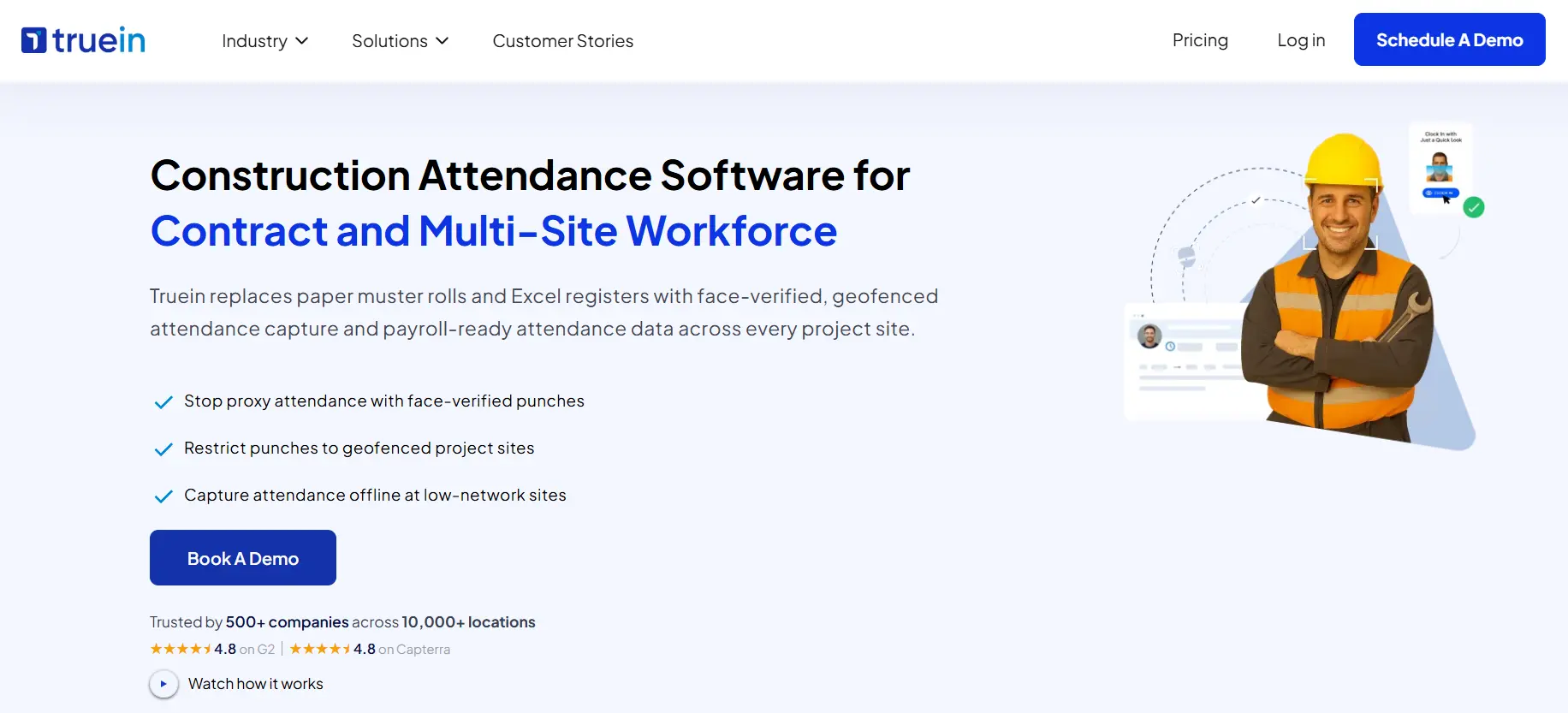
Truein tracks construction labor from a face-verified punch. A live face match and a GPS geofence run on the same clock-in, from a gate tablet, a supervisor's phone, or the worker's own device, so the hours belong to the named worker at the named site before any cost code is applied. Workers then pick a job or task code at clock-in, limited to the jobs their admin has assigned to that site.
- Face recognition with AI fraud detection on kiosk, mobile, and supervisor-assisted clock-ins
- Job and task codes at clock-in, with admin re-mapping through the timecard when crews switch work
- Budget hours per job with progress against plan, and jobs mapped to cost centers
- Subcontractor and agency crews under one account, each sub's supervisor seeing only their workers
- Offline capture with original timestamps; payroll-ready exports to ADP, QuickBooks, Sage, Viewpoint, and others
The honest limit: Truein tracks hours against jobs and budget hours, not dollars against a cost-to-complete. Contractors who need WIP reports and committed cost keep that in their accounting system and feed it Truein's verified hours.
Workyard
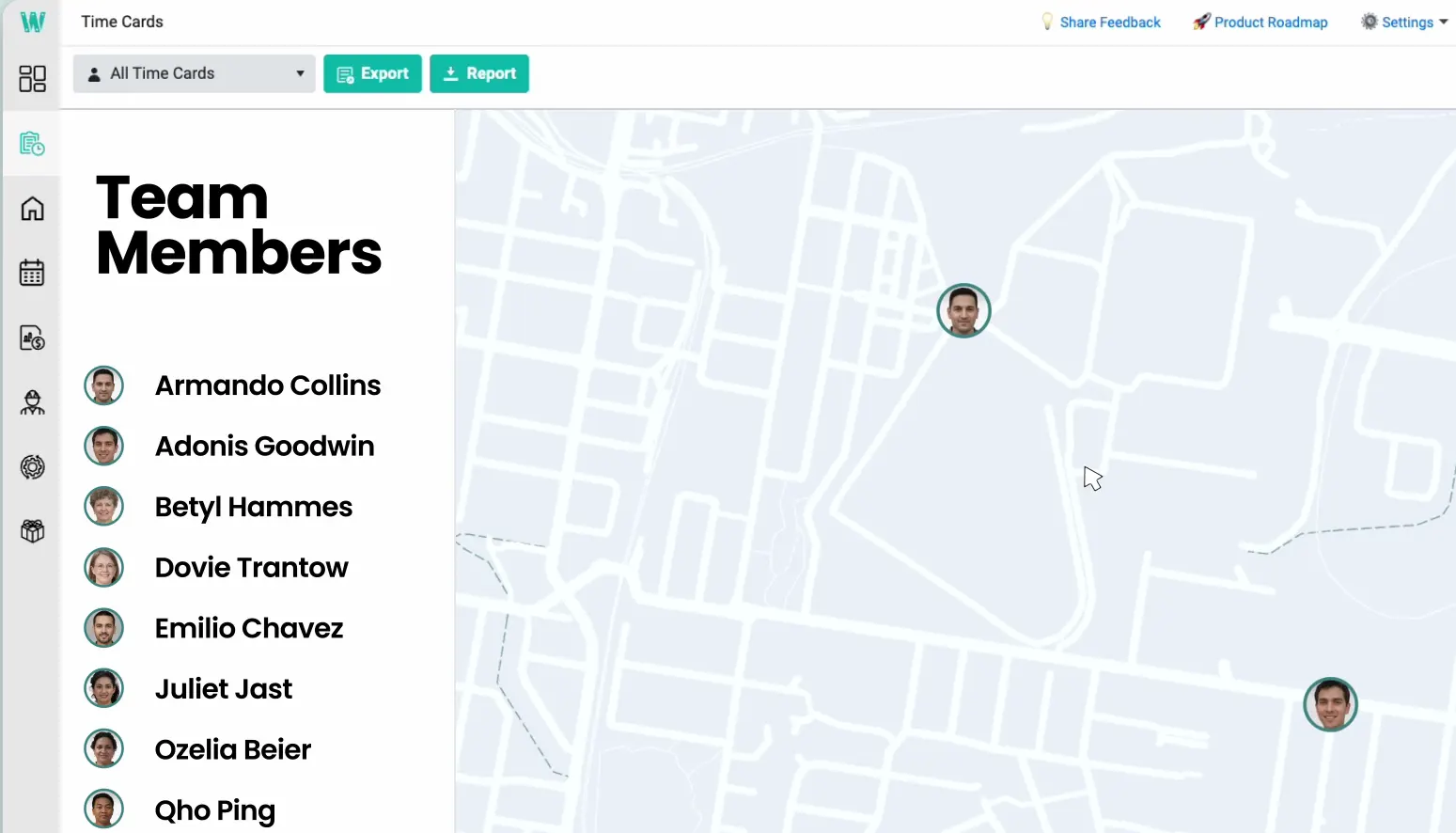
Workyard is built around GPS-verified labor cost. Location is tracked through the clocked-in day, cost codes are selected at clock-in with mid-shift switching, and job costing reports show labor spend by project and code. Its payroll and accounting integrations run deep, including Sage Intacct.
- GPS-verified time with automatic job assignment by location
- Cost codes at clock-in and mid-shift task switching
- Job costing by project, cost code, and worker
- Payroll and accounting sync across major construction platforms
The honest limit: a $50 monthly base fee before the first worker punches, and continuous location tracking is the model. Crews that resist all-day tracking resist Workyard, and identity rests on location plus an optional photo rather than a face match on every punch.
WorkMax
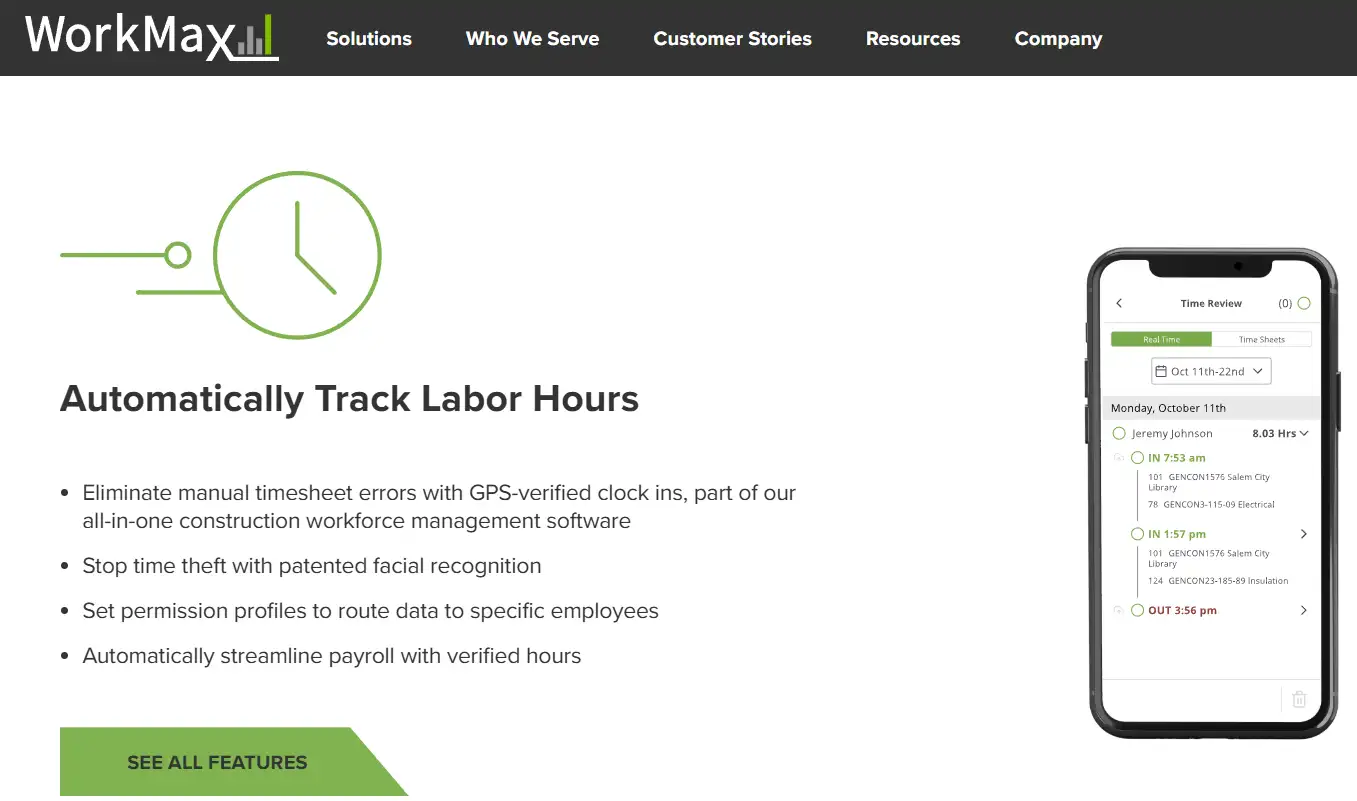
WorkMax, owned by Foundation Software since 2023, is the ERP-connected option. Field time is recorded against jobs and cost codes synced from the accounting system, approved in WorkMax, and pushed back as payroll and job cost data. Its productivity module adds quantities and units installed, so labor can be measured against output rather than only hours.
- Jobs and cost codes synced from Foundation, with integrations to more than 100 ERP, accounting, and payroll systems
- Time, quantities, and production units captured from the field
- Forms and equipment modules on the same platform
- Approval workflow before data posts to job costing
The honest limit: pricing is quote-based, and the platform is broader than many small crews need. Reviewers on Capterra note that editing cost code assignments in the office interface takes some learning, so test the foreman and payroll workflow in a demo, not only the field app.
ClockShark
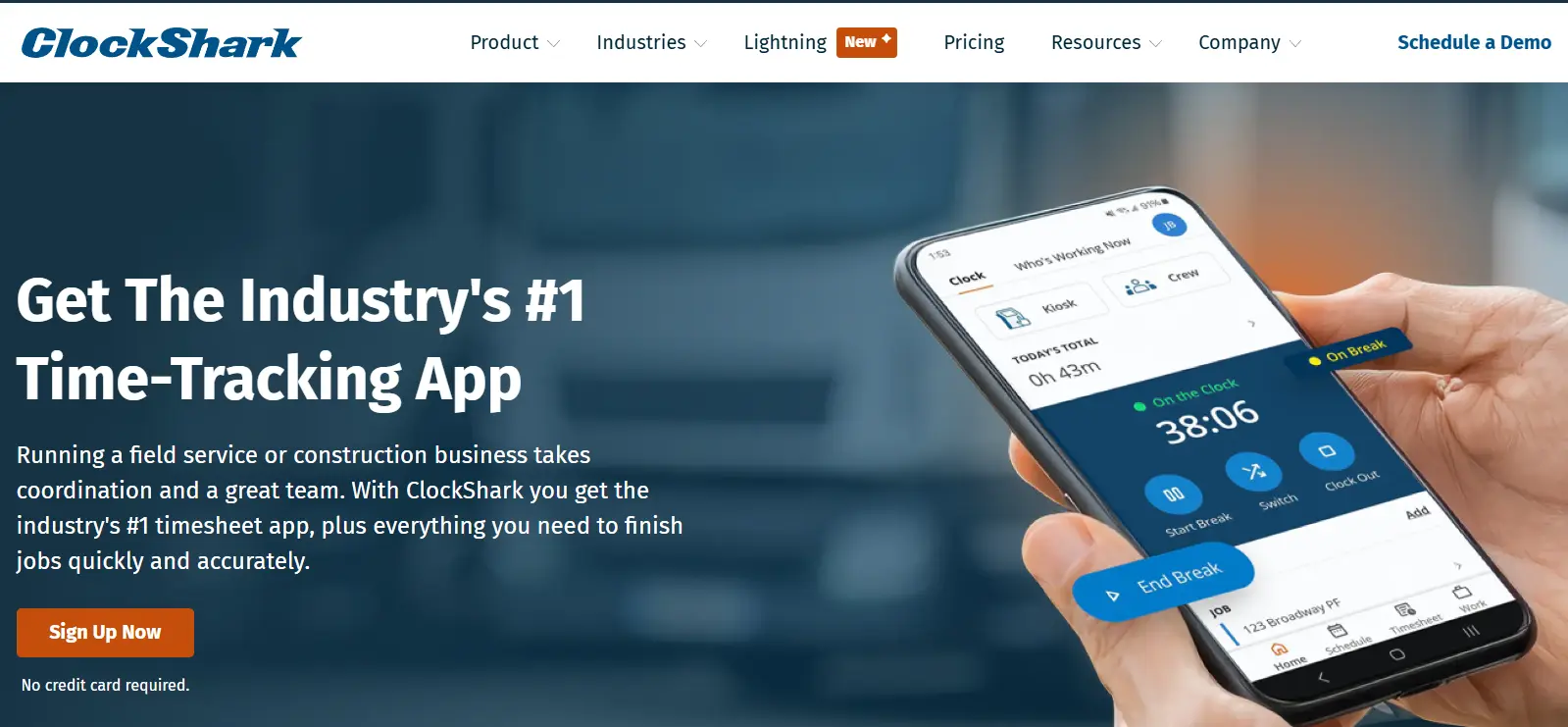
ClockShark pairs GPS time tracking with drag-and-drop scheduling and job and task tracking, which suits contractors who want one app for who is scheduled where and what each job cost in labor. Advanced job costing controls sit on the Pro plan.
- GPS time clock with geofencing and crew clock-in by a supervisor
- Job and task tracking with job costing reports
- Scheduling in the same app
- Kiosk mode with facial recognition
The honest limit: the base fee plus per-user pricing climbs with crew size, advanced job costing requires Pro at $60 base plus $11 per user, and face recognition runs only in kiosk mode, so individual mobile punches are GPS-verified, not identity-verified.
busybusy
.webp)
busybusy logs labor hours and machine hours on the same record, which matters for civil, excavation, and paving contractors where equipment cost rivals labor. Cost codes, labor budgets, and GPS breadcrumbs sit alongside equipment tracking, and the free plan covers unlimited users.
- Labor and equipment hours on one record
- Cost codes and labor budget tracking
- Geofenced clock-ins and GPS breadcrumbs
- Free plan with unlimited users
The honest limit: paid plans add a $40 admin license on top of per-user pricing, and a punch proves a phone was in the geofence, not who held it.
SmartBarrel
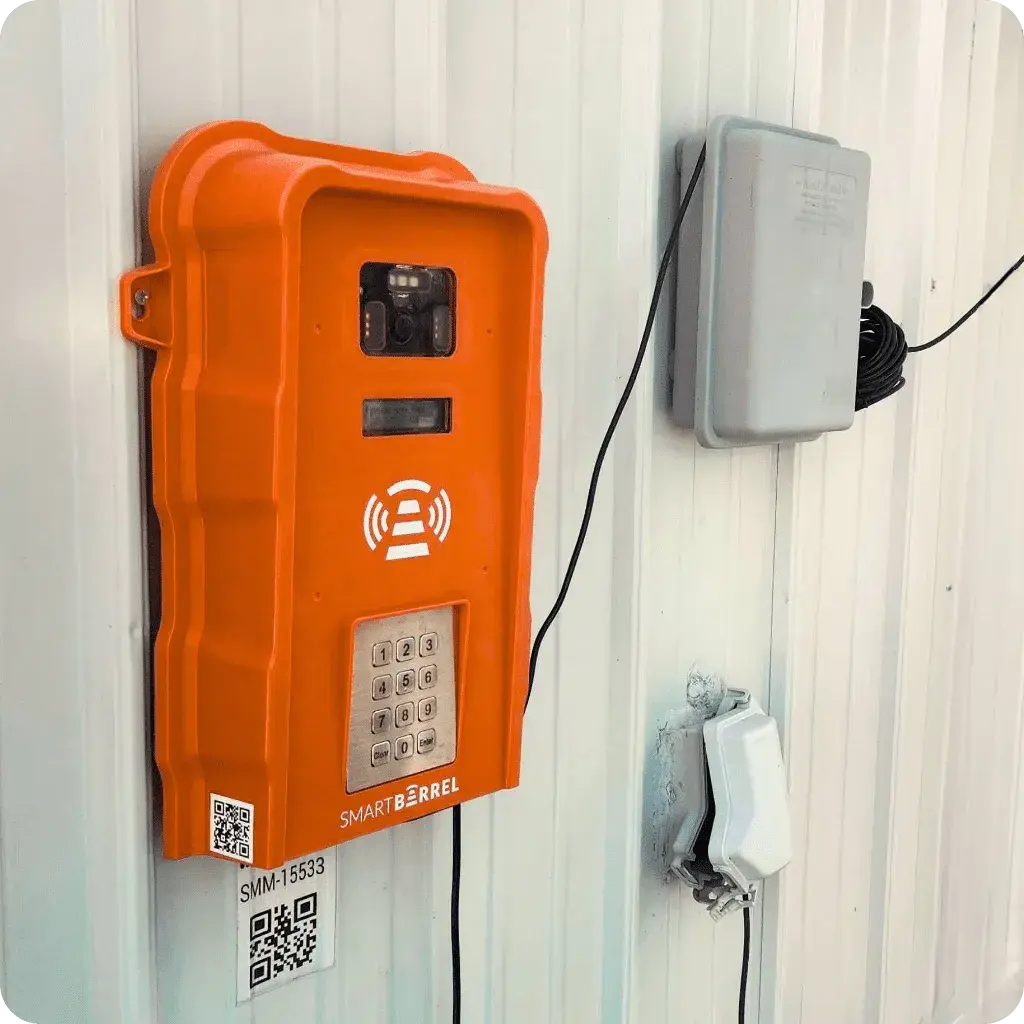
SmartBarrel is a dedicated site clock: an LTE-connected device that verifies each punch with AI facial matching and needs no phones, power, or Wi-Fi on site. Foremen review and assign cost codes from the captured hours, and the data flows into Procore, CMiC, Viewpoint Vista, and other construction ERPs.
- Facial verification on a dedicated, weatherproof site clock
- Cost code assignment by foremen after capture
- Integrations with Procore, CMiC, and Viewpoint Vista
- Mobile and kiosk modes for smaller crews
The honest limit: pricing is quote-based, and the device is the product, so crews rotating across many small sites need a clock at each one or a switch to the mobile app.
Vendor details were checked against each vendor's own site and published pricing pages in October 2026. Prices and plans change; confirm before purchase.
How do you choose construction labor tracking software for your stack?
Start from the accounting system your books already run on, then work back to the field. Labor tracking only pays off when its hours land in job costing without someone retyping them, so the integration you need narrows the list faster than any feature comparison. What the integration cannot do is check the hours it carries, which is why time tracking that integrates with your ERP still has to verify the punch first. If your HRIS already includes a time module, first check whether the HRIS time module is enough for your crews.
| If your books run on | Look for | Shortlist |
|---|---|---|
| Foundation | Native cost code sync and approval before posting | WorkMax |
| Viewpoint, CMiC, or Procore | Cost codes from the ERP, verified site punches | SmartBarrel, WorkMax, Truein (Viewpoint) |
| QuickBooks or Sage | Job and cost code export without manual mapping | Workyard, ClockShark, busybusy, Truein |
| Multiple systems, or subs on their own payroll | Verified hours by worker and contractor, exportable per system | Truein |
Then test three things in a demo with your own data. Can a crew switch cost codes mid-shift without a supervisor? Does an edited punch keep its original value? Can you pull hours by subcontractor, not just by employee? A vendor that cannot show all three on a live account will leave your controller reconciling the gaps.
The broader category, including tools that add estimating and project management, is covered in the comparison of time tracking software for construction. For the punch layer alone, see the ranking of time card apps for construction.
How do you track subcontractor labor hours?
Track subcontractor labor on the same system as direct labor, verified at the punch and grouped by contractor, then reconcile each sub's invoice against those records instead of against a total. This is the step most labor tracking rankings skip, and it is where general contractors lose the most money to hours nobody can verify.
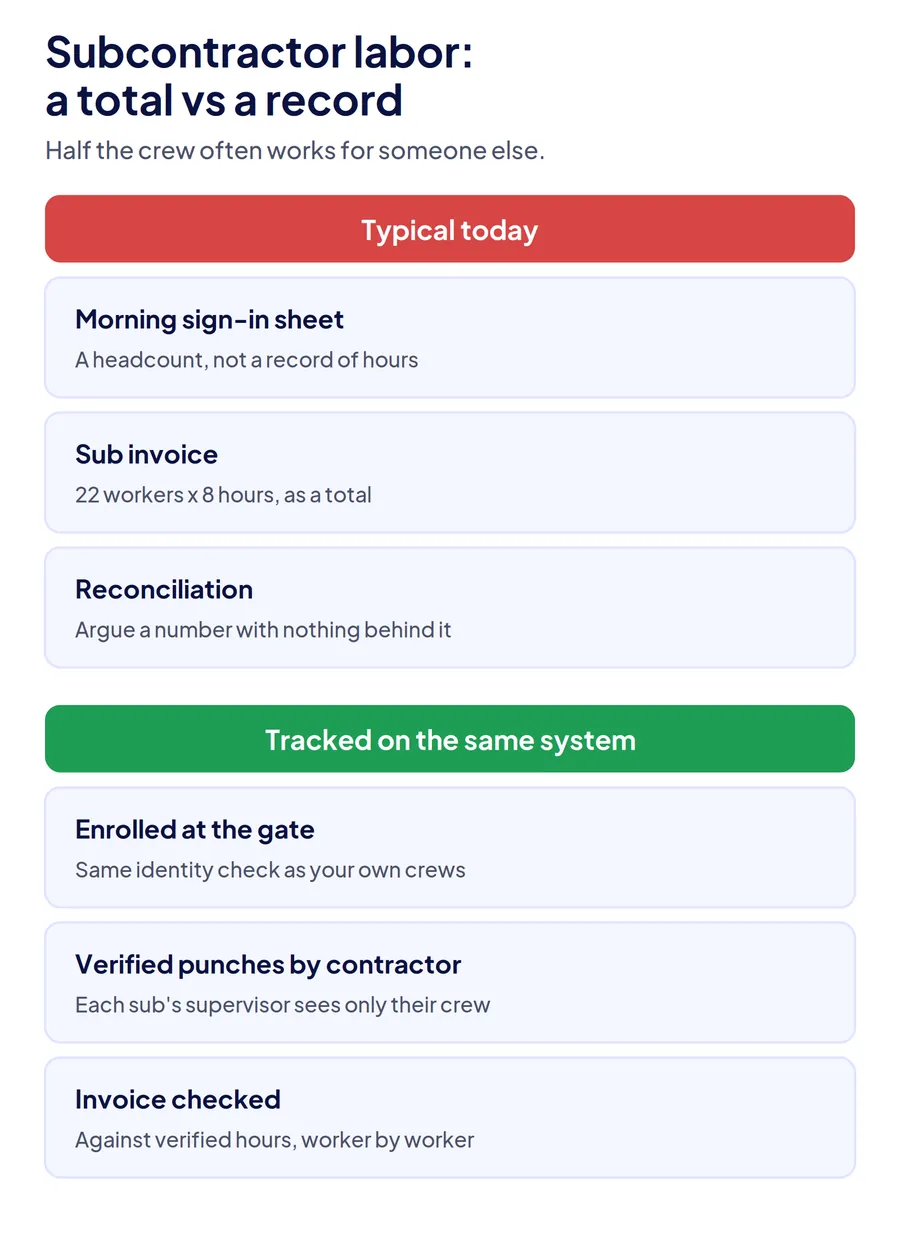
Most labor tracking tools assume the people punching in are your employees with your cost codes. On a typical commercial job, half the bodies on site work for someone else. A drywall sub sends 22 workers and bills 22 eight-hour days; the general contractor's records show a headcount from the morning safety sign-in and nothing after it. Disputing the invoice means arguing over a number with no record behind it. Most HRMS attendance systems cannot help here, because sub workers have no employee record to punch against.
Three settings close most of that gap:
- Enroll sub workers at the gate on day one, with the same identity check as your own crews, so their first punch is verified rather than written on a sign-in sheet.
- Group records by contractor, with each sub's supervisor seeing only their crew, so hours reconcile per company before the invoice arrives.
- Export sub hours separately from direct labor, since they feed a payables check, not your payroll.
Practical frameworks for running mixed crews sit in the guide to labor management in construction, and under the FLSA your own non-exempt workers still need accurate daily and weekly hours records regardless of who supplies the rest of the crew.
How does Truein track construction labor?
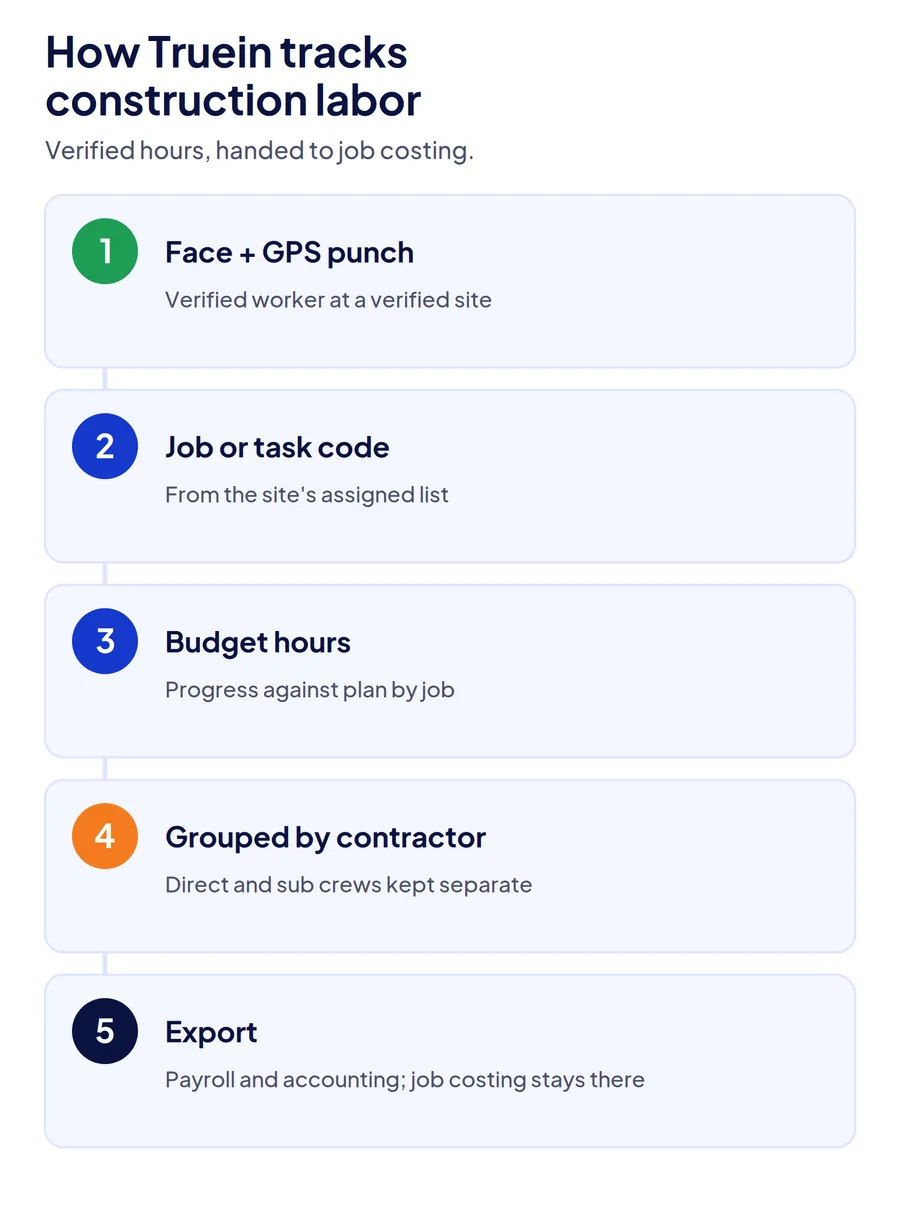
Truein covers the first two questions on every punch and hands clean data to the system that answers the fourth. A face match and geofence check tie each hour to a verified worker at a verified site; a job or task code from that site's assigned list ties it to the work; budget hours per job show progress against plan before the cost report does. Subcontractor crews run on the same record, scoped by contractor, so a sub's invoice can be checked against verified hours rather than a headcount.
Where it stops: dollar job costing, WIP, and cost-to-complete stay in your accounting system, fed by Truein's exports. The job time tracking software page shows job codes and budget hours, and the construction time tracking software page covers site setup.
Conclusion
Construction labor tracking software earns its cost when its hours can be trusted and land in job costing without retyping. Pick on four questions, not features: who worked, where, on which job, and what it cost. Workyard, WorkMax, ClockShark, and busybusy are strongest on the last two. SmartBarrel and Truein are strongest on the first two, and Truein extends verified tracking to subcontractor and agency crews. Start from your accounting system, test cost code switching and sub reporting with your own data, and the right tool usually picks itself.
Frequently Asked Questions
What is the best labor tracking software for construction?
It depends on the gap in your records. Workyard and ClockShark lead for GPS time tracking with job costing on smaller crews, WorkMax for contractors on Foundation or another construction ERP, busybusy for equipment-heavy work, and SmartBarrel for a dedicated site clock. Truein leads where hours must be identity-verified across multi-site and subcontractor crews.
What is the difference between labor tracking and time tracking in construction?
Time tracking records when a worker clocked in and out. Labor tracking ties those hours to a job, phase, and cost code and compares them against the labor budget, so you know what the work cost and whether it matched the estimate. Labor tracking needs accurate time tracking underneath it.
What is the best labor management software for construction?
Labor management is broader than tracking: it covers scheduling, crew allocation, certifications, and compliance alongside hours. Contractors usually combine a labor tracking tool for verified hours by job with scheduling or resource planning, either in the same app, as with ClockShark, or through integration with project management software.
What is the best construction cost tracking software?
For labor cost, the tracking tool captures hours by job and cost code, and the job costing itself runs in construction accounting software such as Foundation, Viewpoint, CMiC, Sage, or QuickBooks. Choose the accounting platform for cost tracking, then choose labor tracking software that exports to it without manual mapping.
How do you track labor costs by cost code?
Set cost codes in your accounting system, sync them to the labor tracking app, and have workers or foremen select a code at clock-in and switch it when the task changes. Hours then post to job costing by code. The two things to check are mid-shift switching without a supervisor and an edit trail when a code is changed after the fact.
Can construction labor tracking software track subcontractor hours?
Some can. It requires enrolling subcontractor workers on the same system, verifying identity at the punch, and grouping their records by contractor so each sub's supervisor sees only their crew. Without that, a general contractor reconciles sub invoices against a total rather than against verified hours.
