


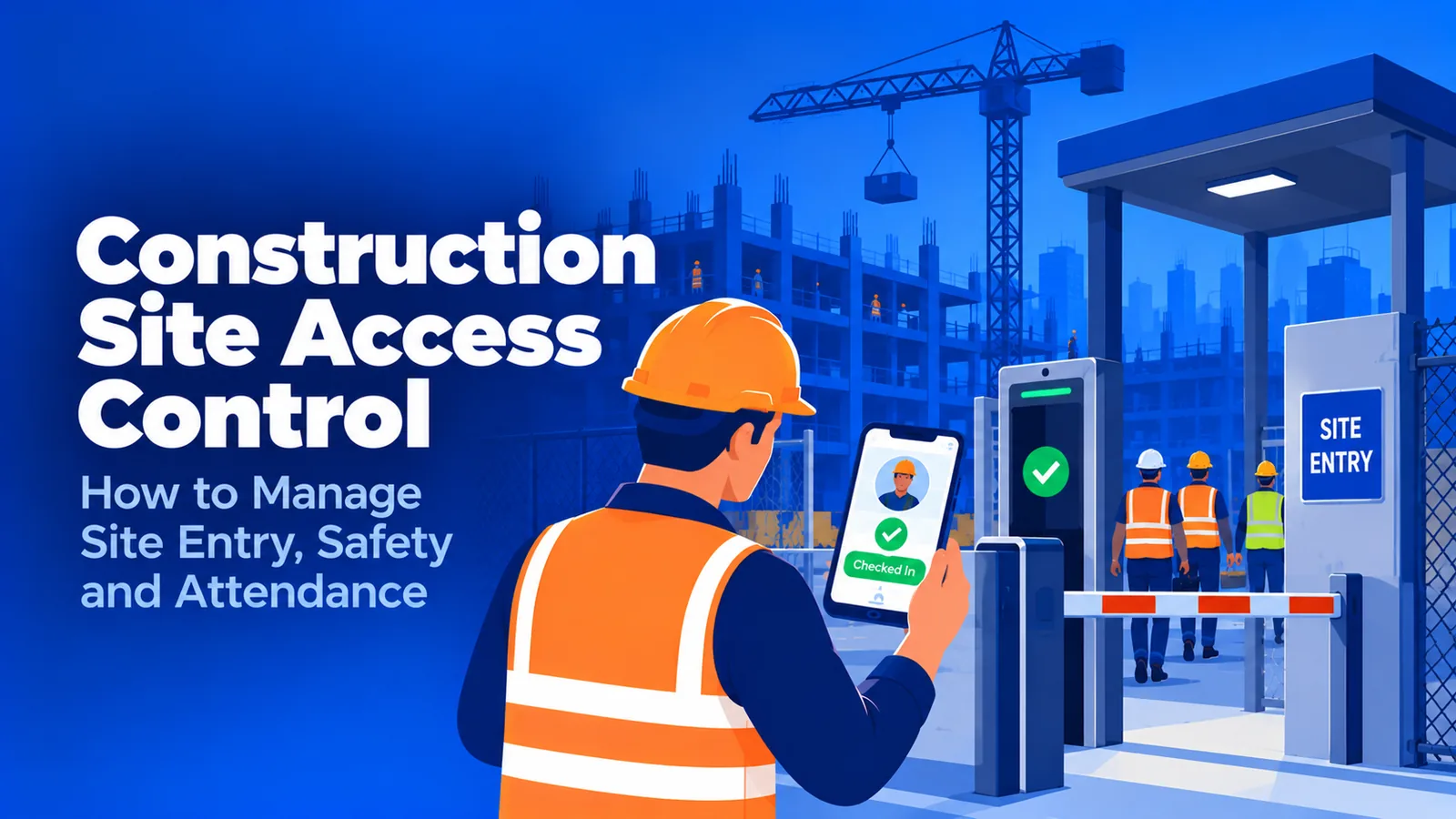

What is construction site access control?
Construction site access control is the set of barriers, credentials, identity checks, and records that decide who can enter a job site and which areas they can reach. A complete system answers three questions: who is allowed, who actually entered, and who is still on site. Most setups answer only the first two.
- The five components every site access control system needs, and the one most sites skip
- Five access methods compared by what their records actually prove
- Why badge readers fail at identity and at exits, and how to close both gaps
- The OSHA, payroll, and biometric consent rules that depend on access records
- How to set up access control across multiple job sites, including open sites with no turnstile
A general contractor can spend six figures on fencing, turnstiles, and badges and still be unable to answer the question an inspector, an insurer, or a fire marshal asks first: who was on this site at 2:15 this afternoon? Construction site access control is usually bought as a security purchase and judged as a records system.
This guide is for project executives, safety managers, and ops heads running crews across job sites. It covers the methods in use on US sites today, what each one actually proves, the compliance rules that depend on access records, and how to set up access control on sites where a turnstile is not an option.
What is construction site access control?
Construction site access control is the combination of physical barriers, worker credentials, identity checks at the point of entry, and the records they produce, used to decide who can enter a job site and which areas they can reach. It covers direct crews, subcontractor crews, visitors, and deliveries, from mobilization to closeout.
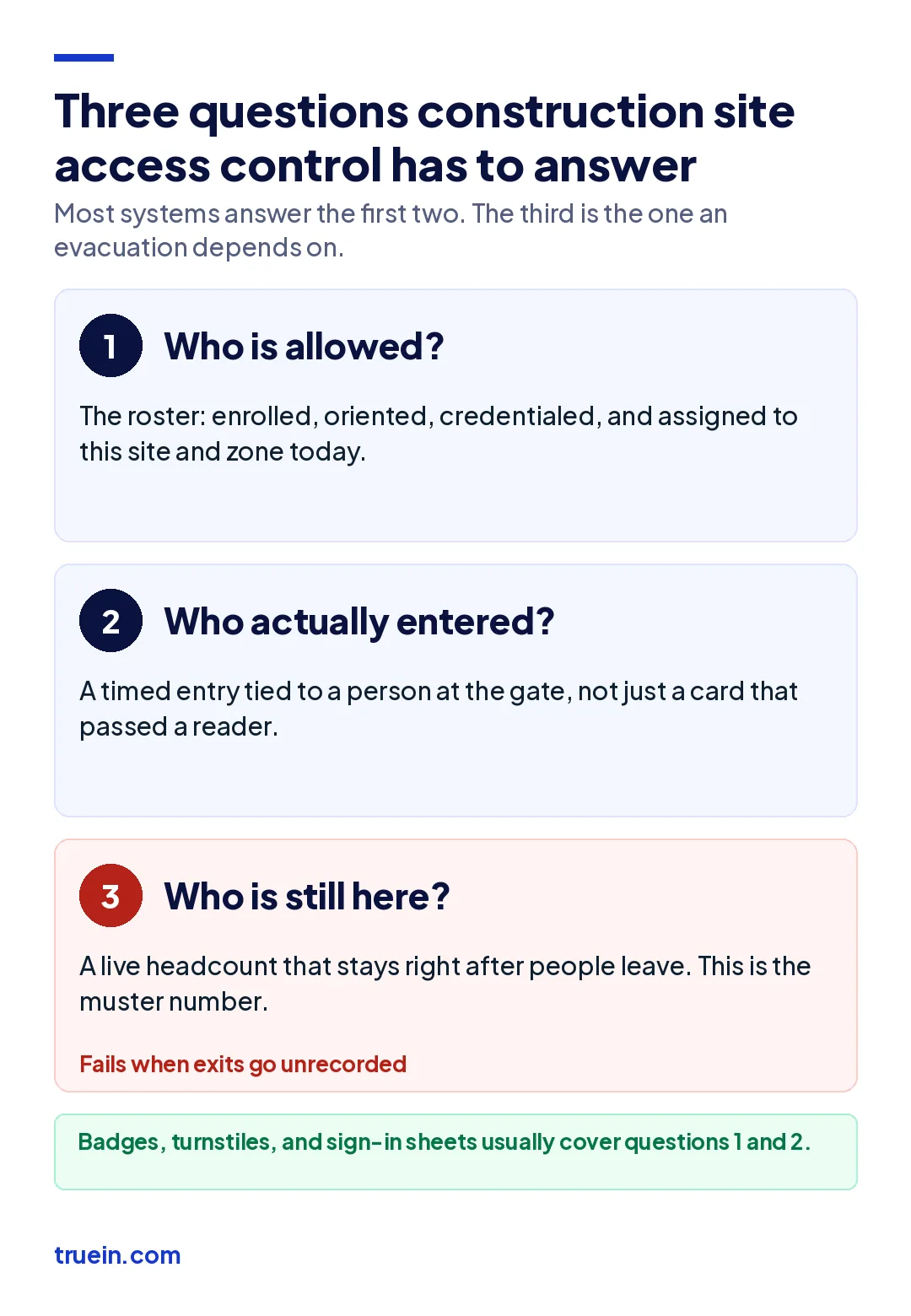
Every system, from a clipboard at the trailer to a bank of turnstiles, is trying to answer three questions:
- Who is allowed? The roster of workers who are enrolled, oriented, credentialed, and assigned to this site and zone today.
- Who actually entered? A record of each entry, tied to a person, with a time and a gate.
- Who is still here? A live headcount that stays accurate after people leave, which is the number an evacuation depends on.
Most access control setups answer the first question well and the second one partly. The third is where they fail, because workers badge in carefully and walk out through whichever gap is nearest. A superintendent running a 120-person site with one turnstile and an open laydown yard has a perfect morning count and no idea who left at lunch.
What are the components of a job site access control system?
A working system has five layers. Remove one and the other four lose most of their value.
Perimeter and entry points
Fencing, gates, vehicle barriers, and a small number of controlled entry points. Every extra gap in the fence is an entry the system cannot see. The perimeter decides where checks happen. It does not check anyone.
Credentials
A badge, fob, mobile pass, QR code, or an enrolled biometric template. The credential is what the worker presents, and on its own it proves possession, not identity.
Identity check at entry
The step that ties the credential to the person: a guard comparing a photo, a biometric match, or a face-verified clock-in. This is the layer most sites treat as optional, and it decides whether the record means anything.
The roster behind the gate
The list of who is allowed, with orientation status, safety cards, trade classification, and employer for each worker. If the roster is a week out of date, the gate faithfully admits people who should have been removed.
Records and live headcount
Entry and exit times by person, gate, and zone, plus a current on-site count. These are what you hand to an investigator, an owner's representative, or a payroll auditor.
People run across all five layers: gatekeepers, site admins, and superintendents who resolve the exceptions no reader can. A safety manager covering four sites cannot stand at every gate, so the records layer is how she knows what happened at the three she did not visit today.
Which construction site access control methods work on US job sites?
Five methods are in common use, often in combination. They differ less in how they control entry than in what their record proves afterward.
| Method | What the record proves | Hardware at each site | Main weak point | Best fit |
|---|---|---|---|---|
| Sign-in sheet and gatekeeper | A name was written down | A clipboard and a staffed gate | Anyone can sign for anyone; exits are rarely recorded | Short jobs with a staffed gate |
| Badge or RFID card with turnstile | A credential passed the reader | Turnstile, reader, power, often a guard shack | Badges are shared; tailgating; open fence sections bypass it | Fenced urban and high-rise sites with one or two gates |
| Biometric gate terminal | An enrolled finger, palm, or face matched | Fixed terminal with power and network | Fingerprint read failures on working hands; slow lines at shift start | Permanent, powered gates on long projects |
| Mobile credential or QR scan | A phone or code was scanned | Fixed readers or a guard with a scan gun | The phone or code can be handed to someone else | High-turnover sites where printing badges is the bottleneck |
| Face-verified clock-in inside a geofence | The enrolled worker was at the site at that time | A phone or shared tablet; no fixed terminal | Does not physically stop entry on its own | Multi-site contractors, open sites, and gates without power |
Read the second column before the third. A turnstile is excellent at stopping someone without a valid badge and has no opinion about who is holding it. A face-verified clock-in does not stop anyone at the fence, but its record names a person. Many contractors run both: a barrier where the site needs one, and an identity check at entry on every site.
Fingerprint terminals are the most common biometric at gates and the most troublesome on site, because gloves, cement, and worn skin defeat the sensor. The guide to biometric time clocks for construction compares the traits and the state consent rules that come with them.
Why does badge-based access control fail at identity?
Badge-based access control fails at identity because the system verifies the credential and assumes the person. That assumption breaks in three ordinary ways, none of which looks like fraud from the gate.
Badge handoff
A worker who forgot a badge borrows one from a crew member already inside, or a sub's foreman badges in two late arrivals on cards he is holding. The reader logs two valid entries. The access log now places people at the gate who were not there, and the same pattern on a timekeeping system is buddy punching with a turnstile in the way.
Tailgating
A full-height turnstile admits one person per credential. A vehicle gate, a waist-height turnstile, or a door held open at 6:45 a.m. admits a group. The count at the reader and the count on site drift apart, and nobody notices until a muster.
The missing exit
Workers have a reason to badge in. Fewer have a reason to badge out, especially through a turnstile line at the end of a shift when the laydown gate is closer. The morning record is right and the afternoon record is a guess, which is exactly backwards for an evacuation.
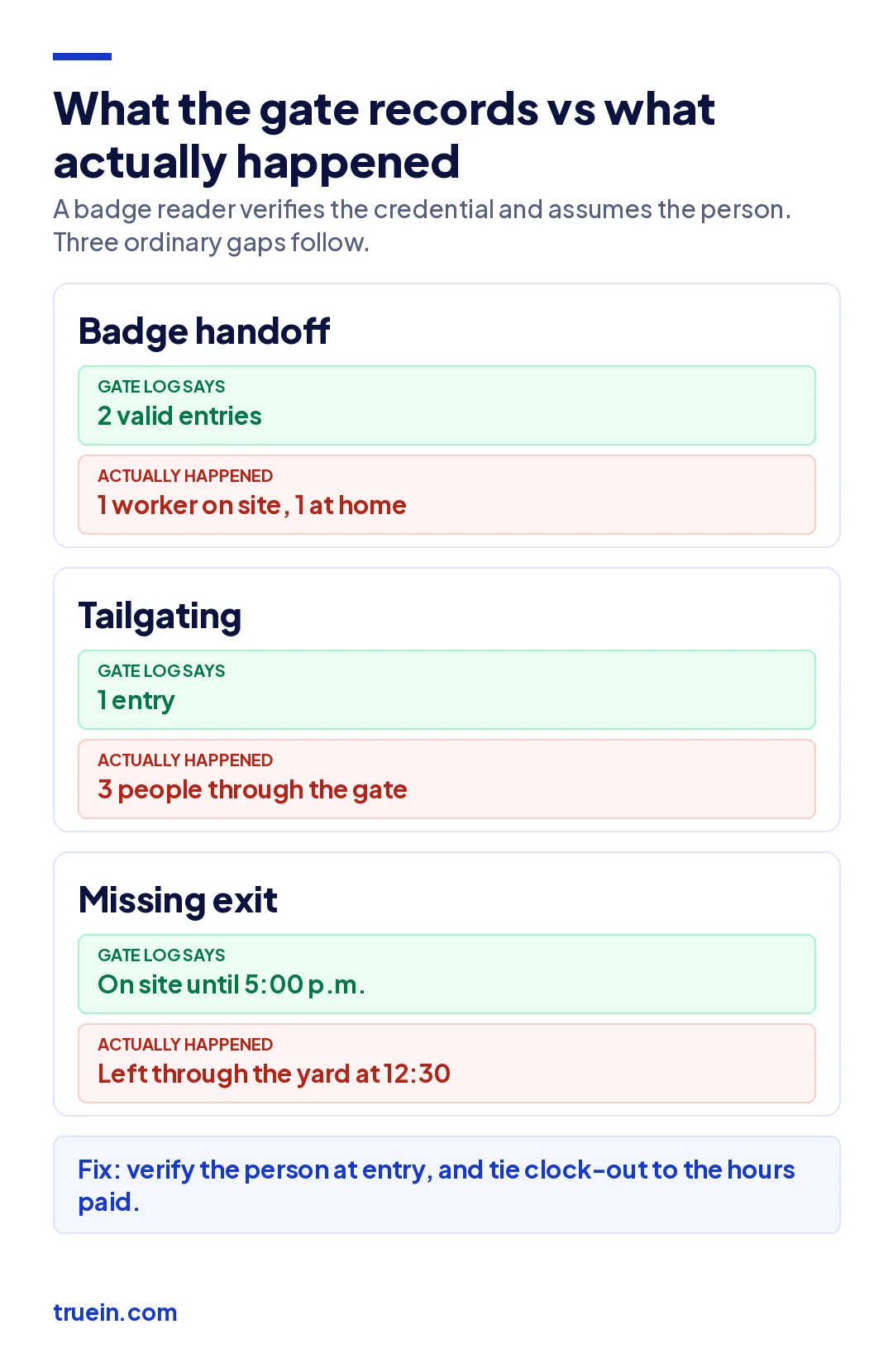
Picture a hospital addition with one turnstile bank and a contractor gate at the back. On a fire drill, the system shows 18 more people on site than the muster count finds, and every one of them left through the back without badging out. A second turnstile would not fix that. A clock-out the worker has to make to be paid for the hours would.
The gate records an event, and the event is only as good as the link between the credential and the human. Tie the record to the person at entry and to pay at exit, and both gaps close.
What compliance rules depend on construction site access control?
No single federal rule requires every job site to run an access control system. Several rules depend on records that only access control produces, and owners and insurers increasingly write those records into contracts.
OSHA controlled access zones
Under OSHA's fall protection criteria in 29 CFR 1926.502, a controlled access zone for leading edge work or overhand bricklaying is defined by control lines flagged at intervals of no more than 6 feet and rigged between 39 and 45 inches above the walking surface, or up to 50 inches for overhand bricklaying. Where a written fall protection plan is used, paragraph (k)(9) goes further: the plan must name or otherwise identify each employee designated to work in the zone, and no other employees may enter.
That second requirement is an access control rule in everything but name. Rope and flags mark the zone. A named list, enforced at the zone, with a record of who was inside, is what shows only designated workers entered.
Incident investigations
OSHA's recordkeeping rule in 29 CFR Part 1904 governs how work-related injuries and illnesses are recorded. It does not prescribe sign-in logs, but every investigation after an incident starts with a list of who was on site and where. A paper log with illegible names is a weak place to start.
Prevailing wage and certified payroll
On federally funded projects covered by Davis-Bacon, contractors file weekly certified payroll showing hours by day for every worker, by classification. Entry and exit records that name the worker are the most direct evidence behind those hours. The weekly routine is covered in our guide on how to do certified payroll. Those same hours then drive every other construction payroll rule, from overtime to state withholding.
Biometric consent
If the access method scans a face, finger, or palm, states including Illinois, Texas, and Colorado require notice and consent before collection, along with retention and deletion rules, and Illinois lets workers sue directly. Put the written policy and releases in place before the first scan, for subcontract crews as well as your own.
Owner and insurer conditions
Large institutional, federal, and data center owners increasingly specify site access logs in their general conditions, and builder's risk policies can carry site security conditions of their own. Read the general conditions before bid, so the system sits in the estimate rather than in a change order.
This section is general information, not legal advice. Requirements vary by state, project, and contract; confirm your obligations with counsel and your broker.
How do you set up construction site access control across multiple job sites?
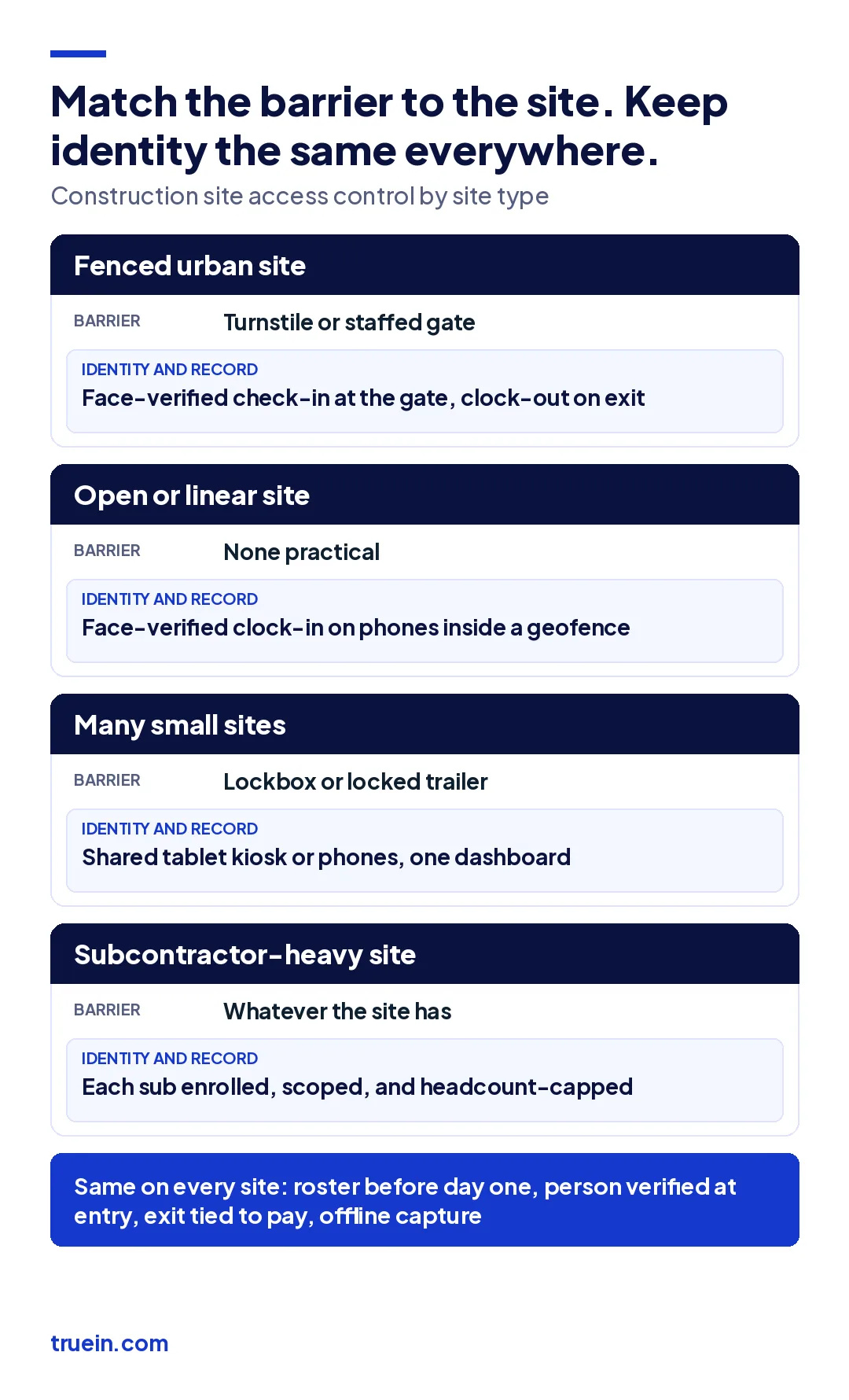
A contractor with one fenced tower and a contractor with 14 active residential and light commercial jobs need different systems. The second cannot put a turnstile at every driveway, and does not need to. Set the barrier by site type, then keep the identity and exit layers the same everywhere.
| Site type | Barrier layer | Identity and record layer |
|---|---|---|
| Fenced urban or high-rise site | Turnstiles or a staffed gate | Face-verified check-in at the gate, clock-out on exit |
| Large site with several work fronts | Perimeter fence plus control lines at zones | Gate check-in, plus a named list for each controlled access zone |
| Open or linear site (roads, utilities, land development) | None practical | Face-verified clock-in on phones inside a geofence drawn to the work area |
| Many small sites at once (residential, tenant fit-outs) | Lockbox or a locked trailer | Shared tablet kiosk or phones, one dashboard across sites |
| Subcontractor-heavy site | Whatever the site already has | Each sub enrolled on the same system, scoped and headcount-capped by company |
Then work through the setup in this order:
- Map each site before mobilization. Mark gates, laydown areas, zones that need a named list, and where power and signal exist.
- Build the roster first. Enroll every worker, including each sub's crew, with orientation status, safety cards, and employer before day one.
- Choose the barrier per site and the identity check for all of them. The barrier changes with the site. The identity check should not.
- Make exit capture part of pay. A record that only counts arrivals is half a record. Tie clock-out to the hours paid and workers stop skipping it.
- Plan for no signal. Basements, cores, and remote sites lose coverage, so check-ins have to be captured on the device and keep their original time. The offline attendance guide for construction sites covers what that record has to preserve.
- Alert on exceptions, not on everything. Unenrolled faces, expired cards, and a sub sending more workers than contracted are the events worth a notification.
- Test the muster number monthly. Compare the system's on-site count to a physical count during a drill. The gap is your exit problem, measured.
A facility management or specialty contractor rotating crews across client buildings runs the same logic with the client as site owner: the barrier belongs to the building, and the identity record belongs to you. For subcontracted labor, the subcontractor time tracking guide shows how a GC reconciles each sub's invoice against the same record. And because an entry record proves arrival only, location tracking that runs during the shift answers whether the crew stayed.
How does Truein fit into a site access control setup?
Truein is a face recognition and GPS-based time and attendance platform for contract and multi-site workforces, used by 500+ customers across 10,000+ locations and 500,000+ workers. In an access control setup it is the identity and record layer, not the barrier.
Workers check in with a live face match on a shared tablet kiosk at the gate or on their own Android or iOS phone, inside a GPS geofence for the site, with no dedicated hardware to install. AI fraud detection flags spoofing attempts such as a photo held up to the camera. Check-ins made with no signal are captured on the device and sync later with their original time.
Subcontractors run as separate agencies under one account. Each sub's supervisor sees only their own crew, headcount caps flag a sub that sends more workers than contracted, and document expiry tracking surfaces a lapsed card at check-in rather than at the audit. Supervisors see who is clocked in at every site on one live dashboard, and live location tracking during the shift can clock a worker out automatically when they leave the geofence. Truein is ISO 27001:2022 certified and SOC 2 Type II compliant.
Two honest limits. Truein does not lock a turnstile or open a gate, so sites that need physical enforcement pair it with a barrier or a gatekeeper. It also does not manage zone-level entry inside the fence, so named lists for controlled access zones stay with your fall protection plan. The construction time tracking software page shows the site setup, and the contract workers attendance page covers the subcontractor configuration.
Conclusion
Construction site access control earns its cost in the record it leaves, not the barrier it puts up. A turnstile that cannot tell who held the badge, and a gate log that loses everyone who left at lunch, answer the easy questions and miss the ones an inspector, an insurer, or a muster count will ask.
Build the roster before day one, verify the person at entry, make exit part of pay, and match the barrier to the site. Do that, and construction site access control produces the same reliable record on every job, whether the site has a turnstile bank or a gravel driveway.
Frequently Asked Questions
What are the four types of access control?
In security design, the four models are discretionary, mandatory, role-based, and rule- or attribute-based access control. Construction sites almost always run role-based control: access depends on trade, employer, orientation status, and assigned zone, with rules layered on top for time of day and expired credentials.
What are the 5 D's of access control?
The five D's describe layers of physical security: deter, detect, deny, delay, and defend. On a job site, fencing and signage deter, cameras and access logs detect, turnstiles and locked gates deny, distance and barriers delay, and guards or monitored response defend. Access control systems mainly cover deny and detect.
Is access control required on construction sites in the US?
Not as a blanket federal rule. OSHA requires controlled access zones in certain fall protection situations, and a fall protection plan must name the workers allowed inside them. Prevailing wage projects need hours by worker, and many owner contracts and insurance policies set their own site security conditions.
How do you control access on a construction site without turnstiles?
Use a staffed gate or a lockable entry for the barrier, and move identity to the point of check-in: a face-verified clock-in on a shared tablet or the worker's phone, inside a geofence drawn to the work area. That gives a named, timed record on open, linear, and small sites where fixed hardware is impractical.
Can subcontractor workers be included in a GC's access control system?
Yes, and they should be. Enroll each sub's crew on the same system before their first shift, keep each company's workers scoped so subs see only their own, and set a headcount cap per sub. The GC then holds its own record of who each sub put on site, independent of the sub's timesheet.
Does site access control work without cell signal?
It has to, because basements, building cores, and remote sites all lose coverage. Choose a system that captures each check-in on the device with its original timestamp and syncs once connectivity returns, and ask the vendor exactly what happens to an entry made offline before you sign.
