


.jpg)

WorkMax has patented face recognition, but its help documentation describes flagging a low match for a supervisor to review and does not describe blocking the clock-in. If your account behaves that way, a wrong-face clock-in can still reach the timesheet until someone reviews the flag.
So the best WorkMax alternative for contractor time tracking depends on what you want to change. Of the seven tools compared below, only Truein, AI-powered time tracking software for hourly and multi-site workforces, documents blocking a failed match at the clock-in.
Feature checklists and star ratings miss this. Both treat “facial recognition” as one line item, and neither tells you what the app does when the face on screen is the wrong one.
This article is written for contractors running 100+ hourly workers across several active sites, often with subcontractor crews. ("Contractor" here means a construction company, not a 1099 freelancer.)
The problems behind most WorkMax switches are buddy punching, proxy clock-ins, off-site clock-ins, and subcontractor hours that do not reconcile with what the subcontractor bills. Each one is a question of who clocked in and where, which is why this comparison scores every tool on the same test: what happens when the wrong person clocks in.
It compares seven tools on what each does at a mismatched clock-in, how deep its cost-code tracking goes, and where its hours land in payroll or accounting, then covers how to test them and when to stay on WorkMax.
Key Takeaways
- WorkMax has patented face recognition, but its help documentation describes flagging a low match for supervisor review and does not describe blocking the clock-in.
- Of the seven alternatives reviewed, six flag a mismatch, notify an admin, or only attach a photo. Truein blocks a failed match at the moment of the clock-in and can pair it with a GPS geofence on the same clock-in.
- Choose by reason for leaving: proxy hours, job-cost depth, equipment hours, daily reporting, and QuickBooks sync. Each reason points to a different tool.
- GPS shows where a phone was, not who held it, so geofencing and identity checks work best when paired.
- Before signing, run a wrong-person clock-in, an off-site clock-in, and an offline clock-in on a live site.
- Stay on WorkMax if its FOUNDATION integration works, its cost-code depth fits, and no replacement shows a measurable gain over one parallel payroll cycle.
Overview: Best WorkMax Alternatives for Contractor Time Tracking
The best WorkMax alternative for contractor time tracking depends on why you are leaving. The list is not a ranking: each tool carries a best-for label, and the table shows what each does when a face does not match.
Vendor behavior as documented, October 2026. Confirm current behavior in a demo.
Three outcomes explain the mismatch column:
- Blocked means a failed match stops the clock-in and prompts a retry
- Flagged means the clock-in is recorded and the mismatch waits for review
- Photo only means a selfie is attached and nothing compares it
Identity verification at clock-in means the system compares the live face with the crew member’s enrolled face before the clock-in is accepted. Truein does this with face recognition on any Android or iOS phone or tablet, and a failed match blocks the clock-in and prompts a retry.
Six of the seven time tracking software land in the last two.
WorkMax facial recognition compares each clock-in photo to a stored profile and, per its help documentation, flags a low match for supervisor review without describing a block; Truein compares the live face at the moment of clock-in and blocks a failed match, prompting a retry.
What Does WorkMax Do Well, and Why Do Contractors Look Elsewhere?

WorkMax is a capable tool, and contractors who leave it usually want one specific change. Foundation Software announced its acquisition of AboutTime Technologies, WorkMax's developer, on May 4, 2023, and WorkMax now sits in Foundation's portfolio, with approved timecards flowing into FOUNDATION construction accounting software.
It runs as TIME, FORMS, ASSETS, and INSIGHTS modules. On the clock, WorkMax stamps GPS location on clock-ins and task changes, supports geofences (virtual GPS boundaries around a site), allocates hours to cost codes, and works offline.
The facial recognition is real and patented; the open question is what happens after a low match. WorkMax’s current Capterra rating is 4.2/5 from 141 reviews, as of October 2026.
The structural reason to leave is fit. If your accounting system is not FOUNDATION, the integration advantage shrinks and the flag-for-review behavior its documentation describes stays.
Which WorkMax Alternative Fits Your Situation?
The right replacement depends on why you are leaving and what kind of contractor you are, and for some readers the answer is to stay.
If you are building a longer shortlist, the wider comparison of the best time tracking apps for contractors covers more tools.
For hourly crews spread across many job sites, the multi-site workforce setup matters more than any single feature. Truein gives a general contractor one dashboard across all sites, shifts, and subcontractors, so “who is on which site today” has one answer instead of one per site.
Seven WorkMax Alternatives Reviewed
Each entry covers what the tool does, what it does well, where it falls short, and when to choose it, based on vendor documentation as of October 2026.
1. Truein: Best for Verified Identity at the Clock-in and Subcontractor Accountability

Truein is AI-powered time tracking software for hourly and multi-site workforces. It verifies identity at clock-in with face recognition and GPS geofencing on any Android or iOS phone or tablet, with no dedicated hardware required. Of the seven, it is the only one that documents blocking a failed face match at the moment of the clock-in, and Walker Engineering is among its U.S. clients.
What it Does Well
- Face match and GPS checks that can run on the same clock-in: A failed match blocks the clock-in and prompts a retry. For location, an admin can set a geofence as a radius from 20 meters or draw a custom boundary on a map to follow the shape of the site, and a clock-in outside the boundary can be blocked, alerted, or sent for approval depending on setup. Custom boundaries are created in the Dashboard, so sites added through Bulk Upload use a radius. Accuracy is around 95 to 100 percent, including with facial hair, masks, changed hairstyles, and hard hats. Spoofing attempts, such as holding up a photo, can be flagged after the clock-in, which is a separate safeguard from the match.
- Built for the field: Crews clock in from personal phones, from a shared tablet kiosk installed at the site, or through a supervisor-assisted crew clock-in from the supervisor’s device, so crews without phones are not pushed back to paper timesheets. A shared tablet does have to be installed at the location. Offline clock-ins are captured on the device, marked as ‘captured offline,’ and appear in the dashboard after sync, so basement and low-signal sites do not leave gaps in the record.
- Subcontractor accountability and cleaner payroll data. Each subcontractor's supervisor sees only their own crew, with headcount limits and document expiry tracking, giving a general contractor the visibility and controls to spot overlap and overbilling. AI TimeGuard, Truein's built-in anomaly detection layer, continuously analyzes time tracking data for risk signals like unusual correction activity and suspicious clock-in patterns, then surfaces them for manager review based on how the account is configured.
Where it Falls Short: Truein is a time tracking platform, not a project cost suite like WorkMax’s FORMS, ASSETS, and INSIGHTS modules. It has no native Procore integration, it produces payroll-ready reports rather than running payroll, and it is built for field, hourly, and multi-site crews, not for desk-based or office teams.
Choose it if: Subcontractor crews, proxy clock-ins, or hours that will not reconcile are why you are leaving WorkMax and cost-code depth is secondary. The subcontractor time tracking setup is the part to test first.
Truein G2 rating: 4.8/5 out of 98 reviews and Capterra rating: 4.8/5 out of 42 reviews, as of October 2026.
2. Workyard: best for GPS time tracking with job costing
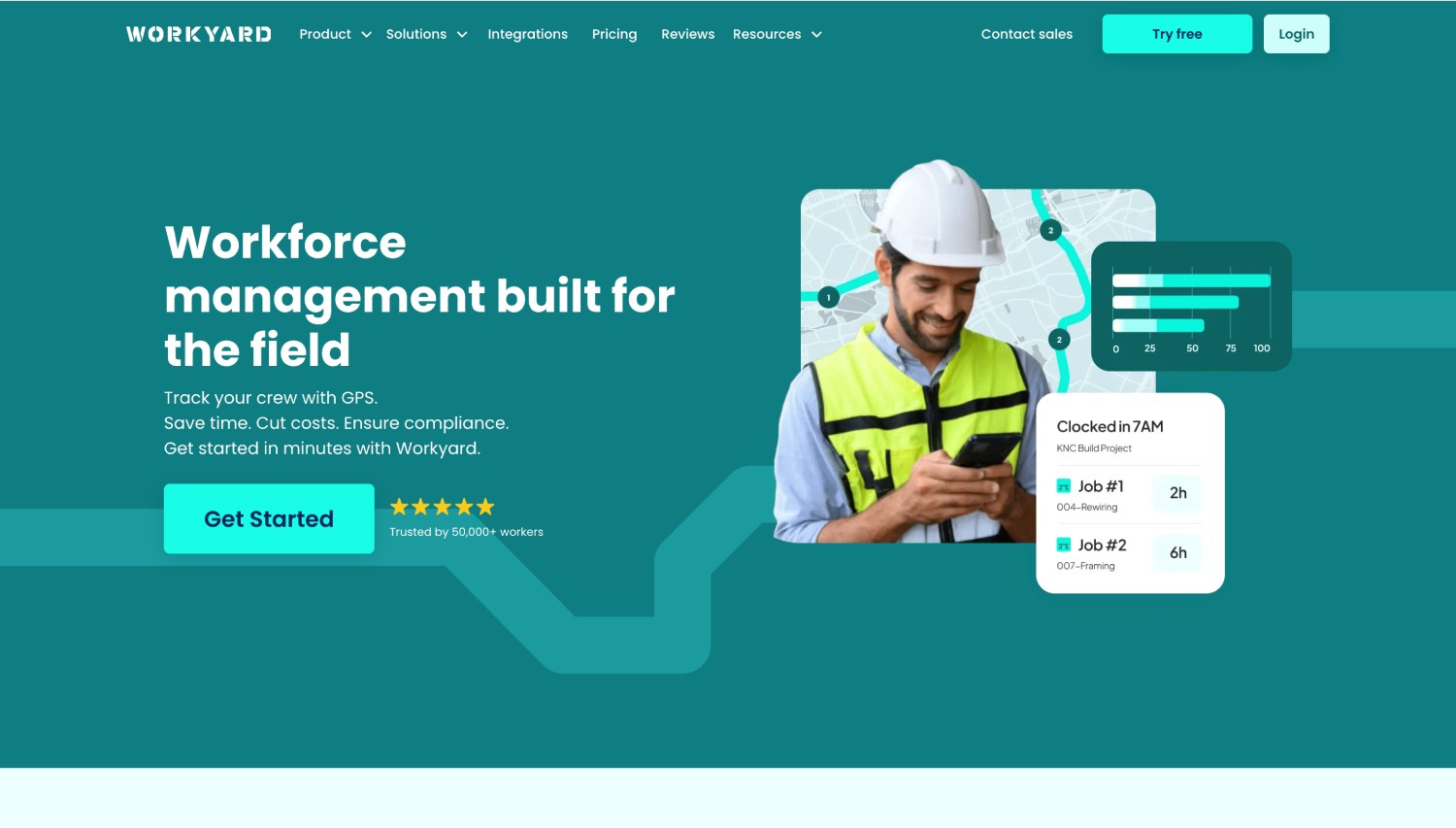
Workyard is built for construction and field-service trades, pairing GPS time tracking and geofencing with job costing. In a WorkMax vs Workyard decision, the difference is mainly how identity is checked.
- What it Does Well: Job costing and labor allocation by job, plus a kiosk mode with PIN entry and an optional selfie before the clock-in is recorded.
- Where it Falls Short: The selfie is attached for manager review with no automated match or block, geofence auto clock-in bypasses it, and strict geofence enforcement and advanced photo verification sit on higher plan tiers.
Choose it if: Job-level labor allocation leads and you will review photos yourself.
3. ClockShark: Best for Small and Midsize Crews
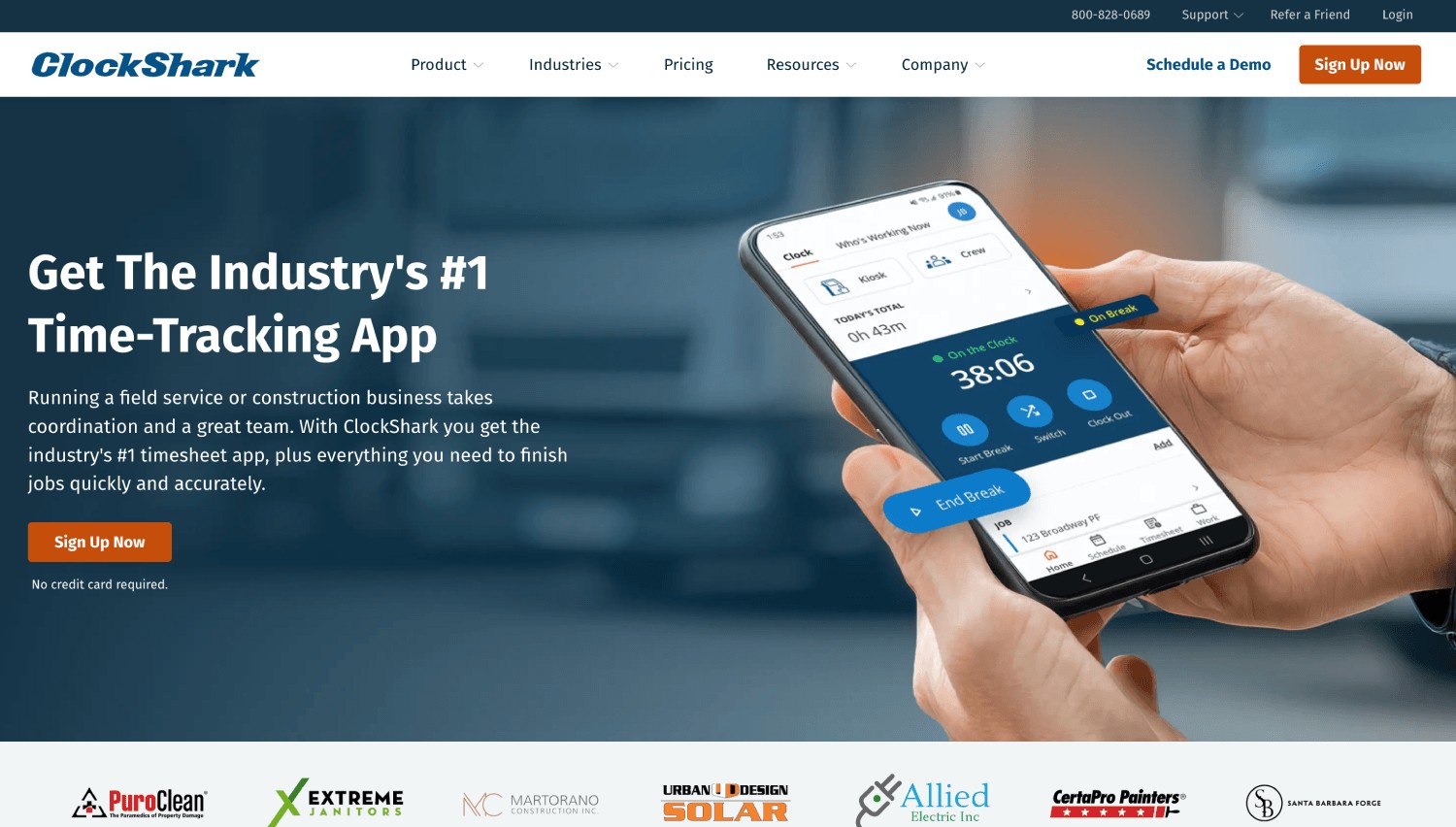
ClockShark is a GPS time tracking and scheduling tool for construction and field-service businesses, with job and task tracking and a geofence feature called GPSFence.
- What it Does Well: A Kiosk Clock for shared tablets with 4-digit PINs and optional facial recognition, and offline clock-in that queues entries and syncs on reconnect.
- Where it Falls Short: The face check is kiosk-only. A mismatch goes to an admin for review, and personal phones rely on GPS and login. If you are looking for a ClockShark alternative, it is worth checking out our side-by-side comparison.
Choose it if: Your crews are small, clock in from a shared kiosk, and job tracking matters more than blocking a bad clock-in.
4. busybusy: Best for Labor Plus Equipment Tracking

busybusy pairs crew time tracking with equipment and project tracking in one app. In a WorkMax vs busybusy decision, the question is whether equipment hours matter as much as crew hours.
- What it Does Well: A live GPS map of employees, equipment, and projects, supervisor crew clock-in with cost codes, and a kiosk with facial recognition.
- Where it Falls Short: Facial recognition flags a failed match and notifies the office or supervisor, but does not block the clock-in.
Choose it if: Equipment hours and project budgets are the reason you are leaving WorkMax.
5. ExakTime (Arcoro Time): Best for Established Job Costing and Rugged Field Options
_%20Best%20for%20Established%20Job%20Costing%20and%20Rugged%20Field%20Options.jpg)
ExakTime is now marketed as Arcoro Time (formerly ExakTime), a construction time tracking tool with job costing and a long integration list.
- What it Does Well: Geofencing, offline mode with automatic sync, and a phone app that works with no dedicated hardware, with optional rugged JobClock units for harsh sites.
- Where it Falls Short: FaceFront ties a photo to the time entry for supervisors to review. Per Arcoro's documentation, it does not match, verify, or block a clock-in.
Choose it if: You want established job costing and a rugged clock option and accept manual photo review. The ClockShark and ExakTime comparison covers both time tracking tools’ abilities in further detail.
6. Raken: Best for Daily Reporting First and Time Tracking Second

Raken began as a daily reporting tool for photos, notes, and safety checklists and added time tracking later.
- What it Does Well: Daily reports and safety checklists in one place, plus AI Photo ID, which compares the clock-in selfie to a stored reference photo and flags mismatches for admin review.
- Where it Falls Short: A mismatch is flagged and not blocked, and Live Time Clock is disabled offline, so crews enter hours manually on Time Cards.
Choose it if: Project reporting matters more than time tracking verification.
7. QuickBooks Time: Best for Contractors Already Running QuickBooks
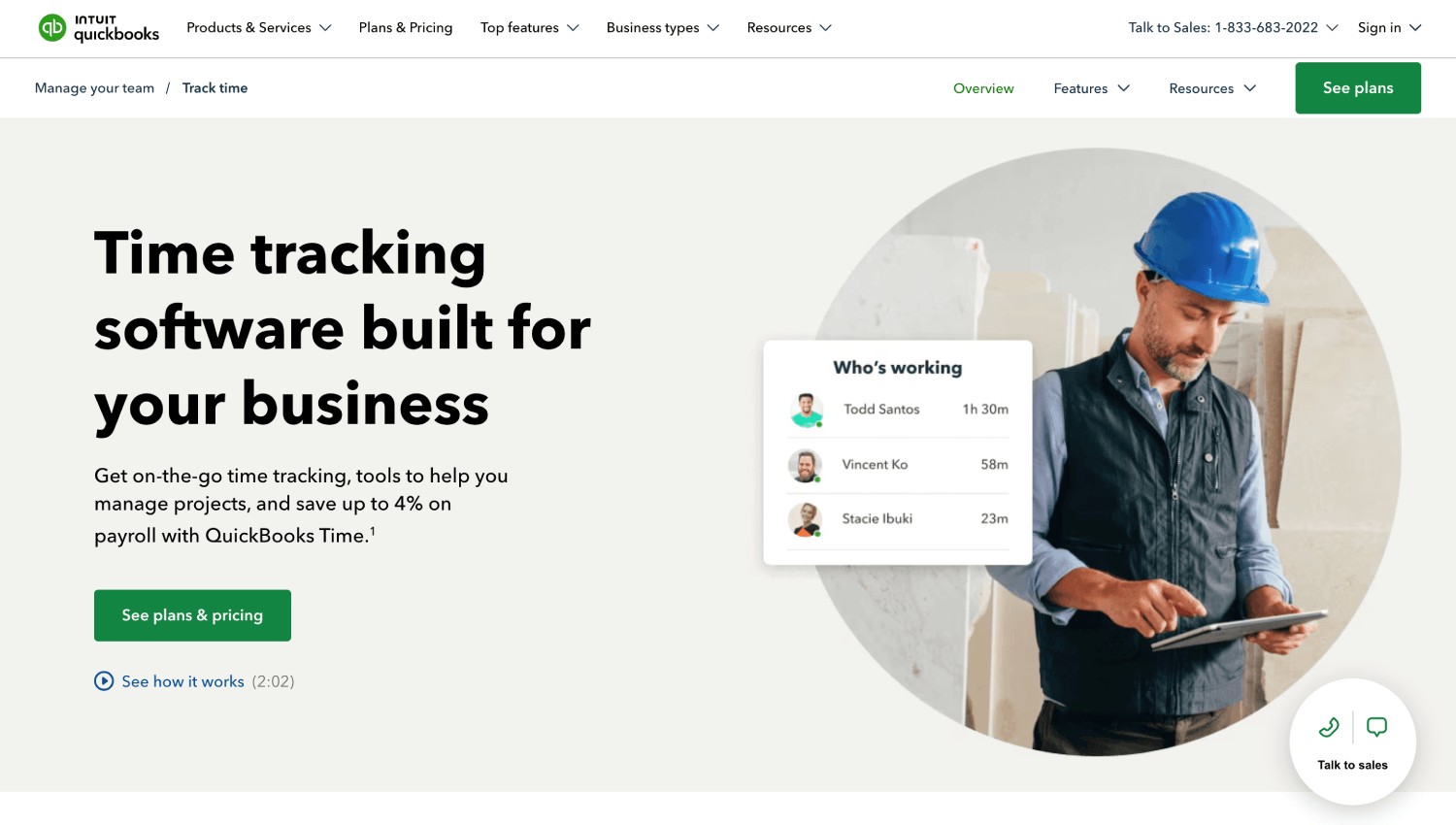
QuickBooks Time is Intuit's time tracking product, built around QuickBooks Online and Desktop sync.
- What it Does Well: GPS and geofencing, a kiosk with photo capture and facial recognition, offline clock-in, and direct QuickBooks sync with a connection to ADP.
- Where it Falls Short: A kiosk mismatch does not block; it gets a yellow flag and an admin email. It is general-purpose across industries, so cost codes and equipment hours are lighter than in construction-only tools.
Choose it if: QuickBooks is your accounting system.
Other Noteworthy Workmax Alternatives
- Rippling, Paycom, BambooHR, and ClickUp: HR, payroll, and project-management platforms whose time features sit inside a wider suite, so check the clock-in controls before you shortlist them.
- Connecteam: An all-in-one deskless workforce app with scheduling, chat, and checklists.
- Jibble: A general-purpose time tracker with facial recognition and GPS.
- SmartBarrel: A rugged jobsite device with built-in LTE, at the cost of a hardware unit per location.
If your shortlist includes one of these, run the same wrong-person test on it.
Why Do GPS and a Photo Not Settle Who Clocked-in?
Buddy punching is when one crew member clocks in for another. Proxy clock-ins, such as one phone used for two crew members, are the same problem by another name.
GPS shows where a phone was at the moment of the clock-in, not who was holding it. Picture a foreman inside the geofence with two phones: the location check says both crew members are on site, and a photo-only app files two selfies of the same face for someone to review later.
Geofencing is a virtual GPS boundary around a site, so a crew member can only clock in when physically inside it, which is how open construction sites tie time tracking to the actual job location. GPS geofencing answers where, and identity verification answers who, so pairing a live face match with a geofence on the same clock-in narrows the gap. A photo at clock-in documents buddy punching. It does not stop it.
Even a block-at-the-clock-in design treats spoofing, such as holding up a photo, as a separate check that can flag a record after the clock-in, so no vendor should claim to catch every fraudulent entry in real time.
Ask any vendor for an accuracy figure and the conditions behind it, and question a claim of 100 percent. This comparison of nine face recognition time clocks for construction crews goes deeper.
Truein ties both checks to the same clock-in: a live face match answers who, and a geofence answers where. On a site where the foreman holds two phones, the geofence would pass both clock-ins, and the face match is the check that blocks the wrong face.
How Do Offline Clock-ins, Job Codes, and Payroll Links Change the Shortlist?
After identity, three details usually decide a shortlist: what happens when there is no signal, how hours become job cost, and where the data lands.
What Happens to a 7:00 a.m. Clock-in With No Signal?
A framer clocks in at 7:00 a.m. in a basement with no cell service. That is the test for any offline time clock app on a construction site: capture the clock-in on the device, keep the original timestamp and location, and sync when the signal returns.
On Truein, the clock-in is stored on the device with its original timestamp and location, marked as ‘captured offline,’ and appears in the dashboard with the 7:00 a.m. timestamp once the device reconnects and syncs at 2:00 p.m.
If more than a fifth of your sites lose signal during a shift, treat offline capture as a dealbreaker feature, not a bonus.
How Do Cost Codes Become Job-Level Labor Cost?
A 12-person crew works eight hours, five on framing and three on electrical: 60 framing hours and 36 electrical hours, each priced at the crew members' pay rates to give job costing by job. The example is illustrative.
WorkMax, Workyard, ExakTime, and busybusy handle cost codes natively, while Truein's Activity Punch tags time to a job or task and exports it, which is time tagging and not cost accounting.
Decision rule: If you bill by job and your crews are stable, start with cost-code depth. If subcontractor crews or proxy hours are the problem, start with identity.
Which Payroll and Accounting Systems Does Each Tool Integrate With?
Check your system first, because a clean clock-in re-keyed by hand defeats the point. Truein produces payroll-ready reports for ADP, QuickBooks, Sage, Paychex, Xero, and Viewpoint through API or FTP (check out Truein’s payroll integrations), and it does not process payroll.
For IT, it runs on Android and iOS devices a company already owns, with no dedicated hardware to procure.
Decision rule: If your accounting system is not on a tool’s integration list, a clean clock-in still gets re-keyed, so cross that tool off before you test anything else.
How Do You Choose a WorkMax Replacement in Six Steps?

Six steps turn the comparison into a decision you can defend to finance and to a general contractor.
- Count crew size and active sites: Under 50 crew members on one to three sites, a lighter tool may do; subcontractor crews raise the stakes on verification.
- List mandatory verification controls: Decide whether a bad clock-in must be blocked or a flag is enough.
- Test offline clock-ins: Run one on your worst-signal site.
- Check cost-code mapping: Match each tool against your current job list.
- Confirm the payroll or accounting system: Name the exact system, not just “integrates with payroll.”
- Total the cost by line item: Include subscription structure and module add-ons, how subcontractor and temp workers are seated, onboarding time, integration setup, and the notice and termination terms in your current contract.
The first two steps cut the field fastest.
What Should a Pilot Test?
Run five tests on each shortlisted tool: enroll two testers, run a normal clock-in, run a wrong-person clock-in with one tester on the other's device, run an off-site clock-in, and read the audit trail.
Add a PPE check with a hard hat, safety glasses, and low light, and score each tool ‘Pass’ or ‘Fail’ on identity, geofence, offline sync, cost codes, payroll export, corrections, and the audit log.
If a vendor says a failed match is "flagged," ask who reviews it, how fast, and whether that happens before payroll closes. If nobody owns the review queue, a flag is a record of the problem and not a control.
A 10-Minute Wrong-Person Test
Enroll two testers. Tester A clocks in normally. Then tester B holds tester A’s phone, or steps up to the shared kiosk as tester A, and tries to clock in as tester A.
Record three things: whether the clock-in was stopped, whether it reached the timesheet, and who was notified and when.
Treat a printed photo held to the camera as a separate check, because spoofing is its own safeguard on every tool. If the wrong-person clock-in lands on the timesheet and waits in a queue, the tool documents buddy punching and does not prevent it.
Finance cares that a blocked mismatch never reaches the timesheet, operations runs the wrong-person test on a live site, and IT checks device footprint and whether integration runs over API or FTP.
When Should You Stay on WorkMax?
Stay when switching does not buy something measurable. Three situations justify it:
- Your accounting system is FOUNDATION and the integration works reliably
- WorkMax's cost-code, ASSETS, and INSIGHTS depth covers requirements you would otherwise rebuild
- A replacement cannot show a measurable improvement in identity control or admin time over one parallel payroll cycle.
If none of the three describes you, the migration steps in the FAQ below show how to move without losing history.
Frequently Asked Questions
1. Does WorkMax have facial recognition?
Yes, WorkMax has facial recognition, and it is patented. It compares each clock-in photo with a stored profile, and returns a match percentage against a threshold the employer sets. By WorkMax's own documentation, a low match does not stop the clock-in; the record is flagged for a supervisor to review afterward.
A feature that flags and one that blocks are different controls, and only the second keeps a bad hour off the timesheet.
2. Who owns WorkMax?
Foundation Software acquired AboutTime Technologies, the developer of WorkMax, on May 4, 2023. WorkMax now sits in Foundation’s portfolio, and approved timecards flow into FOUNDATION construction accounting software.
3. What is the best WorkMax alternative for a general contractor with subcontractors?
The best WorkMax alternative for a general contractor with subcontractors is the one that separates each crew and verifies who clocked in.
Truein gives each subcontractor's supervisor a view scoped to their own staff, with headcount limits and document expiry tracking, and blocks a failed face match at the moment of the clock-in. Workyard and ExakTime fit better when job-level cost allocation leads.
Choose by what you will be asked to prove: headcount points to crew separation, and cost codes point to allocation.
4. Does WorkMax work offline, and can its alternatives work at remote jobsites?
Yes, WorkMax works offline, including its face matching, and most alternatives document offline capture that syncs once the signal returns. Raken is the exception, because its Live Time Clock is disabled offline and crews enter hours manually on Time Cards.
Truein marks offline clock-ins as ‘captured offline’ and shows them in the dashboard only after sync. Test offline clock-ins on your worst-signal site before you sign.
5. Do any WorkMax alternatives support certified payroll and prevailing wage?
Support varies, and capturing prevailing-wage time is not the same as producing a certified payroll report. WorkMax lists overtime, union, and job costing among its TIME features.
Truein does not produce certified payroll reports such as WH-347 forms or run automated prevailing wage and fringe calculations, so Davis-Bacon projects need a construction payroll system alongside it. Ask each vendor whether it only captures hours or also produces the report.
6. How do I stop buddy punching if my app only flags?
Stopping buddy punching when your app only flags starts with moving the check to the moment of the clock-in. A flagged mismatch still lands on the timesheet and waits for review.
Truein’s live face match paired with a GPS geofence on the same clock-in blocks the wrong face at the site, and AI TimeGuard, Truein's built-in anomaly detection layer, surfaces unusual correction activity and suspicious clock-in patterns for manager review. Before you switch, run a wrong-person clock-in with a foreman holding two phones.
7. What is the difference between a selfie, face detection, and a face match?
A selfie clock-in attaches a photo to the time entry and nothing compares it. Face detection only confirms that a face is in the frame. A face match compares the live face with the crew member’s enrolled face, and in Truein’s case a failed match blocks the clock-in and prompts a retry. Only the third option stops a wrong-person clock-in.
8. What is Truein, and who is it built for?
Truein is AI-powered time tracking software for hourly and multi-site workforces. It verifies identity at clock-in with face recognition and GPS geofencing on any Android or iOS phone or tablet, with no dedicated hardware required. It produces payroll-ready reports and integrates with payroll tools, but it does not process payroll.
9. Is face recognition time tracking legal for construction crews in the U.S.?
Face recognition time tracking is legal for U.S. construction crews when deployed with notice and consent.
California employees have had full rights over workplace biometric data since January 1, 2023, when the CCPA and CPRA employee exemption expired. Illinois requires written consent under BIPA and allows individuals to sue directly. Texas, Washington, and Colorado require notice and consent without a private right of action, and Colorado's HB 24-1130, effective July 1, 2025, adds a written retention and deletion policy.
Truein shows a consent screen before enrollment when that setting is on, and HR or Admin can move a crew member who withdraws to non-biometric time tracking.
If subcontractor crews will enroll on your account, settle with your counsel which company gives notice and collects consent for those workers before the first enrollment.
Disclaimer: This section is for general informational purposes only and does not constitute legal advice. Biometric privacy laws vary by state and change over time; the information above reflects publicly available sources as of the article's publish date and may not reflect subsequent legal developments in your jurisdiction. Before deploying biometric time tracking technology, consult a licensed attorney familiar with the applicable state and local requirements.
10. How do I switch from WorkMax without losing timesheet history?
Switching without losing history means exporting first and running both systems in parallel. Export employee records and timesheet history, map projects and cost codes, configure pay and overtime rules, import worker profiles, run one payroll cycle in both, and reconcile totals.
Check the notice and renewal terms in your contract, and ask the new vendor whether historical timesheets can be imported. For Truein, HR can bulk-upload staff records and crew members self-register with a selfie. Do not deactivate WorkMax until a full payroll cycle reconciles.
11. Is Truein a U.S. company, and does it support U.S. contractors?
Truein is headquartered in India and has a dedicated U.S. office in New Jersey, with U.S.-based account executives who travel across the U.S. and Europe as needed, mainly for enterprise customers.
It serves 500+ clients across 25 countries and 10,000+ locations. If U.S. presence matters to your procurement team, ask which account executive will own your account and where onboarding support is delivered from.
Which WorkMax Alternative Should You Shortlist First?
The question that separates these tools is not whether a face recognition feature exists, but what the app does when the face does not match.
Most of the tools in this comparison, WorkMax included, flag the mismatch or photograph the crew member and leave review to a person, while Truein, among the seven here, blocks a failed match at the clock-in.
Once that is settled, the rest of a construction time tracking software shortlist is a fit question about cost-code depth, equipment hours, offline needs, and where payroll data must land. Run the wrong-person test on two tools and let the audit trail decide.
If subcontractor crews or proxy clock-ins are why you are looking past WorkMax, the most direct next step is a detailed walkthrough of how Truein blocks a failed face match and separates each subcontractor's crew on one dashboard, run against your own site setup.
